

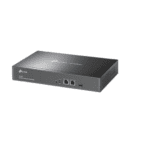
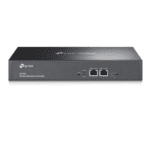
Ultimate Guide to TP-Link Omada Hardware Controller OC300
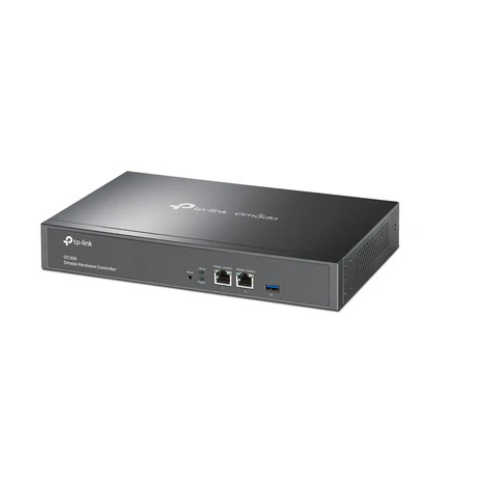
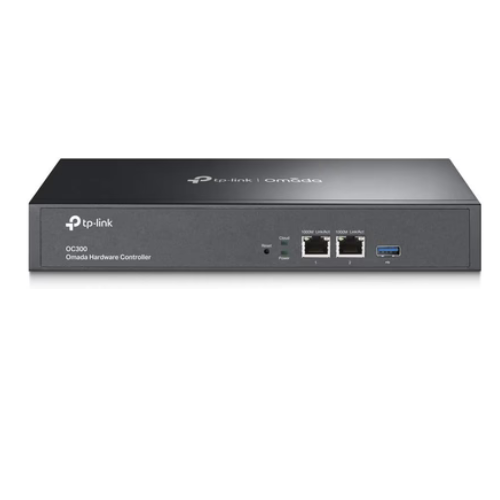
The TP-Link Omada OC300 is an enterprise-grade hardware network controller designed to provide centralized management for the entire Omada Software-Defined Networking ecosystem. It allows IT administrators to monitor and configure up to 500 network devices—including Omada access points, JetStream switches, and SafeStream routers—from a single dashboard. It offers a secure, fanless, and local hardware solution that eliminates the need to run costly, energy-consuming PC server software for network management.
Key Features and Specifications
This rack-mountable controller features enterprise-grade processing chips combined with extensive remote management tools.
- Centralized Network Management: Oversees up to 500 Omada access points, switches, and gateways simultaneously.
- Cloud Access Anywhere: Provides free cloud-based remote access via the Omada app or web browser interface without subscription fees.
- On-Premises Hardware Reliability: Operates locally with a powerful industrial-grade chipset and a durable metal casing.
- Advanced Monitoring Tools: Features real-time network topology mapping, traffic analysis, and anomaly alerts.
- Multi-Tenant Management: Allows multi-site organization, splitting networks into isolated logical branches from one controller.
- Robust Security Infrastructure: Supports secure guest portals, captive portals, Facebook Wi-Fi, and SMS authentication.
- Dual USB Ports: Includes built-in USB 3.0 ports for automated configuration backups and system logging storage.
Enterprise Software-Defined Networking Efficiency
The Omada OC300 solves the problem of configuring multi-site corporate networks manually. Traditional business configurations require tracking down individual IP addresses to modify settings on every single switch and access point.
This controller uses Software-Defined Networking technology to push settings globally. When you modify a Wi-Fi password, guest portal profile, or VLAN firewall rule, the controller synchronizes that configuration across hundreds of hardware endpoints automatically in seconds.
Secure Guest Integration and Captive Portals
The internal operating software includes advanced customization options to securely handle public traffic.
- Custom Captive Portals: Builds specialized welcome screens for retail customers, hotels, or corporate offices to log in via vouchers or credentials.
- Batch Device Provisioning: Automatically discovers newly plugged-in access points or switches on the local subnet for rapid, one-click network adoption.
Step-by-Step Initial Hardware Configuration
Setting up your centralized controller takes only a few minutes using standard local data lines.
Physical Installation
- Mount the device into a standard 19-inch server rack tray or place it on a flat desktop workspace using the rubber feet.
- Connect a standard Ethernet cable from the OC300 ETH1 port directly to a LAN port on your local network switch.
- Plug the standard AC power cord into the rear panel input slot and wall outlet; the front power LED indicator will light up immediately.
Digital Controller Adoption
- Download the official TP-Link Omada mobile app onto your smartphone or access the web interface via a computer on the same subnet.
- Identify the local IP address assigned to the controller via your primary router client page, or let the app discover the hardware automatically.
- Launch the quick configuration wizard to set up a secure master administrator username and password.
- Link the controller to your TP-Link ID cloud profile inside the settings pane to activate free remote network monitoring from anywhere in the world.
Frequently Asked Questions
Does the TP-Link OC300 require ongoing subscription or licensing fees?
No, the controller features a lifetime free cloud management structure. Unlike competing enterprise networking platforms, there are no annual software licensing fees, user device toll costs, or monthly cloud maintenance payments required to run your network.
What is the primary difference between the Omada OC200 and the OC300?
The entry-level OC200 handles up to 130 connected devices and is powered via Power over Ethernet, making it ideal for smaller setups. The high-capacity OC300 features an internal power supply and manages up to 500 network nodes, making it the perfect upgrade for medium to large office layouts.
Can the network function normally if the OC300 is temporarily unplugged?
Yes, your switches, access points, and routers will continue to transmit data and manage local internet traffic normally if the controller goes offline. However, interactive features like captive portals, voucher logins, real-time traffic statistics tracking, and global configuration adjustments will become unavailable until the controller restarts.
How do I secure configuration file backups on this unit?
The back panel contains a standard USB slot designed specifically for storage expansions. Inside the system management dashboard, you can configure the system to create automatic daily, weekly, or monthly compressed database backups directly to an attached USB flash drive.




































Reviews
There are no reviews yet.