
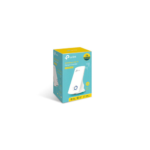
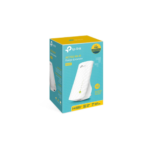

TP-Link TL-WA855RE Range Extender Review: Expand Your Wireless Coverage
Are you struggling with weak Wi-Fi signals and annoying dead zones in specific parts of your home or office? In our connected world, a spotty wireless connection interrupts video calls, halts online gaming, and delays work tasks. The TP-Link TL-WA855RE 300Mbps Wireless N Wall Plugged Range Extender offers a powerful, compact, and highly affordable solution to expand your router coverage.
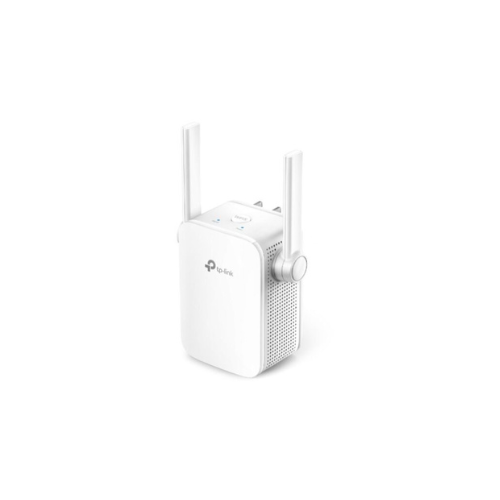
This specialized wall-plug device expands your existing network coverage by capturing the wireless signal from your main internet router and projecting it further into hard-to-reach areas. It features two prominent external antennas that specifically target structural obstacles like thick concrete walls, heavy doors, and multiple floors. Instead of buying a completely new router or dealing with complicated networking wires, you plug this compact device into any standard open electrical outlet. It provides a reliable data blanket for bedrooms, garages, basements, or backyard patios that previously suffered from poor or nonexistent connectivity.
Key Features of the TP-Link TL-WA855RE
Review the core features to understand how this model improves your wireless networking experience.
-
- Two External Antennas: Equipped with external antenna technology to deliver MIMO functionality and improve overall network stability.
- 300Mbps Wireless Speeds: Delivers speeds up to 300Mbps on the 2.4GHz frequency for smooth everyday tasks.
- Access Point Mode: Features a built-in operational mode that turns a wired internet connection into a personal Wi-Fi hotspot.
- Smart LED Signal Indicator: Displays a clear color-coded light system to help you find the best location for coverage.
- Tether App Management: Allows easy network monitoring, parental control setups, and access schedules using your smartphone.
Technical Specifications
Check the technical details to confirm compatibility with your home electronics.
-
- Wireless Standards: IEEE 802.11n, IEEE 802.11g, IEEE 802.11b
- Frequency: 2.4 GHz single band
- Antennas: 2 External antennas
- Ports: 1 Fast Ethernet Port 10 100Mbps
- Power Consumption: Maximum 3.6 Watts
- Wireless Security: WPA PSK and WPA2 PSK encryption
How to Set Up Your TP-Link Wi-Fi Extender
Setting up this network accessory requires minimal technical knowledge. Choose one of the two quick methods.
Method 1: Using the WPS Button
- Plug the extender into an electrical wall outlet located near your main router.
- Press the physical WPS button on your main internet router.
- Within two minutes, press the WPS button on your range extender.
- Wait for the signal indicator light to turn solid blue, showing a successful connection.
- Unplug the device and relocate it halfway between your router and the dead zone.
Method 2: Using the Tether App
- Download the official TP Link management app on your mobile phone.
- Plug the extender into an outlet and open the mobile application.
- Follow the guided on-screen instructions to select your network name and enter your home password.
- Save the configuration and move the device to your desired location




































Reviews
There are no reviews yet.