

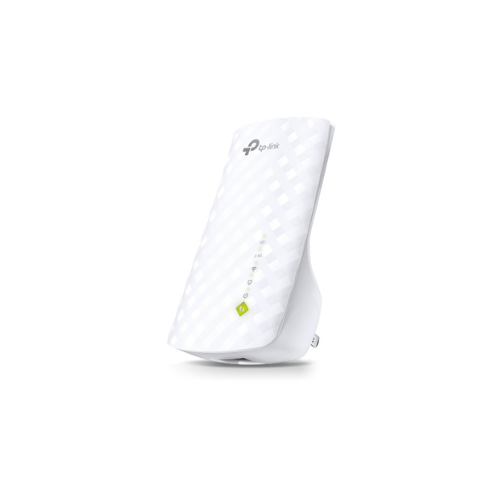
TP-Link RE200 AC750 Mesh Wi-Fi Range Extender Review: Smart Dual-Band Coverage
Are you dealing with weak wireless coverage, dropped connections, or sluggish internet speeds in certain rooms? As households connect more devices to the internet, a single router often struggles to push a strong signal through walls and across multiple floors. The TP-Link RE200 AC750 Mesh Wireless Wall Plugged Range Extender offers an advanced, budget-friendly upgrade to eliminate dead zones. Unlike basic single-band expanders, this dual-band device brings faster speeds and smart mesh capabilities to your home networking setup.
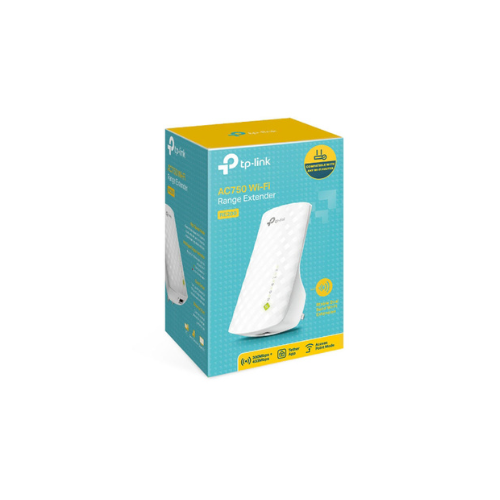
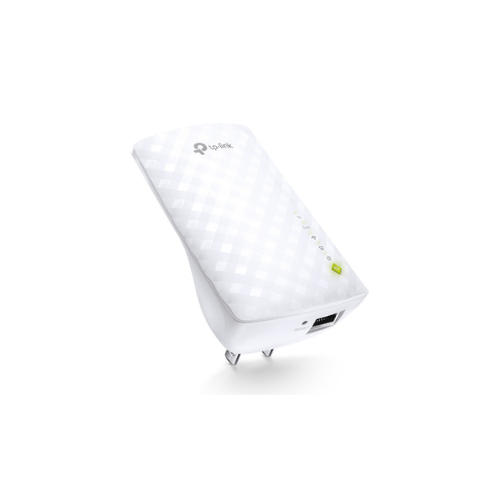
This compact wall-plug device expands your existing network coverage by connecting to your main internet router and projecting a boosted signal into hard-to-reach areas. By utilizing dual-band technology, it handles demanding online tasks seamlessly while keeping your smart home devices connected. Furthermore, it supports mesh technology, meaning it can team up with compatible routers to create a single, unified network name. This prevents your smartphone or laptop from constantly disconnecting and reconnecting as you walk from your living room to your bedroom.
Key Features of the TP-Link RE200
Review the core features to see how this dual-band model upgrades your wireless networking experience.
- AC750 Dual-Band Speeds: Delivers combined wireless speeds up to 750Mbps, splitting performance between 433Mbps on the 5GHz band and 300Mbps on the 2.4GHz band.
- TP-Link OneMesh Compatible: Creates a seamless mesh network when paired with a OneMesh router, allowing you to stay connected to one network name throughout your home.
- High-Speed Mode: Uses one dedicated wireless band to send data and the other to receive data, maximizing overall throughput for HD streaming and gaming.
- Smart Signal Indicator Light: Uses an intuitive, color-coded light system to help you find the best placement location relative to your main router.
- Fast Ethernet Port: Acts as a wireless adapter to connect wired hardware like smart TVs, desktop computers, or gaming consoles directly to your Wi-Fi.
Technical Specifications
Check the technical details to confirm compatibility with your home electronics.
- Wireless Standards: IEEE 802.11ac, IEEE 802.11n, IEEE 802.11g, IEEE 802.11b
- Frequency: 2.4 GHz and 5 GHz dual band
- Antennas: 3 Internal antennas
- Ports: 1 Fast Ethernet Port 10 100Mbps
- Power Consumption: Maximum 6.5 Watts
- Wireless Security: WPA PSK, WPA2 PSK, and older WEP encryption
How to Set Up Your TP-Link Wi-Fi Extender
Setting up this network accessory requires minimal technical knowledge. Choose one of the two quick methods.
Method 1: Using the WPS Button
- Plug the extender into an electrical wall outlet located near your main router.
- Press the physical WPS button on your main internet router.
- Within two minutes, press the WPS button on your RE200 range extender.
- Wait for the signal indicator light to turn solid green or blue, showing a successful connection.
- Unplug the device and relocate it halfway between your router and the dead zone.
Method 2: Using the Tether App
- Download the official TP Link management app on your mobile phone.
- Plug the extender into an outlet and open the mobile application.
- Follow the guided on-screen instructions to select your network name and enter your home password.
- Save the configuration and move the device to your desired location




































Reviews
There are no reviews yet.