
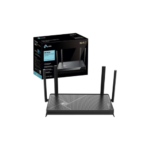



Ultimate Review of TP-Link TL-EAP235-WALL AC1200 Wall-Plate Wi-Fi Access Point
The TP-Link TL-EAP235-WALL stands as a premier in-wall wireless deployment solution engineered specifically for hospitality environments, multi-dwelling residential buildings, and modern corporate offices. This low-profile access point replaces a standard network wall plate, transforming a single ethernet outlet into a multi-port wired and wireless junction box. Here is everything you need to know about integrating this hardware asset into your centralized network infrastructure.
Key Hardware Specifications
This wall-plate system is engineered to provide discrete local data distribution without disrupting room aesthetics.
- Wireless Standard: IEEE 802.11ac wave 2 Wi-Fi 5 with legacy protocol support.
- Maximum Data Rate: Combined concurrent wireless speeds reaching up to 1200 Mbps.
- Band Allocation: Delivering 867 Mbps on 5 GHz and 300 Mbps on 2.4 GHz frequencies.
- Antenna Architecture: Internal omnidirectional antennas featuring 2×2 MIMO on both bands.
- Uplink Interface: One 10/100/1000 Mbps Gigabit Ethernet port on the rear panel.
- Downlink Interfaces: Three 10/100/1000 Mbps Gigabit Ethernet ports on the bottom panel.
- Power Provisioning: Driven via standard 802.3af or 802.3at Power over Ethernet.
- Power Pass-Through: Features one specialized PoE pass-through port on downlink port three
Multi-Port Gigabit Switching and PoE Pass-Through
The distinguishing architectural benefit of this access point is its integrated four-port Gigabit Ethernet switch chip operating inside a compact wall chassis.
In traditional hotel or office setups, adding an access point consumes the only available wall data line, leaving smart televisions, desktop computers, or IP phones disconnected. The rear Gigabit port connects directly to the main server room PoE switch to receive both high-speed data and electrical power.
The bottom panel then presents three distinct Gigabit downlink ports to wire local physical devices at wire-speed performance. Additionally, the inclusion of PoE pass-through on the third downlink port allows the access point to forward power directly to a connected VoIP phone or security camera, eliminating the need for an extra wall power adapter.
Ideal Deployment Use Cases
Hospitality and Hotel Rooms
It mounts directly into standard wall junction boxes, providing guests with a private, high-speed wireless network and dedicated wired ports for smart hospitality TVs.
Student Dormitories and Apartments
The discrete, flat casing prevents physical damage from accidental bumps while supplying steady multi-device bandwidth to individual student rooms.
Corporate Meeting Rooms
The hardware provides reliable high-density coverage for intensive laptop use during board meetings while keeping communication cords tucked neatly out of sight.
Centralized Cloud Management with Omada SDN
Network administrators can eliminate localized hardware management friction by linking the device to the TP-Link Omada Software Defined Networking platform.
The system supports rapid out-of-the-box provisioning via remote cloud discovery, allowing IT teams to push configuration templates to hundreds of room access points simultaneously. The Omada ecosystem handles automated channel planning and power adjustments to mitigate radio frequency overlaps between adjacent rooms.
Advanced captive portals can be created directly on the cloud interface, allowing operators to run guest authentication via SMS, Facebook Wi-Fi, or custom voucher codes for secure network monetization
Seamless Physical Design and Integration
The physical body boasts an ultra-slim 15-millimeter profile that mimics a standard light switch, ensuring the hardware blends seamlessly into executive suites and modern interior decor
The mounting plate is fully compatible with standard EU and US network junction wall boxes, making hardware upgrades quick and straightforward. Furthermore, the intelligent roaming protocols guarantee that users moving down corridors transition smoothly between different wall plates without experiencing dropped video calls or authentication timeouts.




































Reviews
There are no reviews yet.