

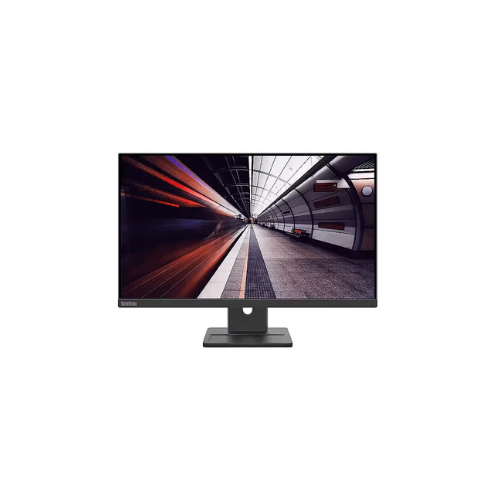
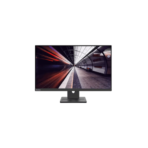
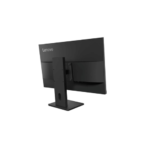
Lenovo ThinkVision E24-40 23.8″ FHD Monitor
Key Features
Brand: Lenovo
Display Size: 23.8 inches
Resolution: Full HD (1920 × 1080)
Panel Type: IPS
Refresh Rate: 100Hz
Response Time: Fast response for smooth visuals
Audio: Built-in stereo speakers
Ports: HDMI, DisplayPort, VGA
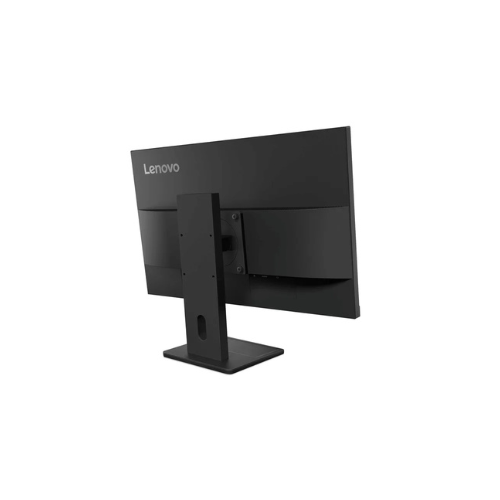
Stand: Height-adjustable, tilt, swivel, pivot
Power Efficiency: Optimised for low energy use
1 Year Warranty
Lenovo ThinkVision E24-40 23.8 Inch FHD Monitor Review and Technical Overview
The Lenovo ThinkVision E24-40 is a business-oriented 23.8 inch Full HD monitor designed to provide essential ergonomics, everyday reliability, and seamless connectivity for modern corporate offices. Featuring an In-Plane Switching display panel, built-in stereo speakers, and extensive video interfaces, this workplace monitor delivers crisp image performance for everyday administrative tasks. This comprehensive guide covers key product features, core technical specifications, and hardware setup methods.
Premium Design and Key Features
Color Consistent In-Plane Switching Panel
The monitor utilizes an advanced In-Plane Switching screen configuration that delivers consistent, vibrant colors across wide 178 degree viewing angles. It provides clear visibility and sharp text definition, ensuring that corporate spreadsheets, text documents, and web applications remain perfectly readable from any seating arrangement.
Ergonomic Height Adjustable Stand
Unlike basic office displays with fixed positions, this model comes equipped with a versatile ergonomic stand assembly. It supports significant vertical height configuration, tilt adjustments, and swivel options to promote an idealized seating posture. This customizable movement reduces muscle fatigue during long office shifts.
Hardware Blue Light Protection and TUV Certification
The display integrates natural low blue light technology certified by TUV Rheinland to protect visual health. This built-in hardware solution reduces harmful blue light emissions directly at the structural source without distorting the color balance of your workspace, pairing with flicker-free technology to mitigate eye strain.
Integrated Multimedia Audio and Clean Connectivity
A pair of dual 2W speakers are built directly into the display frame, saving valuable desk space by eliminating the need for external sound hardware. The rear connectivity panel includes modern HDMI, DisplayPort, and legacy VGA connections, allowing the monitor to pair effortlessly with old server rigs and new laptop setups.
Technical Specifications
Screen Size: 23.8 Inches Diagonal Display Space
Panel Technology: In-Plane Switching LED Backlit LCD
Native Resolution: 1920 by 1080 Pixels Full HD
Brightness Rating: 250 Candelas Per Square Meter
Static Contrast Ratio: 1000 to 1 Contrast Level
Color Gamut: 72 Percent NTSC Color Coverage
Audio Hardware: Integrated Dual 2W Stereo Speakers
Physical Interfaces: DisplayPort, HDMI, VGA, AC Power Input
Bezel Design: Three Side NearEdgeless Slim Frame
Panel Technology: In-Plane Switching LED Backlit LCD
Native Resolution: 1920 by 1080 Pixels Full HD
Brightness Rating: 250 Candelas Per Square Meter
Static Contrast Ratio: 1000 to 1 Contrast Level
Color Gamut: 72 Percent NTSC Color Coverage
Audio Hardware: Integrated Dual 2W Stereo Speakers
Physical Interfaces: DisplayPort, HDMI, VGA, AC Power Input
Bezel Design: Three Side NearEdgeless Slim Frame
Step-by-Step Installation Guide
Hardware Assembly and Placement
- Place the monitor panel face down on a soft towel spread over a flat desk surface to protect the screen.
- Slide the top tabs of the vertical stand neck into the quick-release slot on the back of the monitor.
- Press down until you hear a firm mechanical click indicating the neck is securely locked.
- Align the round desktop base plate with the bottom of the stand riser arm.
- Tighten the integrated thumb screw clockwise underneath the base plate until tight.
- Lift the fully built monitor upright and place it carefully onto your working desk space.




































Reviews
There are no reviews yet.