
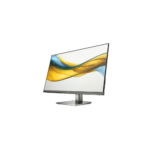

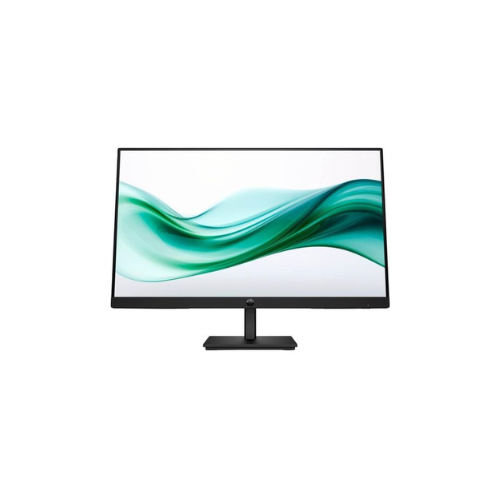
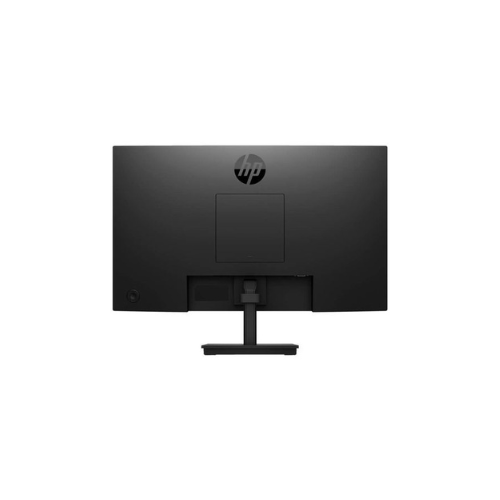

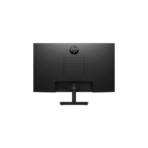
HP Series 3 Pro 324pv 23.8 inch FHD Monitor-9U5C1AS
Key Features
Brand: HP
23.8-inch VA LCD display
Full HD resolution (1920 × 1080)
100Hz refresh rate (HDMI)
3000:1 contrast ratio
250 nits brightness
5ms response time (GtG with overdrive)
72% NTSC color gamut
Anti-glare screen coating
HP Eye Ease low blue light mode
HDMI 1.4 and VGA ports
178° viewing angles
VESA mount support (100 × 100 mm)
FAST DELIVERY
1 Year Warranty
HP Series 3 Pro 324pv 23.8 Inch FHD Monitor Review and Technical Overview
The HP Series 3 Pro 324pv is a business-oriented 23.8 inch Full HD monitor crafted to deliver dependable performance, everyday reliability, and essential ergonomics for corporate offices and home setups. Combining an In-Plane Switching display panel, versatile tilting adjustments, and built-in hardware protection, this display provides crisp visual performance for daily administrative and professional tasks. This comprehensive guide details the core product features, hardware specifications, and installation steps.
Premium Design and Key Features
Color Accurate In-Plane Switching Panel
The monitor uses an advanced In-Plane Switching screen configuration that maintains vibrant colors across wide 178 degree horizontal and vertical viewing angles. It provides consistent color reproduction and sharp text clarity, ensuring that documents, large data spreadsheets, and multimedia assets remain clear and readable from any seating position.
Fluid Everyday Navigation
Upgrading standard office workloads, the display supports smooth screen refresh capabilities to reduce stuttering and motion blur. This hardware enhancement makes daily navigation tasks like shifting windows, dragging business applications, and browsing complex web feeds feel significantly cleaner and more responsive.
Hardware Low Blue Light Protection
The display integrates certified hardware-level low blue light technology to protect visual health during long office shifts. This built-in engineering reduces harmful blue light emissions directly at the physical level without distorting the color balance of your workspace, pairing with flicker-free technology to mitigate eye strain.
Functional Tilt Ergonomics and Connectivity
The sleek chassis features standard digital HDMI and analog VGA inputs, allowing it to interface seamlessly with old server equipment and new desktop laptop computer setups. The robust desktop stand supports forward and backward tilting movements, enabling users to find an individualized, comfortable posture.
Technical Specifications
Screen Size: 23.8 Inches Diagonal Display Space
Panel Technology: In-Plane Switching LED Backlit LCD
Native Resolution: 1920 by 1080 Pixels Full HD
Aspect Ratio: 16比9 Widescreen Configuration
Brightness Rating: 250 Nits Structural Luminance
Static Contrast Ratio: 1000 to 1 Contrast Level
Response Time: 5 Milliseconds Gray to Gray Fast Mode
Screen Treatment: Anti Glare Panel Coating
Physical Interfaces: HDMI Input, VGA Input, AC Power Input
Panel Technology: In-Plane Switching LED Backlit LCD
Native Resolution: 1920 by 1080 Pixels Full HD
Aspect Ratio: 16比9 Widescreen Configuration
Brightness Rating: 250 Nits Structural Luminance
Static Contrast Ratio: 1000 to 1 Contrast Level
Response Time: 5 Milliseconds Gray to Gray Fast Mode
Screen Treatment: Anti Glare Panel Coating
Physical Interfaces: HDMI Input, VGA Input, AC Power Input
Step-by-Step Installation Guide
Hardware Stand Assembly
- Place the flat monitor screen face down on a clean, soft cloth spread over a flat table to prevent scratches.
- Align the mounting neck bracket of the stand arm with the dedicated recess slot on the rear panel.
- Push the neck connector forward until the internal clips click securely into a locked state.
- Slide the flat base plate onto the bottom section of the attached stand riser arm.
- Tighten the integrated wing screw on the underside of the base plate clockwise until firmly secured.
- Lift the fully built monitor upright by the stand arm and rest it carefully onto your desk surface.




































Reviews
There are no reviews yet.