

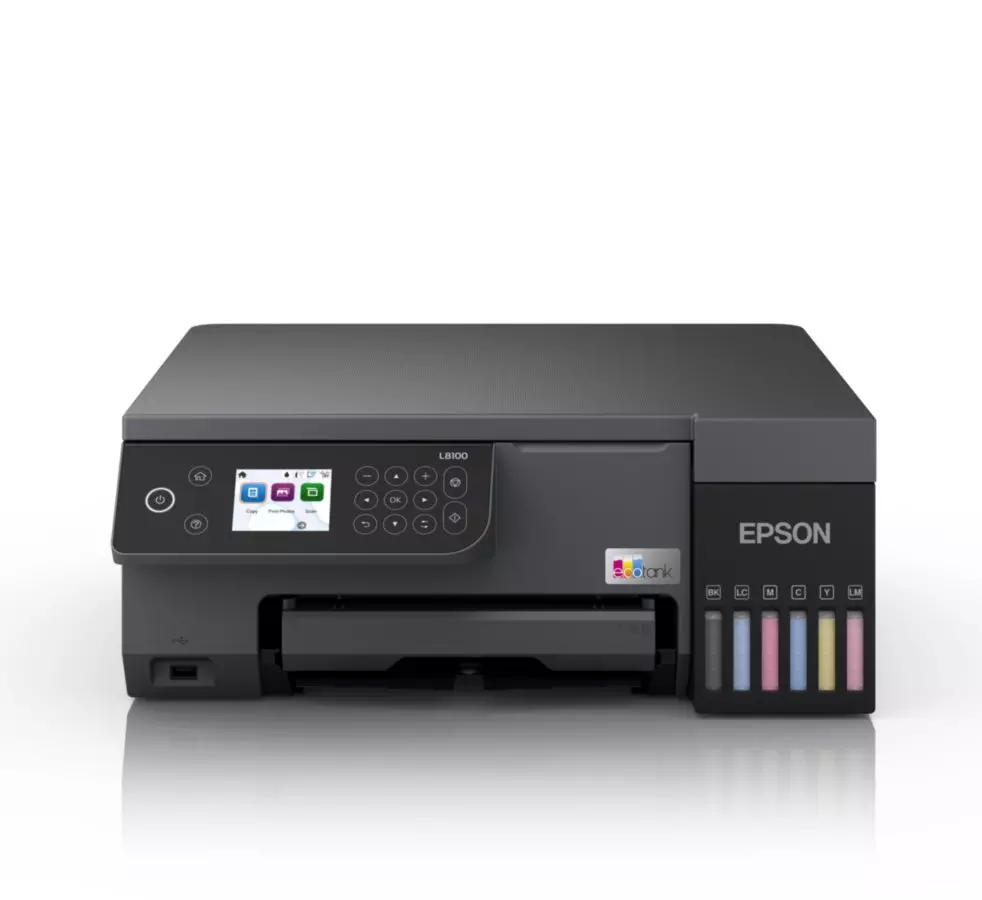
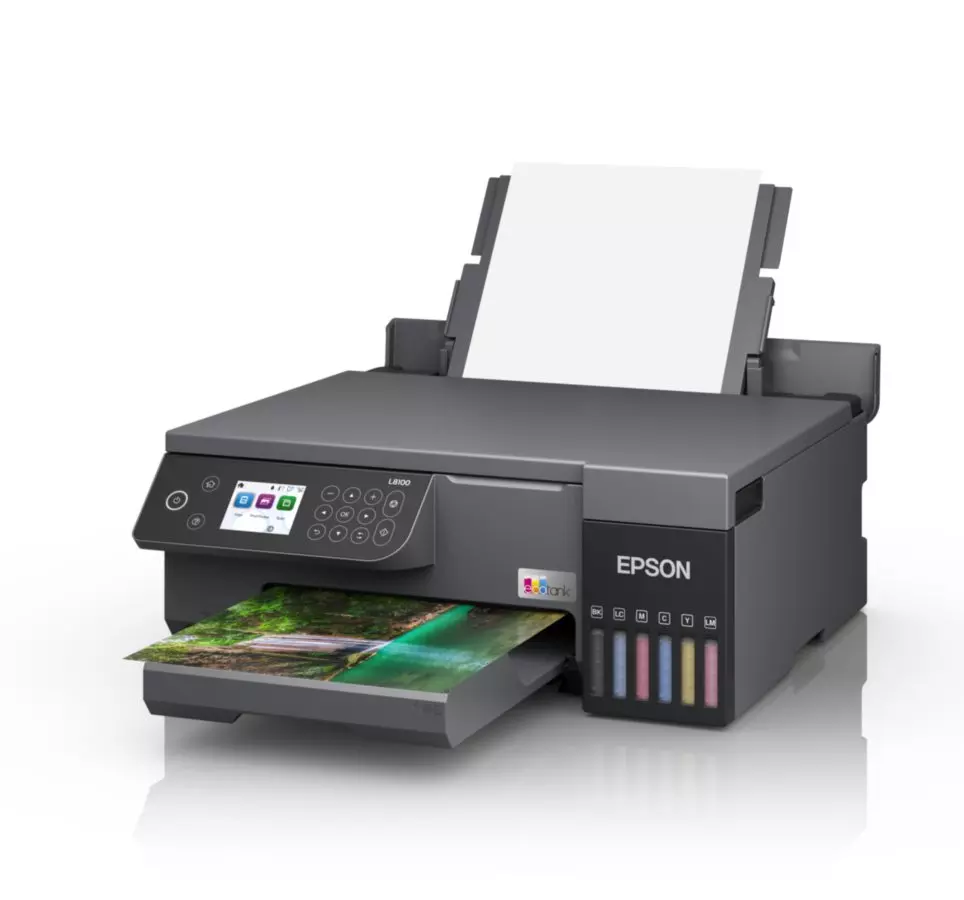
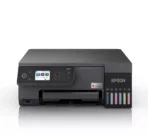
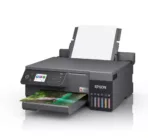
Epson EcoTank L8100 Printer
Key Features
Brand: Epson
6-color, fast, A4 3-in-1 printer
Ultra-low-cost printing
Fulfills versatile printing needs.
Epson smart panel app
Hassle-free ink tank system
1 Year Warranty
Ultimate Guide to Epson EcoTank L8100 3-in-1 A4 Photo Ink Tank Printer
The Epson EcoTank L8100 (C11CK94402) is a premium, multi-function six-color ink tank photo printer engineered for professional photographers, creative studios, and high-volume print shops. Moving away from traditional standard cartridges, this specialized A4 3-in-1 printer features an integrated, front-facing bulk reservoir system that drastically lowers ongoing printing expenses. It delivers sharp, laboratory-quality photographic prints, high-resolution document scanning, clear copying, and versatile direct-to-media customization.
Key Features and Specifications
This commercial-grade photo printer combines an advanced six-color ink spectrum with smart wireless production interfaces.
-
- 3-in-1 Versatility: Handles high-resolution borderless printing, detailed flatbed scanning, and rapid document copying
- 6-Color Dye-Based Ink System: Employs Cyan, Light Cyan, Magenta, Light Magenta, Yellow, and Black inks for ultra-smooth gradients and flawless skin tones.
- Ultra-High Resolution Output: Achieves up to 5760 x 1440 dots per inch for precise image detail reproduction.
- Micro Piezo Heat-Free Technology: Uses advanced mechanical pressure instead of heat to optimize printhead longevity and print precision.
- Massive Photo Yield Capacity: Produces up to 2100 high-quality 10x15cm photos from a single set of replacement ink bottles
- Specialized Media Support: Features a built-in tray architecture designed specifically for direct PVC plastic ID card and CD/DVD surface printing.
- Comprehensive Wireless Ecosystem: Built-in Wi-Fi and Wi-Fi Direct protocols support complete remote infrastructure management.
- User-Centric Touch Panel: Equips users with a 2.7-inch color LCD console for effortless standalone menu navigation.
Superior Photographic Depth and Heat-Free Economics
The EcoTank L8100 overcomes the physical limitations of standard four-color printers through its specialized six-color ink array. Standard office printers frequently suffer from grainy transitions or harsh lines across skies and monochrome shadows. By tracking separate Light Cyan and Light Magenta ink channels, this device blends complex color gradients smoothly, capturing professional photo studio depth.
The internal printing engine runs on Epson Micro Piezo Heat-Free Technology. Because the printhead mechanical components do not rely on heat to eject ink drops, the device experiences significantly less thermal stress during massive production runs. This structural asset lowers overall corporate electric utility bills and keeps the printer ready to initialize instantly from sleep modes.
Multi-Media Versatility and Smart Refilling
The physical chassis configuration integrates advanced media handling paths alongside maintenance safeguards.
-
- PVC Plastic ID Card Printing: Includes a dedicated mechanical feed tray to execute direct graphics printing onto coated plastic ID cards, ideal for corporate badges and club passes.
- Direct Disc Customization: Allows users to load printable CDs and DVDs directly into the machine frame to create vibrant, custom labels.
- Key-Lock Refill Ports: Employs unique mechanically keyed bottle nozzles that fit only onto their corresponding color tank chamber to prevent accidental color mixing.
Step-by-Step Initialization and Wi-Fi Setup
Setting up your multi-function photo workspace takes only a short time using guided configuration paths.
Initial Ink Filling Process
-
- Place the printer on a stable, level desk near a standard electrical wall outlet.
- Open the main front ink tank cover and lift the plastic cap of the specific ink color chamber you want to fill.
- Invert the matching genuine Epson ink bottle and rest it vertically over the open tank port.
- Let the ink drain automatically into the reservoir until the fluid reaches the maximum fill line guide indicator.
- Close the tank caps, turn on the unit, and follow the on-screen console prompts to charge the internal printhead tubes
Smart Mobile Synchronization
-
- Download the official Epson Smart Panel application from the Apple App Store or Google Play Store onto your device.
- Launch the application and allow it to discover your new hardware via Bluetooth or local tracking.
- Follow the step-by-step visual prompts on your phone screen to link the printer to your home 2.4GHz Wi-Fi network.
- Load premium photo paper into the input tray, adjust the edge boundaries, and run a diagnostic alignment test.
Frequently Asked Questions
Which specific ink bottles are compatible with the Epson L8100?
The printer is engineered to function exclusively with the genuine Epson six-color bulk ink bottle set (typically the Epson 108 or regional equivalent photo set). This configuration contains individual spill-free bottles for Black, Cyan, Magenta, Yellow, Light Cyan, and Light Magenta.
Can I execute copying and scanning tasks without a connected computer?
Yes, the integrated 2.7-inch color LCD control panel allows you to manage basic multi-function tasks directly from the printer body. You can place a document onto the flatbed scanner glass, adjust contrast, alter copy quantities, and print directly without initializing an external PC track.
What is the advantage of using dye-based inks for photo printing?
Dye-based inks dissolve completely into the liquid vehicle, creating microscopic drops that blend flawlessly when striking photo paper fibers. This molecule structure allows the L8100 to produce incredibly vibrant graphics, rich color depth, and highly reflective glossy photo prints compared to matte pigment alternatives.
Is the ink maintenance box user-replaceable on this specific model?
Yes, the printer features a user-accessible ink maintenance box module (waste ink pad collector). When your on-screen system dashboard indicates the collector pad is completely saturated, you can purchase a replacement module and install it in seconds without sending your machine to a technical repair facility.




































Reviews
There are no reviews yet.