

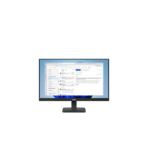
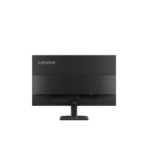
Lenovo ThinkVision S24-4e Monitor-64B5KAT1UK
Key Features
Brand: Lenovo
Screen Size: 24 ”
Aspect Ratio: 16:9
Resolution: 1920 x 1080
Panel Type: IPS
Response Time: 4 ms
23.8″ FHD (1920×1080) IPS display, Anti-glare 16:9
Extreme mode 4 ms response time
Up to 100Hz refresh rate
1300:1, 99% sRGB, 8-bit
TÜV Rheinland® Flicker Free, TÜV Rheinland® Low Blue Light (Hardware Solution
FAST DELIVERY
1 Year Warranty
Lenovo ThinkVision S24-4e 23.8 Inch FHD Monitor Review and Technical Overview
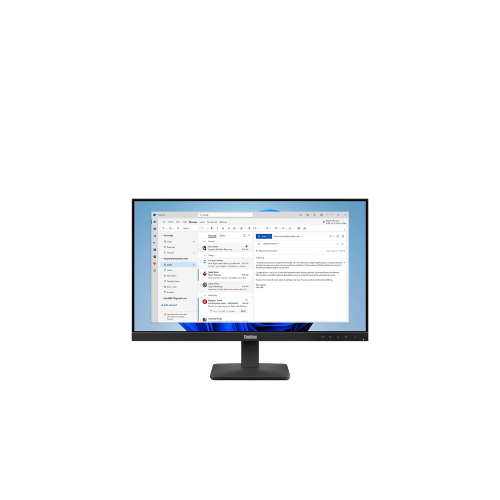
The Lenovo ThinkVision S24-4e is an essential business-class 23.8 inch Full HD monitor designed to provide a balance of workspace efficiency, everyday comfort, and sleek style. Featuring a three-sided NearEdgeless bezel design, versatile connectivity options, and built-in eye-care protection, this display serves as an excellent visual tool for corporate offices, call centers, and home study desks. This comprehensive guide covers key product features, core technical specifications, and hardware setup methods.
Premium Design and Key Features
Modern Three Sided NearEdgeless Display
The monitor features an ultra-slim bezel frame on three sides of the screen. This minimalist architectural layout maximizes your physical viewing space, minimizes visual distractions, and allows for a seamless side-by-side configuration when setting up dual-monitor workstations.
Sharp Visual Contrast and Image Performance
The display delivers a native Full HD resolution with an elevated static contrast ratio. This hardware capability ensures deep blacks, bright highlights, and excellent text definition. It makes reading lengthy text documents, programming code, and dense numeric spreadsheets easy on the eyes.
Certified Eye Care and Low Blue Light Protection
The screen integrates advanced Natural Low Blue Light technology certified by TUV Rheinland. Unlike software-based blue light filters that turn your screen a distracting yellow hue, this hardware-level solution lowers harmful light emissions without sacrificing color accuracy. It pairs with flicker-free technology to reduce eye strain during long shifts.
Essential Business Connectivity
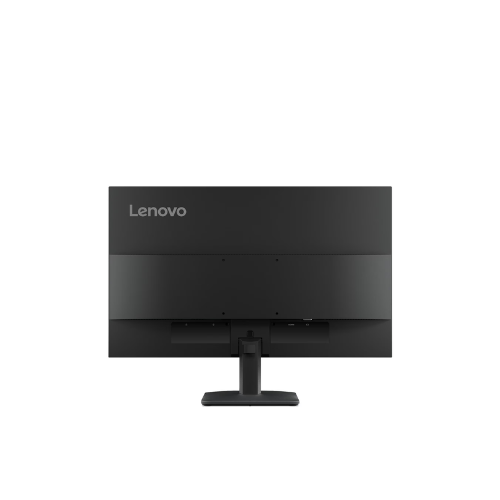
The rear input panel features standard digital HDMI and legacy analog VGA interfaces. This layout ensures compatibility across various generations of computer hardware, allowing you to connect modern corporate laptops, compact desktop towers, or older data center servers without needing extra conversion adapters.
Technical Specifications
Screen Size: 23.8 Inches Diagonal Display Space
Panel Resolution: 1920 by 1080 Pixels Full HD
Bezel Design: Three Side NearEdgeless Slim Frame
Static Contrast Ratio: High Contrast Ratio Performance
Brightness Rating: 250 Candelas Per Square Meter
Viewing Angles: Wide Horizontal and Vertical Coverage
Screen Coating: Anti Glare Matte Panel Surface
Physical Interfaces: HDMI Input, VGA Input, Audio Out, AC Power Input
Mounting Support: VESA Compliant Hole Pattern
Panel Resolution: 1920 by 1080 Pixels Full HD
Bezel Design: Three Side NearEdgeless Slim Frame
Static Contrast Ratio: High Contrast Ratio Performance
Brightness Rating: 250 Candelas Per Square Meter
Viewing Angles: Wide Horizontal and Vertical Coverage
Screen Coating: Anti Glare Matte Panel Surface
Physical Interfaces: HDMI Input, VGA Input, Audio Out, AC Power Input
Mounting Support: VESA Compliant Hole Pattern
Step-by-Step Installation Guide
Hardware Assembly and Placement
- Lay the monitor flat face down on a soft towel spread over a level table surface to avoid screen scratches.
- Insert the top tabs of the vertical stand neck into the slot on the rear of the monitor chassis.
- Push down firmly on the neck arm until you hear a mechanical click indicating it is locked.
- Align the flat desktop base plate with the bottom of the stand neck arm.
- Tighten the integrated thumb screw underneath the base plate clockwise until securely fixed.
- Lift the fully built monitor upright and place it carefully onto your working desk space.




































Reviews
There are no reviews yet.