

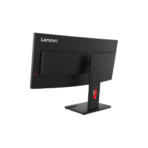
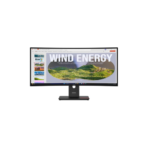
LENOVO ThinkVision T34WD-40 34″ Curved Monitor UWQHD USB-C Docking
Key Features
Brand: Lenovo
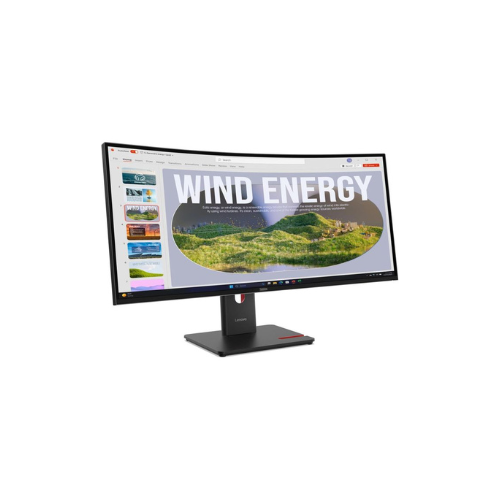
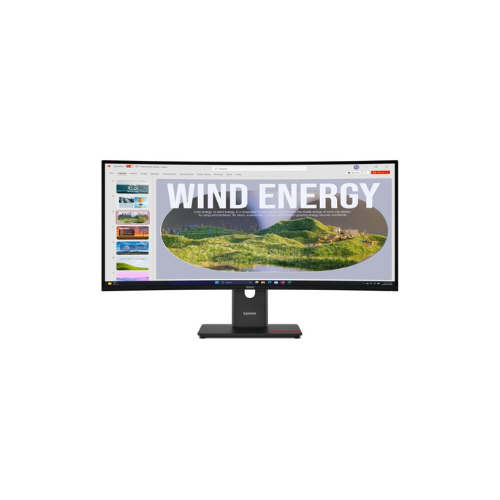
34-inch WQHD display with VA panel and 1500R curvature
99% sRGB and 99% BT.709 color gamut and 48-120Hz variable refresh rate
USB-C one cable solution with up to 100W power delivery
USB Hub – Downstream 3 x USB-A 3.2 Gen 1, 1 x USB-C 3.2 Gen 1 (PD 15W data only);Upstream 1 x USB-C 3.2 Gen 1 (PD up to 100W)
TÜV Rheinland 5-star Eye Comfort Certification and EyeSafe Certification 2.0
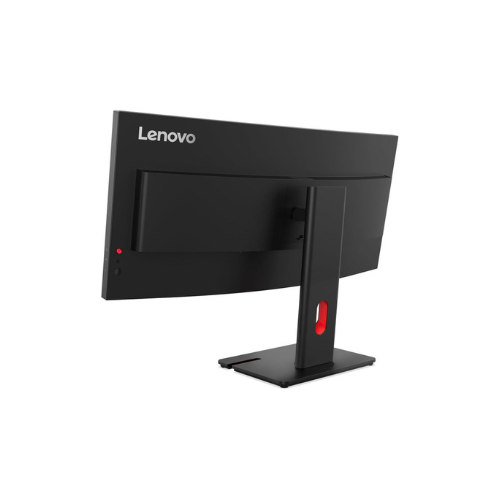
Ergonomic stand with LTPS (lift, tilt, pivot, and swivel functions)
FAST DELIVERY
1 Year Warranty
Lenovo ThinkVision T34WD-40 34 Inch Curved Ultrawide QHD Monitor Review and Technical Overview
The Lenovo ThinkVision T34WD-40 is an elite commercial-grade 34 inch curved ultrawide monitor engineered to replace multi-screen setups, maximize multitasking performance, and serve as a centralized USB-C docking station. Featuring a panoramic 21:9 aspect ratio, a high 120Hz dynamic refresh rate, and an integrated RJ45 network port, this curved display streamlines workstation organization for corporate executives, financial analysts, and developers. This comprehensive guide covers key product features, core technical specifications, and desktop configuration methods. [
Premium Design and Key Features
Immersive Panoramic Curved Screen Panel
The monitor features a massive 34 inch Vertical Alignment display panel boasting a 1500R structural curvature. This curvature matches the natural field of view of the human eye, keeping peripheral pixels at a consistent focal distance to reduce continuous eye movement. The 21:9 aspect ratio offers 33 percent more horizontal screen real estate than a standard widescreen display, allowing users to view large financial spreadsheets, side-by-side browser tabs, and programming code simultaneously without an additional monitor.
Advanced Variable 120Hz Refresh Rate
Upgrading beyond standard office monitors, this display supports a dynamic refresh rate scaling from 48Hz up to 120Hz. The internal processor dynamically adjusts the panel timing to match on-screen content. This ensures fluid motion during fast-moving video playback or application transitions, while dropping the rate during static text reading to reduce total power consumption.
All In One USB-C Docking and Wired Network Capability
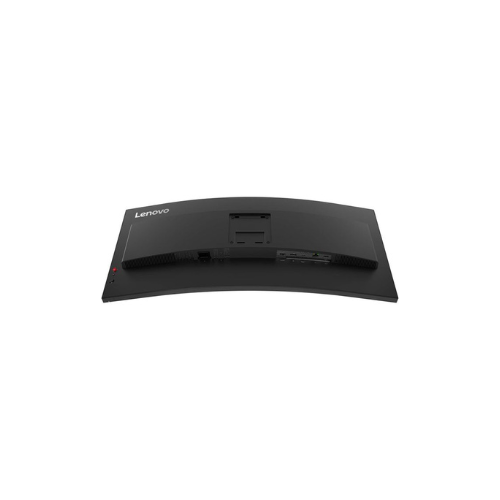
The rear input hub functions as a complete workstation docking hardware module. A single upstream USB-C cable handles high-definition video transmission, high-speed data delivery, and up to 100W of intelligent power delivery to keep attached laptops fully charged. An integrated RJ45 Gigabit Ethernet port passes stable, secure wired internet straight through the monitor to your connected laptop, while four additional USB ports accommodate essential desktop peripherals.
High Contrast Precision and Certified Eye Safety
With a high 3000:1 static contrast ratio, the display panel renders rich black tones and deep visual depth. It supports 99 percent sRGB and 99 percent BT.709 color gamuts to ensure accurate digital color rendering across professional office applications. Built-in Natural Low Blue Light technology carries a TUV Rheinland 5-star Eye Comfort rating, minimizing fatiguing blue light output at the hardware source without causing a distracting yellow screen shift.
Screen Size: 34 Inches Curved Ultrawide Display
Curvature Specification: 1500R Ergonomic Curve
Panel Technology: Vertical Alignment LED Backlit LCD
Native Resolution: 3440 by 1440 Pixels UltraWide QHD
Aspect Ratio: 21比9 Panoramic Workspace
Refresh Rate: 48Hz to 120Hz Variable Refresh Performance
Static Contrast Ratio: 3000 to 1 Deep Contrast Level
Brightness Rating: 300 Candelas Per Square Meter
Color Gamut Coverage: 99 Percent sRGB, 99 Percent BT.709
Upstream Interfaces: USB-C with up to 100W Power Delivery, HDMI 2.1, DisplayPort 1.4
Downstream Interfaces: RJ45 Gigabit Ethernet, Three USB-A Ports, One USB-C 15W Port
Stand Adjustability: 155mm Height Adjustment, Tilt, Swivel, Pivot Rotation
Curvature Specification: 1500R Ergonomic Curve
Panel Technology: Vertical Alignment LED Backlit LCD
Native Resolution: 3440 by 1440 Pixels UltraWide QHD
Aspect Ratio: 21比9 Panoramic Workspace
Refresh Rate: 48Hz to 120Hz Variable Refresh Performance
Static Contrast Ratio: 3000 to 1 Deep Contrast Level
Brightness Rating: 300 Candelas Per Square Meter
Color Gamut Coverage: 99 Percent sRGB, 99 Percent BT.709
Upstream Interfaces: USB-C with up to 100W Power Delivery, HDMI 2.1, DisplayPort 1.4
Downstream Interfaces: RJ45 Gigabit Ethernet, Three USB-A Ports, One USB-C 15W Port
Stand Adjustability: 155mm Height Adjustment, Tilt, Swivel, Pivot Rotation
Step-by-Step Installation Guide
Hardware Stand Mounting and Placement
- Keep the monitor panel face down inside its protective styrofoam shipping cradle to secure the curved glass.
- Align the mounting head of the heavy ergonomic stand riser arm with the quick-release slot on the back plate.
- Press the stand neck straight down until the structural metal latch snaps forward with a loud mechanical click.
- Fasten the heavy desktop base plate to the bottom of the stand neck arm and tighten the integrated thumb screw clockwise.
- Grab the stand arm securely, lift the entire monitor assembly upright, and rest it carefully onto your desk surface.
Single Cable USB-C Docking Setup
- Insert one end of the included high-speed USB-C to USB-C cable into the primary upstream USB-C port on the monitor.
- Plug the remaining end of the USB-C cable into the Thunderbolt or full-function USB-C port of your modern laptop computer.
- Attach a secure internet network line from your local wall jack or router directly into the monitor rear RJ45 Ethernet port.
- Connect the main AC power cord to the back panel input receptacle and plug it directly into a standard wall outlet.
- Power on the display using the control stick to charge your laptop, route video, and access the wired network over the single cable.




































Reviews
There are no reviews yet.