

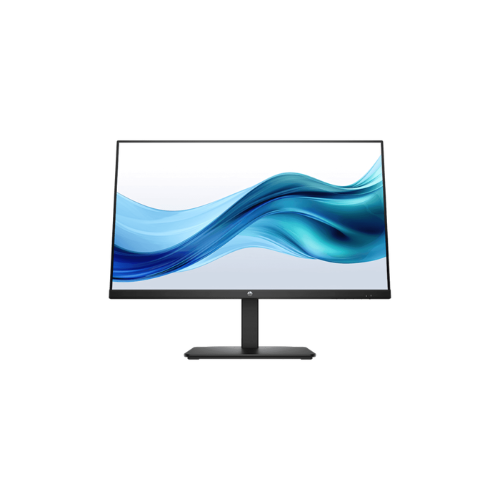
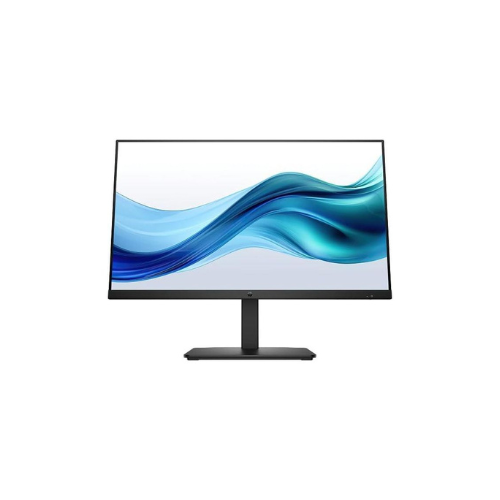
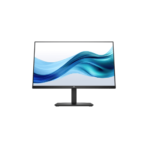
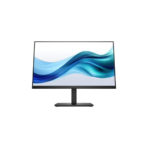
HP Series 5 527f 27-inch FHD Monitor Black (Replaces HP M27SF)
Key Features
Brand:HP
Display size (diagonal) 27″
Display size (diagonal) 68.6 cm (27″)
Panel technology IPS
Display features On-screen controls; Anti-glare; HP Eye Ease
Color gamut 99% sRGB
Onscreen controls Management; Information; Exit; Input; Color; Image; Power; Menu;
Brightness+
Native resolution FHD (1920 x 1080) 1 2
FAST DELIVERY
1 Year Warranty
HP Monitor 527f 27-inch FHD Monitor Black: Ultimate High-Speed Professional Guide
The HP Monitor 527f 27-inch FHD Monitor is a powerhouse in the professional corporate, home office, and creative workspace display market. This high-performance desktop display system eliminates motion blur and screen stuttering while delivering crisp, clean visuals for spreadsheet management, content creation, and administrative needs. It serves as a reliable, heavy-duty solution designed to streamline visual data analysis, multi-window multitasking, and video conferencing systems for businesses of all sizes. By utilizing advanced engineering, this flexible machine helps companies boost daily productivity, reduce administrative downtime, and maintain a highly organized workspace. Modern workplaces rely on this hardware to eliminate manual sorting bottlenecks and automate repetitive categorization tasks. Its robust build quality ensures it handles high-volume processing cycles without overheating or experiencing performance drops. Businesses looking to scale their digital workstation infrastructure find this device to be an indispensable asset for daily multimedia production.
This comprehensive guide covers everything you need to optimize this device for your business workflow.
Key Technical Specifications
Understanding the hardware capabilities helps you maximize your investment. The device balances speed with diverse connectivity options.
- Display Size: 27-inch diagonal widescreen viewable area
- Native Resolution: Full HD layout featuring 1920 x 1080 pixels
- Refresh Rate: High-speed performance up to 100Hz for seamless frame transitions
- Panel Technology: Advanced IPS panel delivering wide 178-degree viewing angles
- Color Accuracy: High color depth covering 99 percent of the sRGB color spectrum
- Input Interfaces: Dual HDMI ports and one legacy VGA port connection
Top Features and Business Benefits
High-Speed Smooth Visuals
The advanced 100Hz refresh rate technology means you never experience stuttering or choppy transitions during daily navigation. It renders administrative sheets and digital graphics at lightning speeds, keeping your editing or corporate pipeline moving without delays.
Eyesafe Certified Comfort Protection
The built-in low blue light configurations allow you to reduce eye strain directly from the internal display firmware. You can maximize your daily work hours comfortably without being tethered to yellow-tinted software screens or sacrificing true color accuracy.
Flexible Dual Connection Layouts
Integrate the machine seamlessly into any office environment. Multiple computer sources can share the display monitor via standard dual HDMI ports or legacy VGA video connections. Multi-device toggling is fully supported through the accessible button layout.
Ultra-Thin Three-Sided Micro-Edge Bezel
Using specific narrow border engineering, the physical frame vanishes around three edges of the display glass. This is ideal for highlighting critical information across seamless dual-monitor arrays, panoramic tracking setups, or space-constrained modern desk configurations.
Simple Step-by-Step Setup Guide
Follow these steps to get your professional desktop monitor running quickly.
Step 1: Unpack and Assemble Stand
Remove all protective tapes and foam padding layers from the product shipping box. Align the vertical stand neck with the rectangular desktop base plate and click the internal locking tabs together securely.
Step 2: Connect the Desktop Stand
Lay the display panel flat on a cushioned, level surface. Slide the assembled mounting arm hook into the rear chassis receiver slot until you hear the structural alignment latches click into place.
Step 3: Establish a Video Connection
Connect the included power adapter brick to the back port slot and plug it into an electrical outlet. Attach an HDMI cable from your source laptop or workstation tower into the corresponding port selection on the monitor.
Step 4: Configure Operating System Settings
Turn on the screen and open your computer operating system display settings menu. Select the maximum resolution output and adjust the refresh frequency to the full performance limit to complete the device recognition process.
Effective Troubleshooting and Maintenance
Keep your machine operating at peak performance with basic maintenance habits.
Resolving Frame Sync Jams
Turn off the power immediately if the image flickers or distorts. Open your graphics card management control panel on your computer and verify that the operating system driver matches the display refresh rate.




































Reviews
There are no reviews yet.