

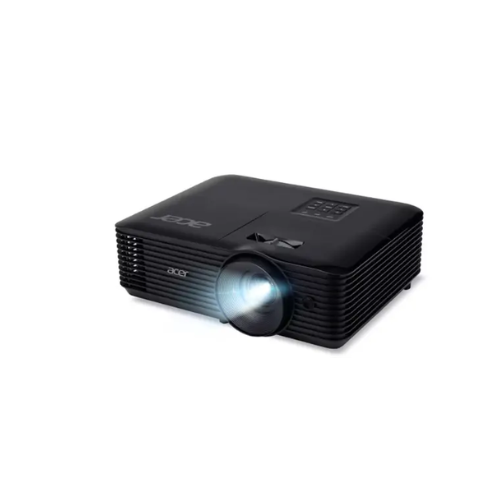
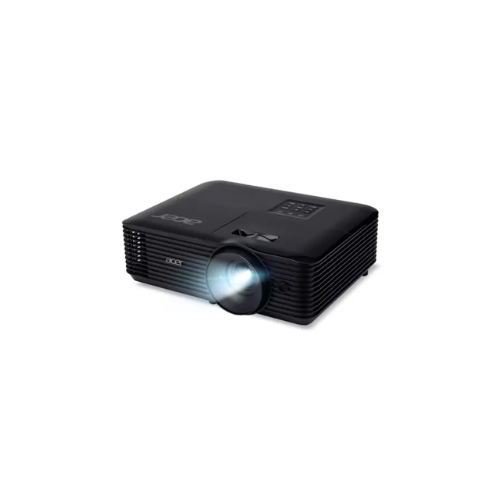
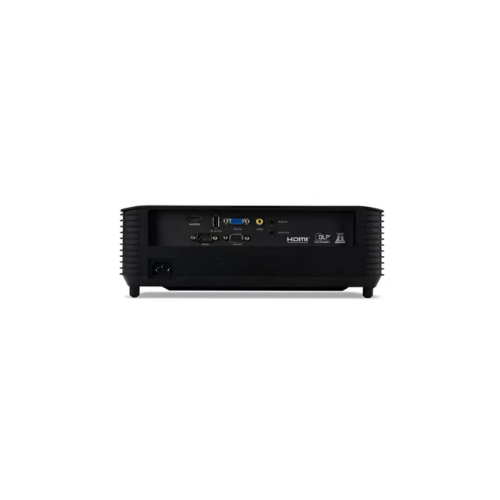
Acer X1128H DLP 4800 lumens Projector
Key Features
Brand:Acer
High brightness 4,800 ANSI lumens – delivers clear, vivid projection even in well-lit meeting rooms or classrooms.
SVGA (800 × 600) native resolution with support up to WUXGA (1920 × 1200) – ensures compatibility with modern devices and presentations.
High contrast ratio of 20,000:1 – provides deeper blacks and sharper image detail for professional presentations.
Long lamp life up to 10,000 hours (Eco mode) – reduces maintenance cost and extends usability.
Flexible installation and connectivity – supports ceiling mount, multiple display modes (front/rear), and includes VGA, RCA, and audio ports for easy integration.
FAST DELIVERY
ACER X1128H 4800 ANSI Lumens DLP Projector: Ultimate High-Speed Professional Guide
The ACER X1128H 4800 ANSI Lumens DLP Projector is a powerhouse in the professional corporate, educational, and large-venue presentation market. This high-brightness display system eliminates ambient light washout while delivering crisp, clean images for boardroom management, lecture halls, and retail advertising needs. It serves as a reliable, heavy-duty solution designed to streamline visual training, client presentations, and conference systems for businesses of all sizes. By utilizing advanced engineering, this flexible machine helps companies boost daily productivity, reduce administrative downtime, and maintain a highly organized workspace. Modern workplaces rely on this hardware to eliminate manual sorting bottlenecks and automate repetitive categorization tasks. Its robust build quality ensures it handles high-volume projection cycles without overheating or experiencing performance drops. Businesses looking to scale their presentation infrastructure find this device to be an indispensable asset for daily multimedia production.
This comprehensive guide covers everything you need to optimize this device for your business workflow.
Key Technical Specifications
Understanding the hardware capabilities helps you maximize your investment. The device balances speed with diverse connectivity options.
- Brightness Level: 4800 ANSI Lumens for crystal-clear image projection in brightly lit rooms
- Display Technology: Advanced DLP chip system with a 20000 to 1 contrast ratio
- Native Resolution: SVGA native layout with upscale capabilities for high-definition inputs
- Lamp Life Cycle: Up to 15000 hours of performance when utilizing the smart eco mode
- Input Interfaces: HDMI ports, VGA connections, composite video, and dedicated audio ports
- Audio System: Built-in internal speaker setup for instant audio playback without external hardware
Top Features and Business Benefits
Ultra-Bright Projection Capability
The advanced 4800 ANSI Lumens illumination technology means you never buy blackout curtains or dim the lights during meetings. It projects presentation graphics at lightning speeds, keeping your training or corporate pipeline moving without delays.
Smart Eco Performance Mode
The built-in power-saving configurations allow you to reduce energy consumption directly from the system menu. You can maximize the longevity of your projection lamp without being tethered to high maintenance schedules or costly replacement parts.
Flexible Connection Options
Integrate the machine seamlessly into any office environment. Multiple users can share the projector via universal HDMI cables or legacy VGA connections. Mobile device casting is fully supported through compatible media adapters.
Acer LumiSense Intelligent Adjustments
Using specific real-time frame analysis, the system automatically alters image brightness and color saturation levels. This is ideal for highlighting critical information like spreadsheet numbers, charts, or detailed video presentations.
Simple Step-by-Step Setup Guide
Follow these steps to get your professional display projector running quickly.
Step 1: Unpack and Connect Power
Remove all protective tapes and lens caps from the machine. Plug the power cord into the back of the projector and connect it to an electrical outlet.
Step 2: Connect the Video Source
Open the rear port layout on the device. Plug an HDMI or VGA cable into the corresponding source slot and attach the opposite end to your computer or media playback device.
Step 3: Establish a Network Connection
Turn on the projector and use the remote control menu to select your preferred input channel. Adjust the physical zoom ring and focus level until the image aligns perfectly with your projection screen.
Step 4: Configure Image Alignment
Access the built-in keystone correction settings to fix any vertical distortion. Save your preferences inside the internal memory layout to complete the device recognition process.
Effective Troubleshooting and Maintenance
Keep your machine operating at peak performance with basic maintenance habits.
Resolving Overheating Jams
Turn off the power immediately if the system shuts down unexpectedly. Open the external ventilation paths and gently clear away any accumulated dust blocking the airflow. Clean the dust filters with a lint-free cloth if residue builds up.
Fixing Signal Loss Drops
If the display signal drops, restart your source computer and the projector simultaneously. Ensure the connecting cables sit securely inside the ports and do not exceed reasonable length limits.




































Reviews
There are no reviews yet.