

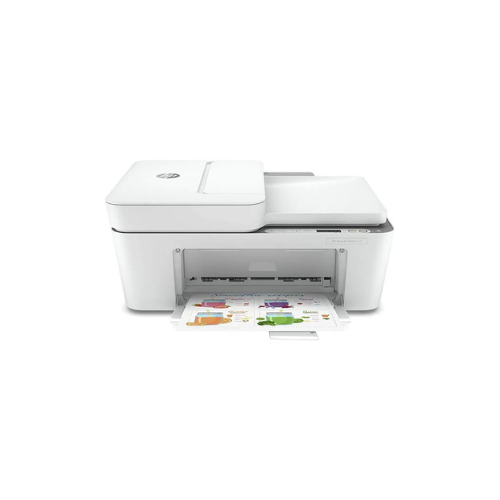
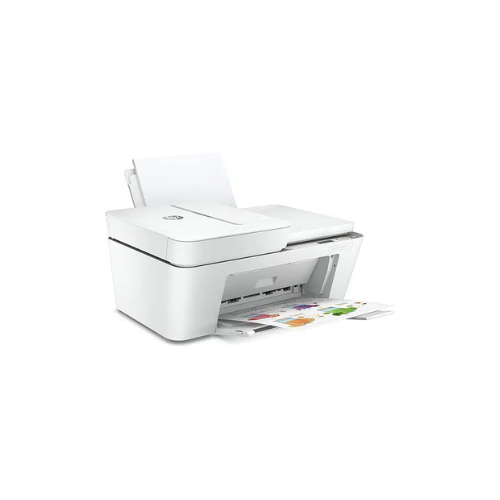
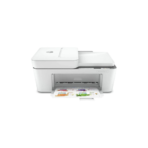
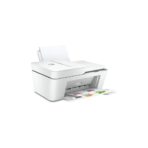
HP DeskJet Plus 4120 All-in-One Printer(3XV14B)
Key Features
Brand:HP
Hands-free. Auto-fed-Work fast and hands-free – the 35-page auto-feeder helps you complete scan and copy jobs quickly.
Seamless setup
Get better range and faster, more reliable connections using dual-band Wi-Fi with self-reset
Print, scan, and copy from your phone
Get connected with Bluetooth® and start printing fast from your smartphone or tablet – easy setup
FAST DELIVERY
HP DeskJet Plus 4120 All-in-One Printer: Ultimate High-Speed Professional Guide
The HP DeskJet Plus 4120 All-in-One Printer is a powerhouse in the professional home office and small business market. This high-speed multi-function printer eliminates workflow bottlenecks while delivering crisp, clean prints, scans, and copies for office management, logistics, and administrative needs. It serves as a reliable, heavy-duty solution designed to streamline inventory tracking, visitor management, and mailing systems for businesses of all sizes. By utilizing advanced engineering, this flexible machine helps companies boost daily productivity, reduce administrative downtime, and maintain a highly organized workspace. Modern workplaces rely on this hardware to eliminate manual sorting bottlenecks and automate repetitive categorization tasks. Its robust build quality ensures it handles high-volume printing cycles without overheating or experiencing performance drops. Businesses looking to scale their document infrastructure find this device to be an indispensable asset for daily document production.
This comprehensive guide covers everything you need to optimize this device for your business workflow.
Key Technical Specifications
Understanding the hardware capabilities helps you maximize your investment. The device balances speed with diverse connectivity options.
-
- Print Speed: Up to 8.5 pages per minute for black ink and 5.5 pages per minute for color
- Resolution: High-quality printing up to 4800 x 1200 optimized dpi
- Connection Types: Dual-band Wi-Fi with self-reset, Bluetooth 4.2, and High-Speed USB 2.0
- Media Feeding: 35-page automatic document feeder for hands-free scanning and copying
- Mobile Printing: Native support for HP Smart App, Apple AirPrint, and Mopria
- Cartridge Type: Uses dual HP 305 ink cartridges for black and tri-color configurations
Top Features and Business Benefits
Multi-Function Performance
The advanced system integrates printing, scanning, copying, and mobile fax capabilities into a single compact chassis. It handles complex administrative tasks at competitive speeds, keeping your business pipeline moving without delays.
Automatic Document Feeder
The built-in 35-page automatic feeder allows you to copy and scan multi-page documents quickly. You can process extensive paperwork stacks without manual frame-by-frame intervention.
Seamless Wireless Connectivity
Integrate the machine seamlessly into any office environment. Multiple users can share the printer via dual-band wireless connections. Mobile device printing is fully supported through cloud-connected applications.
Smart App Integration
Using the official manufacturer application, you can execute print commands directly from cloud storage networks. This is ideal for highlighting critical information, managing digital scans, and sending secure faxes on the go.
Simple Step-by-Step Setup Guide
Follow these steps to get your professional multi-function printer running quickly.
Step 1: Unpack and Connect Power
Remove all protective tapes and packaging materials from the machine exterior and interior. Plug the power cord into the back of the printer and connect it to an electrical outlet.
Step 2: Load the Ink Cartridges
Open the main front access door. Wait for the carriage to move to the center position. Remove the plastic tape from the ink nozzles, insert the cartridges into their designated slots, and press up until they click into place.
Step 3: Establish a Network Connection
Activate the wireless pairing mode using the control panel button layout. For wireless setups, open your smartphone or computer configuration menu, search for your local network name, and connect via the setup app.
Step 4: Install Software and Drivers
Download the official management software package on your computer. Run the installer package and follow the prompts to complete the device recognition and run the alignment sheet print test.
Effective Troubleshooting and Maintenance
Keep your machine operating at peak performance with basic maintenance habits.
Resolving Paper Jams
Turn off the power immediately. Open the input tray area and the main cartridge door to gently pull the stuck media out of the roller path. Clean the pickup rollers with a lint-free cloth if paper dust builds up.




































Reviews
There are no reviews yet.