

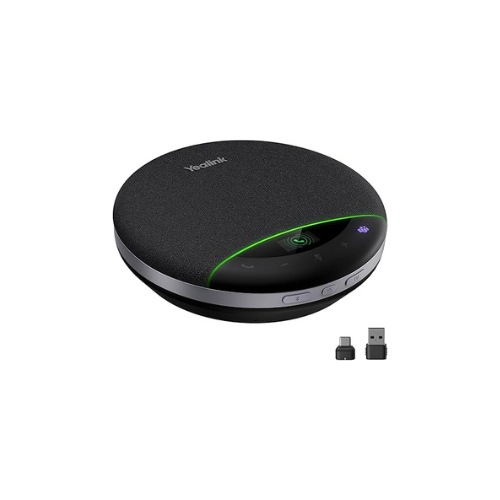

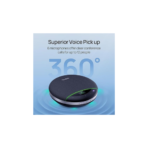
Yealink SP96 Bluetooth Speakerphone with Dongle
Key Features
Brand Yealink
Speaker Maximum Output Power 7 Watts
Frequency Response 48 KHz
Connectivity Technology Bluetooth, USB
Audio Output Mode Stereo
FAST DELIVERY
Yealink SP96 Bluetooth Speakerphone Review and Technical Overview
The Yealink SP96 Bluetooth Speakerphone is a premium portable conference device engineered for corporate meeting rooms, hybrid teams, and executive home offices. Featuring an integrated wireless connection system and an intelligent microphone array, this device ensures full duplex audio clarity during business communications. This comprehensive guide covers key features, technical specifications, and hardware setup methods.
Premium Design and Key Features
Multi Microphone Voice Tracking Array
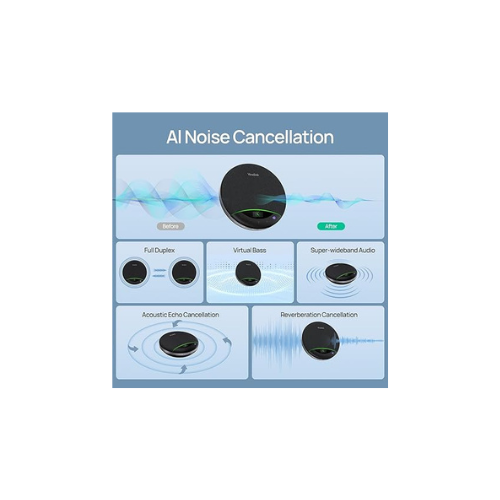
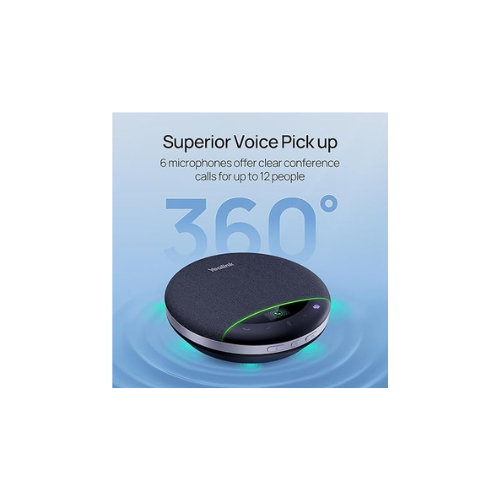
The SP96 incorporates six independent microphone nodes arranged in a complete circle. This architectural layout creates a 360 degree voice pickup field that captures sound from any angle up to six meters away. Built in beamforming algorithms track the active speaker and suppress distracting ambient room echoes.
Full Duplex Audio Communication
Standard speakerphones often cut off audio when two people speak at the same time. The SP96 uses full duplex hardware processing to allow natural, simultaneous two way conversations. Both parties can speak and hear each other clearly without sound dipping or artificial clipping.
Plug and Play USB Wireless Dongle
The package includes a pre paired Yealink wireless hardware dongle. This matching USB transmitter establishes a stable, low latency connection with your desktop computer or laptop without requiring manual configuration. It ensures high definition audio transmission even in crowded corporate wireless environments.
Long Battery Life and Reverse Charging
The internal high capacity battery provides up to twenty hours of continuous talk time on a single charge cycle. Users can operate the speakerphone wirelessly during long workshops without a power cable. The device also functions as a backup power bank to charge mobile phones via the USB port.
Technical Specifications
Microphone Array: Six Built In Omnidirectional Microphones
Pickup Range: Up to Six Meters 360 Degree Coverage
Connectivity: Bluetooth 5.0, USB Type C, USB Dongle
Talk Time: Up to Twenty Hours of Wireless Use
Audio Quality: Full Duplex Premium Broadband Sound
Certification: Fully Compatible with Unified Communication Systems
Casing Design: Compact Lightweight Travel Chassis
Pickup Range: Up to Six Meters 360 Degree Coverage
Connectivity: Bluetooth 5.0, USB Type C, USB Dongle
Talk Time: Up to Twenty Hours of Wireless Use
Audio Quality: Full Duplex Premium Broadband Sound
Certification: Fully Compatible with Unified Communication Systems
Casing Design: Compact Lightweight Travel Chassis
Step-by-Step Installation Guide
Hardware Connection
Method A: Wireless Dongle Connection
-
- Power on the speakerphone by holding the power button for two seconds.
- Insert the included Yealink USB wireless dongle into your laptop port.
- Wait for the status indicator light on the dongle to turn solid blue.
- The system will automatically pair and set the speakerphone as active.
Method B: Direct Bluetooth Connection
-
- Press and hold the physical Bluetooth button on the speakerphone console.
- Open the Bluetooth settings menu on your smartphone or mobile tablet.
- Scan for nearby wireless hardware and select the Yealink SP96 entry.
- Confirm the pairing prompt to route your mobile audio to the device.
Method C: Wired USB Connection
-
- Connect the included USB Type C cable to the base of the speakerphone.
- Plug the opposite end directly into an available port on your computer.
- The device will draw operating power and transmit audio through this cable.
- This method charges the internal battery while the unit is working.
Frequently Asked Questions
Why is my laptop failing to recognize the speakerphone audio output
Ensure the physical USB dongle is pushed fully into your computer port. Open the sound management settings panel in your operating system software. Select the Yealink SP96 as both your primary playback speaker device and your primary recording microphone device.
How do I link two SP96 units together for a larger boardroom meeting
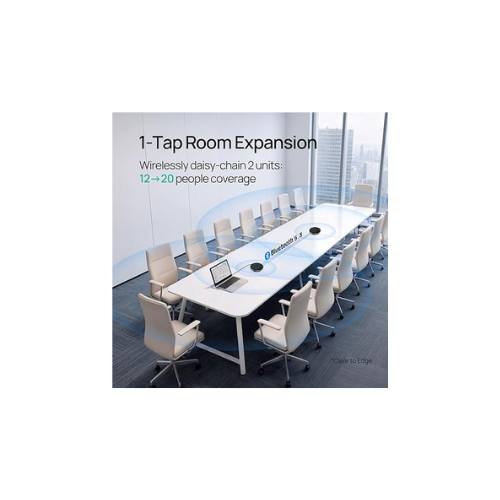
Turn on both speakerphones and place them within wireless range of each other. Press and hold the dedicated pairing button on both consoles simultaneously for three seconds. The devices will interlink wirelessly to expand the microphone pickup field and speaker volume. [1]
Can this speakerphone work with popular video conferencing platforms
Yes, the internal hardware architecture is designed to integrate with top unified communication software. The physical buttons on the touch panel interface allow users to answer calls, hang up calls, and adjust volume levels directly from the console




































Reviews
There are no reviews yet.