

TP-Link Archer MR202 AC750 4G LTE Router Review: Instant Mobile Broadband
Are you looking for a dependable internet solution for a remote office, an RV, a vacation cabin, or a home lacking fiber infrastructure? Traditional wired networks require physical line installation, which can be expensive or completely unavailable in many geographic areas. The TP-Link Archer MR202 AC750 Wireless Dual Band 4G LTE Router offers a highly versatile, compact, and efficient solution by turning cellular data into a robust home network. By combining cellular broadband access with dual-band Wi-Fi engineering, this desktop router ensures that a lack of traditional telephone or cable lines will not keep you offline.
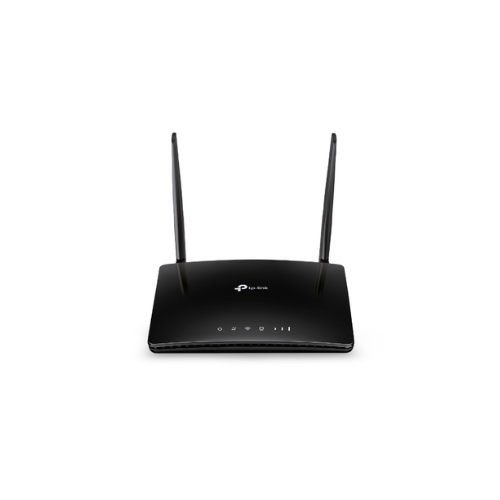
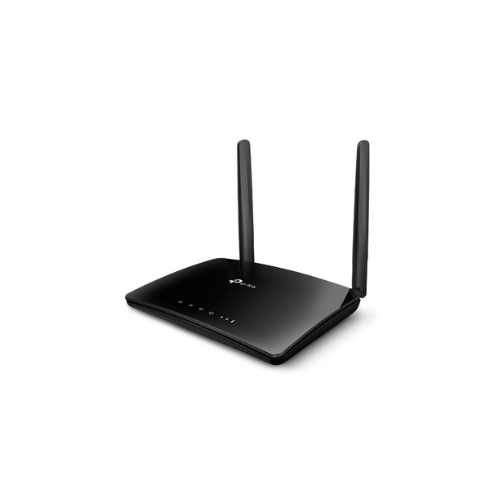
This flexible router serves as a standalone internet gateway by utilizing a built-in cellular modem to source data directly from cellular towers. Instead of dealing with structural deployment hurdles, you simply provide a compatible cellular data subscription to get online. The device uses sophisticated high-gain external antennas to maintain an efficient cellular connection even in locations where mobile reception is typically weak. Once the mobile signal is received, the device distributes the connection over two separate wireless highways, easily accommodating everyday smart home connectivity alongside high-priority bandwidth demands like online video calling or media streaming.
Key Features of the TP-Link Archer MR202
Review the main functionalities to understand how this 4G LTE router serves your on-the-go or rural network requirements.
- Plug and Play SIM Access: Features an integrated Nano SIM card slot that builds a secure wireless network immediately without needing complex provider configuration.
- 4G LTE Broadband Speeds: Delivers cutting-edge cellular network downloads up to 150Mbps, letting you share internet access with dozens of wireless devices simultaneously
- AC750 Dual-Band Wi-Fi: Broadcasts dual-band coverage reaching combined speeds up to 750Mbps, allocating 433Mbps on the 5GHz band and 300Mbps on the 2.4GHz band.
- Detachable External Antennas: Equipped with two detachable external antennas to maximize cell tower reception and improve overall hardware deployment flexibility.
- Flexible LAN WAN Routing: Offers a multi-purpose network port that allows the hardware to function as a standard wireless router connected to fiber, cable, or DSL modems.
Technical Specifications
Check the technical data below to guarantee total compatibility with your mobile service provider hardware.
- Wireless Standards: IEEE 802.11ac n a 5GHz, IEEE 802.11b g n 2.4GHz
- Mobile Network Support: 4G FDD-LTE, TDD-LTE, 3G HSPA, UMTS
- Signal Rate: 300Mbps at 2.4GHz, 433Mbps at 5GHz
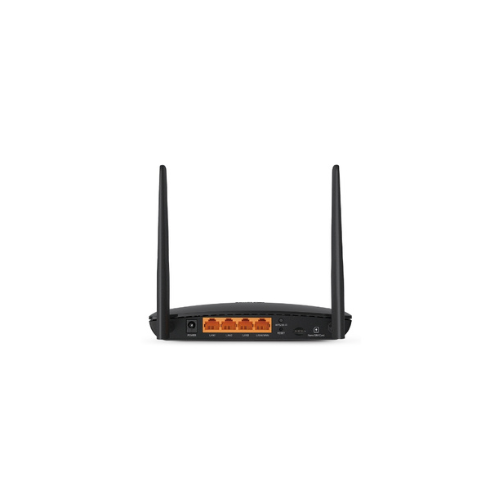
- Physical Interfaces: 3 Fast LAN Ports, 1 Fast LAN WAN Port, 1 Nano SIM Slot
- Antenna Connectivity: 2 External SMA-F antenna interfaces
- Advanced Management Tools: Quality of Service traffic prioritization, Parental Controls, and Guest Network isolation
How to Set Up Your TP-Link Archer MR202 Router
Setting up your mobile broadband network takes only a couple of minutes and does not require complex software installation.
Method 1: Using Mobile Broadband (SIM Card)
- Insert a activated Nano SIM card directly into the designated rear slot until it clicks into place.
- Connect the included power adapter to the router and plug it into a standard electrical outlet.
- Wait for the front status lights to stabilize and verify that the cellular signal strength indicators are illuminated.
- Locate the default wireless name and security password printed on the sticker underneath the router.
- Connect your smartphone, laptop, or tablet to the wireless network to begin browsing immediately.
Method 2: Using the Web Interface for Customization
- Connect to the router Wi-Fi or plug a computer directly into one of the LAN ports using an Ethernet cable.
- Launch a web browser and input tplinkmodem.net or 192.168.0.1 into the top address field.
- Create a unique administrative password to secure your internal router management board.
- Follow the step-by-step Quick Setup utility to choose your regional network profile or customize your personal Wi-Fi names.
- Save the updated profile configuration to complete your network customization




































Reviews
There are no reviews yet.