

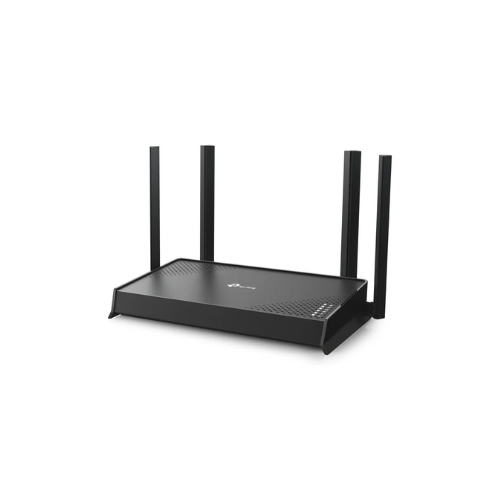
Ultimate Guide to TP-Link Archer BE220 BE3600 Dual-Band Wi-Fi 7 Router
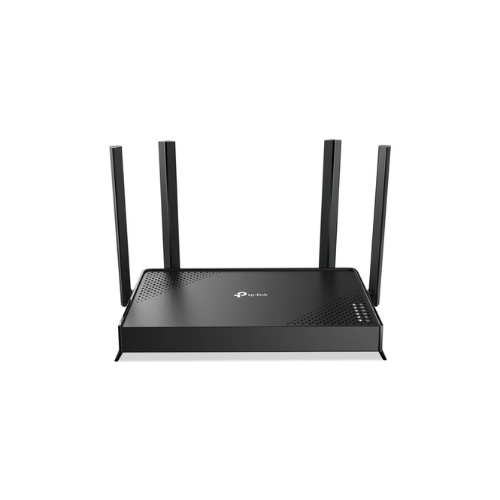
The TP-Link Archer BE220 is a next-generation wireless router designed to introduce the ultra-fast speeds and high-capacity benefits of Wi-Fi 7 to modern smart homes. Operating on the BE3600 standard, this dual-band router delivers a combined wireless throughput of up to 3.6Gbps. It offers a future-proof, low-latency internet backbone built to handle demanding online tasks like 4K and 8K multimedia streaming, high-speed gaming, and smart home automation.
Key Features and Specifications
This router combines next-generation wireless architecture with high-speed physical ports.
- Wi-Fi 7 Performance: Employs advanced wireless standards to increase overall data capacity, speed, and network efficiency.
- 3.6Gbps Dual-Band Speeds: Delivers data rates up to 2882Mbps on the 5GHz band and 688Mbps on the 2.4GHz band.
- Multi-Link Operation: Connects to both frequency bands simultaneously to accelerate transmission speeds and reduce latency
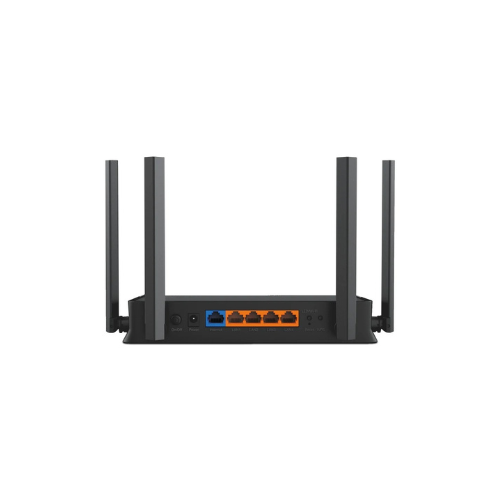
- Multi-Gigabit Port Array: Features high-speed 2.5G ports to maximize multi-gigabit fiber internet subscriptions without hardware bottlenecks.
- 4096-QAM Modulation: Packs 1.2 times more data into every transmission compared to older Wi-Fi 6 systems.
- EasyMesh Compatibility: Pairs easily with other compatible mesh units to expand your wireless footprint under a single Wi-Fi name.
- TP-Link HomeShield: Built-in network security software providing advanced parental controls, real-time IoT protection, and antivirus scanning.
Next-Generation Wi-Fi 7 Architecture and Performance
The Archer BE220 addresses network congestion and interference through advanced Wi-Fi 7 networking protocols. Traditional routers force devices to wait in line for data transmissions, leading to buffering and lag when multiple household members are online. [1, 2, 3, 4, 5]
This model features Multi-Link Operation, allowing compatible smartphones and laptops to transmit and receive data across the 2.4GHz and 5GHz bands at the same time. This simultaneous connection bypasses local interference, lowers network delays, and maintains stable performance during intensive activities like competitive online gaming or virtual office meetings.
Multi-Gigabit Connectivity and Expandable Mesh
The physical hardware design focuses on eliminating wired and wireless network restrictions.
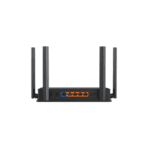
- 2.5G WAN/LAN Ports: Fully utilizes fast fiber-optic connections to supply maximum internet data rates to high-demand devices like gaming PCs or storage drives.
- Flexible Mesh Expansion: Supports EasyMesh standard protocols, allowing you to link the router with extra nodes to cover dead zones in larger homes.
Step-by-Step Network Initialization and App Setup
Setting up your Wi-Fi 7 network requires zero technical experience using guided mobile configuration tools.
Initial Hardware Configuration
- Unplug your internet provider modem from its power outlet and remove any backup battery if present.
- Connect the Archer BE220 WAN port directly to your modem’s network port using a high-speed Ethernet cable.
- Power on your modem first, then plug the router power adapter into a standard wall outlet.
- Wait for the router status LEDs to light up solid, signaling that the hardware is ready for software activation.
Tether Mobile Application Setup
- Download the official TP-Link Tether app from the Apple App Store or Google Play Store onto your smartphone.
- Connect your phone wirelessly to the default Wi-Fi name printed on the technical specification label on the base of the router.
- Launch the application, log into your TP-Link ID profile, and select the Archer BE220 from the device discovery panel.
- Follow the step-by-step visual prompts to complete the quick installation wizard and apply a strong network password.
Frequently Asked Questions
Can the TP-Link Archer BE220 work with my older Wi-Fi 5 and Wi-Fi 6 devices?
Yes, the router is fully backward compatible. It connects seamlessly with devices using older wireless standards, allowing your existing smartphones, laptops, and smart home accessories to run safely at their maximum supported speeds.
What is the advantage of 4096-QAM technology?
Traditional Wi-Fi 6 systems use 1024-QAM to send data. By upgrading to 4096-QAM, the Archer BE220 packs more information into each signal transmission, resulting in a 20 percent boost in data transmission efficiency and faster download rates.
How does HomeShield safeguard my connected smart home appliances?
HomeShield monitors your network traffic constantly to block malicious websites, shield your personal data from hackers, and identify weak spots in your smart security cameras or smart appliances. It isolates compromised devices automatically to stop threats from spreading.
Is the router easy to mount on a wall?
The physical housing layout is engineered primarily for horizontal desktop or shelf placement to ensure optimal ventilation and signal distribution from its high-performance internal antenna array. Check your retail manual for specific physical mounting slot configurations.




































Reviews
There are no reviews yet.