



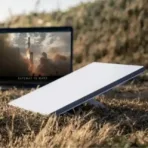

Starlink Mini Kit
Key Features
Brand: Starlink
Coverage, Global Accessibility, Low Earth Orbit (LEO) Satellites
Speed, 50-200+ Mbps
Latency, 20-40 ms
Installation, Self-installation, Automatic dish alignment
Reliability, Consistent connectivity, Automatic updates
Equipment, Router compatibility, Mobile app
Data Usage, Unlimited, Priority access tiers
1 Year Warranty
Starlink Mini Kit Ultimate Guide
The Starlink Mini Kit is a compact satellite internet solution built for high-speed connectivity on the go. This guide covers its portable design, technical performance, and simple setup instructions.
Key Features of the Starlink Mini Kit
All-in-One Ultra-Portable Design
The Starlink Mini integrates the satellite antenna and the Wi-Fi router into a single piece of hardware. It is small enough to fit inside a backpack, weighing under two and a half pounds without accessories.
Low Power Consumption
Engineered for off-grid travel, the unit consumes an average of only 25 to 40 watts. This makes it efficient enough to run on portable power stations, vehicle battery setups, or a 100W USB-C Power Delivery source.
Weather Resistant Durability
An IP67 environmental rating ensures the hardware is completely protected against dust and water ingress. It operates reliably in severe weather conditions and features built-in snow-melting capabilities.
Technical Specifications
-
- Dimensions: 11.75 by 10.2 by 1.45 inches
- Weight: 2.43 pounds without the kickstand
- Wi-Fi Technology: Dual-band Wi-Fi 5 with 3×3 MU-MIMO
- Device Capacity: Connects up to 128 devices simultaneously
- Input Voltage: 12 to 48 volts DC
- Average Speed: Download speeds from 25 to 220 Mbps and upload speeds from 5 to 20 Mbps
How to Set Up the Starlink Mini Kit
-
- Download App: Install the official Starlink application on your smartphone to guide your installation.
- Find Clear Sky: Place the dish in an open area completely free of trees, poles, or roof obstructions.
- Deploy Kickstand: Use the integrated kickstand to position the dish on a flat surface, or utilize the included pipe adapter.
- Plug in Power: Connect the DC power cable to the back of the dish and plug the opposite end into an electrical source.
- Align Antenna: Open the mobile app and follow the software-assisted manual orienting instructions to lock onto the nearest satellites.
Frequently Asked Questions
Does the Starlink Mini require a separate Wi-Fi router?
No. The Wi-Fi router is built directly into the satellite dish chassis, eliminating the need for extra network hardware.
Can I power the Starlink Mini using a USB-C cable?
Yes. The device can be powered via a compatible 100W USB-C Power Delivery cable connected to an appropriate power bank.
What is the coverage area of the integrated router?
The built-in router provides wireless network coverage for an area up to 112 square meters or approximately 1200 square feet.
Is the Starlink Mini suitable for in-motion use?
The kit is optimized for portable use when stationary. In-motion connectivity depends entirely on your specific service plan boundaries.
What mounting choices come with the retail package?
The retail kit includes an integrated kickstand, a mini pipe adapter, and a flat mount for versatile deployment options.
How do I factory reset the network settings?
Locate the reset icon on the back panel of the dish. Press and hold down firmly for three seconds until the LED blinks rapidly.
What is the operating temperature range for this unit?
The hardware operates seamlessly in extreme climates ranging from minus 30 degrees Celsius up to 50 degrees Celsius.
Can I connect wired devices to the Starlink Mini?
Yes. The dish features a weather-sealed RJ-45 Ethernet port to plug in legacy wired devices or secondary third-party routers.




































Darius Michigan Oyugi –
I need the product
STEVE –
available