

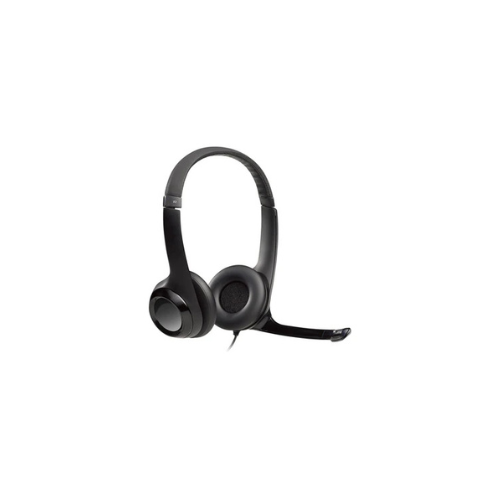
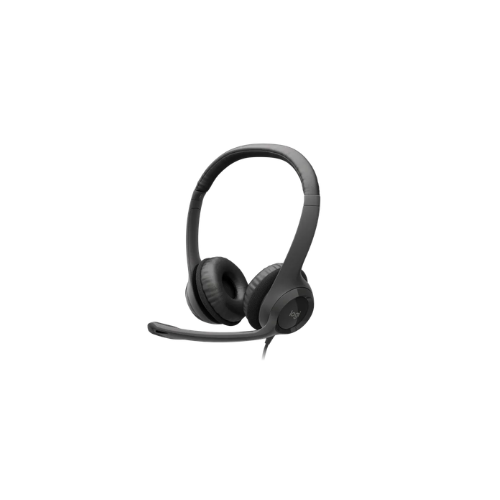
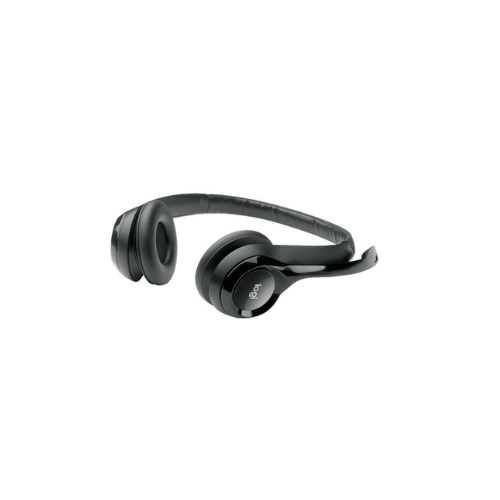
Logitech H390 USB Headset (981-000406)
Key Features
Brand: Logitech
Noise cancelling mic
Padded headband and ear cups
USB-A connection
Microphone Type: Bi-directional
Input Impedance: 32 Ohm
Frequency response (Headset): 20 Hz – 20 KHz
Frequency response (Microphone): 100 Hz – 10 KHz
FAST DELIVERY
1 Year Warranty
Logitech H390 USB Headset 981-000406 Ultimate Guide
The Logitech H390 USB Headset 981-000406 is a reliable plug-and-play audio solution designed for clear internet calls, video meetings, and everyday multimedia use. This guide covers its comfort design, technical capabilities, and audio optimization settings.
Key Features of the Logitech H390
Advanced Noise-Canceling Microphone
The integrated microphone minimizes background distractions to ensure your voice remains crisp and intelligible. The flexible boom rotates out of the way completely when you are simply listening to music or movies.
Enhanced Comfort and Ergonimics
Plush leatherette ear cushions provide lasting comfort during marathon conference calls or virtual study sessions. The adjustable headband features generous padding to distribute weight evenly across your head.
Inline Audio Controls
A compact control module sits directly on the headset cord for immediate access. You can adjust the volume level or mute your microphone instantly without navigating software menus on your computer screen.
True Plug-and-Play Setup
The headset requires no external software drivers or complicated configuration files. Connecting the standard USB connector to an available computer port enables full audio functionality immediately.
Technical Specifications
- Connection Type: USB Type A
- Cable Length: 6.23 feet or 1.9 meters
- Frequency Response Headset: 20 Hz to 20 kHz
- Frequency Response Microphone: 100 Hz to 10 kHz
- Input Impedance: 32 Ohms
- Sensitivity Headset: 94 dBV per Pascal plus or minus 3 dB
- Sensitivity Microphone: minus 17 dBV per Pascal plus or minus 4 dB
How to Set Up and Optimize the Headset
- Insert Connector: Insert the USB Type A cable directly into a free port on your laptop or desktop computer.
- Select Audio Device: Open your computer operating system sound settings menu. Select Logitech H390 as your primary playback and recording device.
- Configure App Settings: Open your preferred meeting software like Zoom, Microsoft Teams, or Skype. Set the microphone and speaker inputs to target the headset hardware.
- Position Microphone: Rotate the microphone boom downward and position it roughly two finger widths away from the corner of your mouth to avoid breath sounds.
- Adjust Fit: Expand the headband sliders evenly on both sides until the ear cups rest comfortably over the center of your ears.
Frequently Asked Questions
Does the Logitech H390 work with macOS and Windows?
Yes. The headset provides native plug-and-play compatibility across Windows, macOS, ChromeOS, and popular voice calling platforms without any extra software.
Is the USB cable detachable from the headset?
No. The 6.23-foot cable is permanently attached to the ear cup and the inline control module to ensure a stable, uninterrupted connection.
How do I know if the microphone is muted?
The inline control pad features a clear visual LED indicator light that illuminates bright red when the microphone mute function is active.
Can this headset connect to a smartphone or tablet?
This headset utilizes a standard USB Type A connection. It will only connect to mobile devices if you use a compatible third-party USB adapter.
What materials are used on the ear cushions?
The ear cushions feature soft polyurethane leatherette wrapped around premium foam filling, which can be wiped clean with a damp cloth.
Does this headset support stereo or mono audio?
The Logitech H390 features a complete stereo configuration with independent left and right audio channels for immersive sound reproduction.
Why is my computer not recognizing the microphone?
Ensure the USB plug is fully inserted into a direct motherboard port rather than an unpowered external hub, then check your privacy settings to permit app microphone access.
Is the headband reinforced for durability?
Yes. The padded headband contains an internal adjustable metal strip that prevents cracking and maintains structural integrity over long-term use.




































Reviews
There are no reviews yet.