

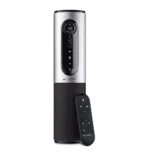
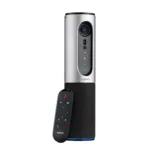
Logitech ConferenceCam Connect Video Conferencing – 960-001034
Key Features
Brand: Logitech
Portable all-in-one videoconferencing solution
Perfect for small work groups
Enterprise-quality video/speakerphone
Wireless screen-mirror projection
Plug-and-play compatibility
1 Year Warranty
Ultimate Guide to Logitech ConferenceCam Connect Video Conferencing System 960-001034
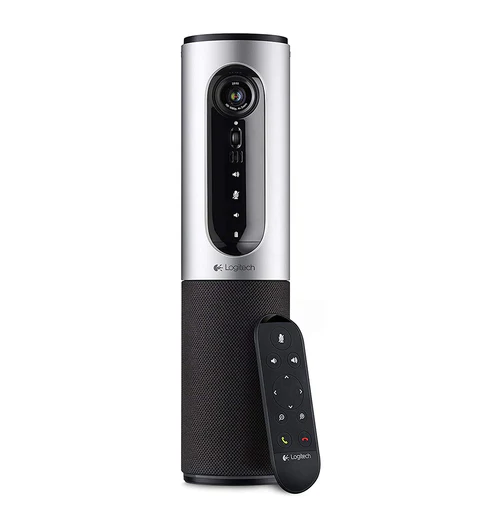
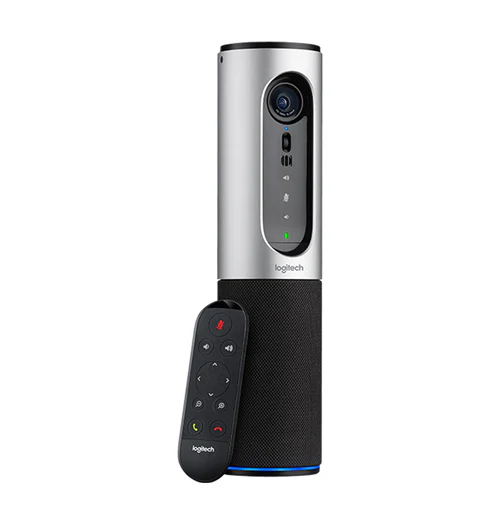
The Logitech ConferenceCam Connect is a portable, all-in-one video conferencing system designed for huddle rooms, small workspaces, and remote teams. Combining a full-high-definition camera, a 360-degree speakerphone, and wireless screen-mirroring technology inside a cylindrical frame, this device simplifies remote collaboration. It provides a flexible plug-and-play solution that lets users launch professional video meetings from any laptop or mobile workstation.
Key Features and Specifications
This enterprise-grade portable conference tool integrates advanced optics with high-fidelity audio engineering.
-
- 1080p Full HD Video: Captures crisp video at 30 frames per second with H.264 UVC compression for smooth streaming.
- 90-Degree Field of View: Offers a generous wide angle with mechanical pan and tilt to frame small groups comfortably.
- 4x Digital Zoom: Employs high-definition digital zoom to focus closely on speakers or whiteboard contents.
- ZEISS Glass Lens: Uses premium optics with automatic focus to maintain razor-sharp image clarity throughout calls.
- 360-Degree Audio: Houses a full-duplex speakerphone that captures voices within a 12-foot diameter circle.
- Rechargeable Battery Power: Operates untethered for up to 3 hours of video calls or 15 hours of audio streaming.
- Multi-Device Connectivity: Connects easily via USB to computers or wirelessly via Bluetooth and NFC to mobile hardware.
- Dockable Remote Control: Includes a physical remote that clips onto the lens housing to act as a privacy cover when traveling.
Portable All-In-One Design and Acoustic Clarity
The ConferenceCam Connect solves the challenge of setting up complex meeting hardware in small spaces. Traditional conference rooms require tracking separate cameras, speakers, and microphones, creating a mess of cables and confusing configurations.
This cylindrical device combines all components inside a single battery-powered frame. Its internal omni-directional microphone array features advanced echo and noise cancellation technology. This design ensures that every team member around the table is heard clearly, eliminating background distractions like air conditioning hum or paper shuffling.
Wireless Flexibility and Cross-Platform Integration
The system easily transitions between different connectivity standards to match your workflow requirements.
-
- USB Plug-and-Play: Connects instantly to Mac or Windows computers without requiring specialized device drivers
- Bluetooth Audio Integration: Pairs rapidly with smartphones or tablets to function as an enterprise-grade speakerphone for standard mobile phone calls.
- Universal App Compatibility: Works seamlessly with all major business video platforms, including Zoom, Microsoft Teams, Google Meet, and Skype for Business.
Quick Installation and Meeting Setup Guide
Setting up your mobile conference station takes only a few quick moments using standard data connections.
Desktop Laptop Configuration
-
- Connect the power adapter to a wall outlet to charge the internal battery, or run the device purely on battery power.
- Plug the provided USB cable into the back of the camera and attach the opposite end to an open port on your laptop.
- Turn on the device by pressing the physical power button on the top control panel.
- Select the Logitech Connect as your primary microphone, speaker, and camera within your video conferencing software settings
Bluetooth Mobile Device Syncing
-
- Press the Bluetooth button on the top panel of the cylinder until the blue indicator light begins flashing.
- Open the Bluetooth settings menu on your smartphone or tablet and select the camera from the list of available devices.
- Touch your NFC-enabled phone to the top panel target area for instant automated pairing if supported by your mobile hardware.
Frequently Asked Questions
How long does the battery last on the Logitech ConferenceCam Connect?
The internal rechargeable battery provides up to 3 hours of continuous full-HD video conferencing with the speakerphone active. If used exclusively as an audio-only Bluetooth speakerphone, a single full charge lasts up to 15 hours.
Does the remote control serve any other purpose when not in use?
Yes, the remote control features a curved, magnetic design. When you are done with a meeting or traveling, you can snap the remote directly over the front of the lens assembly to protect the glass optics from scratches and act as a physical privacy shutter.
Can this system handle large boardroom meetings?
The device is optimized specifically for huddle rooms and small group spaces holding one to six participants. The built-in audio system and lens angles perform best when participants sit within a 12-foot radius of the camera body.
Is a separate driver installation required for Windows 11 or macOS?
No, the device utilizes standard USB Video Class protocols. Your computer operating system will recognize the hardware immediately as a native media device the moment you plug in the USB cable, allowing you to launch meetings instantly




































Reviews
There are no reviews yet.