
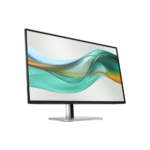

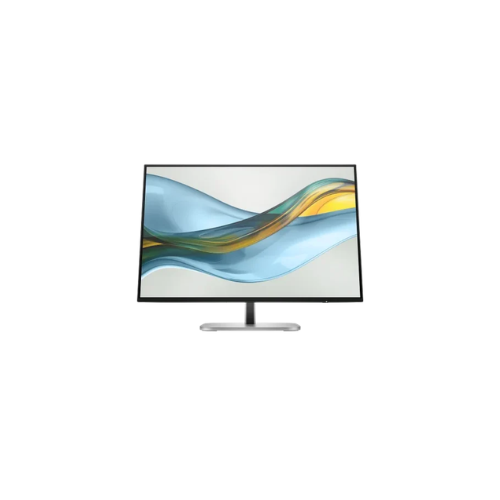
HP Series 5 Pro 524pn 24 inch WUXGA Monitor
Key Features
Brand:HP
24-inch IPS display
1920 × 1200 WUXGA resolution
16:10 aspect ratio
Up to 100Hz refresh rate
5ms GtG response time with overdrive
350 nits brightness
100% sRGB color coverage
1500:1 contrast ratio
Anti-glare display
HP Eye Ease technology
Height, tilt, swivel, and pivot adjustments
HDMI and DisplayPort connectivity
Built-in USB hub
Three-sided borderless design
FAST DELIVERY
Ultimate Review of the HP Series 5 Pro 524pn 24 Inch WUXGA Monitor
The HP Series 5 Pro 524pn stands as a premier enterprise-grade 24-inch WUXGA monitor engineered to elevate professional productivity through an expanded vertical viewing space and modern visual fluidness. This business-class display adapts seamlessly to intensive data workflows, creative editing, and multi-window multitasking. Here is a complete analysis of this hardware asset to help you optimize your professional workspace configuration
Key Hardware Specifications
This monitor balances enhanced canvas real estate with advanced panel performance to support long, demanding work sessions.
- Display Size: True 24-inch diagonal screen offering ample multitasking room.
- Panel Technology: In-Plane Switching (IPS) panel delivering 178-degree wide viewing angles.
- Native Resolution: WUXGA 1920 x 1200 resolution utilizing a productive 16:10 aspect ratio.
- Refresh Rate: 100 Hz refresh rate for ultra-smooth scrolling and fluid motion transitions.
- Color Accuracy: 99% sRGB color gamut coverage for precise and consistent design output.
- Ergonomic Adjustment: Four-way adjustable stand supporting height, tilt, swivel, and pivot rotation.
- Audio Engineering: Integrated dual down-firing speakers for clear virtual conference communication.
The 16:10 WUXGA Aspect Ratio Advantage
The defining structural feature of this Series 5 Pro monitor is the transition from standard 1080p widescreen to a 16:10 WUXGA layout.
Standard Full HD displays limit vertical working space to 1080 pixels. The 1920 x 1200 native grid adds 120 extra pixels of vertical height, expanding your overall digital canvas. This additional space reduces the need for constant scrolling when managing extensive Excel spreadsheets, editing long blocks of programming code, or reviewing complex legal documents.
The advanced IPS panel architecture works alongside this resolution to prevent color shifting and contrast degradation, ensuring lines remain razor-sharp even when viewing the screen from extreme off-center angles
Port Connectivity and High Refresh Performance
To achieve the full WUXGA resolution alongside the fluid 100 Hz refresh rate, the monitor features modern digital input interfaces.
- 1 x HDMI 1.4: Fully supports the native 1920 x 1200 resolution at the smooth 100 Hz specification.
- 1 x DisplayPort 1.2: Ideal for chaining configurations and driving the panel at its maximum refresh capability.
- 1 x VGA Port: Maintained for legacy compatibility with older corporate computing hardware, though limited to standard lower refresh ceilings.
The jump to a 100 Hz refresh rate dramatically reduces visible motion blur and mouse cursor ghosting compared to older 60 Hz business monitors. This specification ensures that fast-moving data animations, document scrolling, and video playback remain incredibly easy on the eyes. [1]
Advanced Ergonomics and Eye Comfort Technology
Long-term user health is integrated directly into the physical engineering of the chassis through targeted hardware solutions.
Complete Four-Way Adjustability
The robust premium stand provides complete physical freedom. Users can raise or lower the panel up to 150 millimeters, tilt it forward or backward, swivel it left to right, or pivot it a full 90 degrees into a vertical portrait orientation. Vertical orientation is ideal for analyzing long data logs or executing tall web-development mockups.
Hardware-Level Low Blue Light
The display utilizes an always-on, hardware-integrated low-blue-light filter. Unlike software adjustments that introduce an aggressive yellow tint and ruin color accuracy, this built-in mechanism isolates and mitigates harmful blue light wavelengths while keeping white points clean and color profiles highly accurate. This technology works with a flicker-free backlight layer to prevent eye strain and tension headaches.
Clean Professional Aesthetics
The physical design boasts a 3-sided micro-edge bezel that maximizes screen estate and creates a nearly seamless transition when setting up dual-monitor workstation configurations. Cable management routing paths are built directly into the neck of the stand to hide trailing video and power cords, keeping the desktop clean and professional.




































Reviews
There are no reviews yet.