

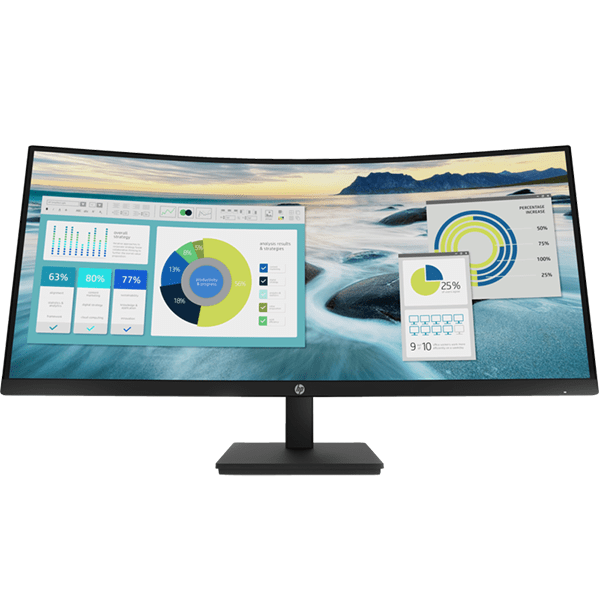
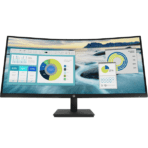
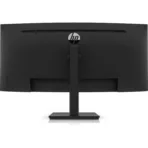
HP P34hc G4 Curved Monitor 34″ WQHD USB-C – 21Y56AS
Key Features
Display size (diagonal): 34″
Panel technology: VA
Display features: Low blue light mode; Anti-glare; Height adjustable
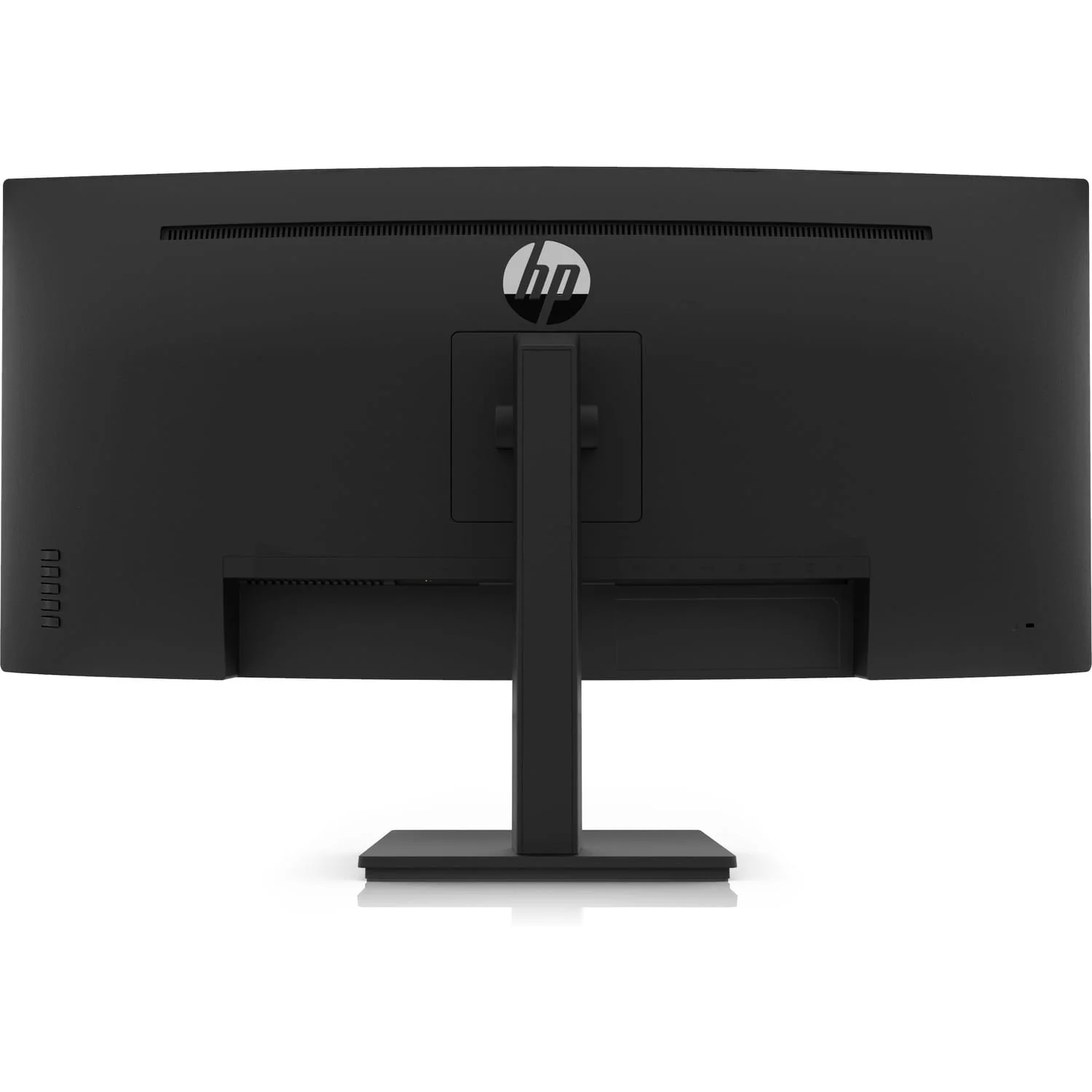
Connectivity: 1 HDMI 2.0, 1 DisplayPort 1.2, 1 SuperSpeed USB Type-C 5Gbps signaling rate (up to 65W USB Power Delivery, Alt Mode DisplayPort 1.2), 1 USB-B, 4 SuperSpeed USB Type-A 5Gbps signaling rate, 1 3.5 mm Audio Out
1 Year Warranty
Ultimate Guide to HP P34hc G4 Curved WQHD USB-C Monitor
The HP P34hc G4 is a premium, 34-inch ultra-wide curved monitor engineered to maximize workspace efficiency, enhance multitasking, and streamline desktop layouts. Featuring a crisp WQHD resolution and a functional single-cable USB-C power interface, this expansive screen replaces traditional dual-monitor configurations. It provides an immersive, low-clutter hardware framework ideal for financial analysts, software developers, video editors, and executive professionals.
Key Features and Specifications
This ultra-wide curved display combines high-resolution panel engineering with extensive peripheral device docking capabilities
- 34-Inch Ultra-Wide Curved Canvas: Employs an immersive 1500R curvature to wrap the screen around your field of view and reduce peripheral eye strain.
- WQHD Sharp Resolution: Displays sharp text, detailed graphics, and deep spreadsheets via a high-density 3440 x 1440 pixel grid.
- 21:9 Cinematic Aspect Ratio: Expands your screen landscape by 35 percent compared to standard widescreen monitors, allowing you to open multiple full windows side-by-side.
- Single-Cable USB-C Interface: Transmits high-resolution video streams, high-speed device data, and up to 65 Watts of laptop charging power through one cable
- Integrated Stereo Speakers: Features built-in dual 3-Watt speakers to deliver clear, directional audio for video calls and multimedia without desktop clutter.
- Ergonomic Three-Way Adjustability: Includes a sturdy mechanical stand that supports fluid height adjustment, front-to-back tilt, and smooth horizontal swiveling.
- Advanced Visual Comfort: Outfitted with an anti-glare panel coating, Flicker-Free backlighting, and HP Eye Ease technology to filter harmful low blue light.
Expansive Curved Landscape and Enhanced Multitasking
The P34hc G4 solves the problem of desktop clutter, mismatched color balancing, and fragmented window layouts caused by multi-monitor setups. Traditional dual-screen arrangements require wrestling with thick bezels right in the middle of your vision, stretching your neck muscles continuously to track moving windows.
This model features a continuous 21:9 aspect ratio panel curved at a natural 1500R profile. This shape matches the curvature of the human eye, ensuring that every column, timeline tracking block, or browser window sits at an equal viewing distance from your eyes to reduce visual fatigue during long, intense work shifts.
Single-Cable Docking and Workspace Cleanliness
The physical hardware architecture focuses on eliminating external docking hubs and minimizing power cord tangles.
- 65-Watt Power Delivery: Supplies constant operating power directly to connected laptops and tablets via the main USB-C port, keeping your computer battery fully charged without removing its stock power brick from your travel bag.
- Built-In USB Peripheral Hub: Houses multiple standard USB-A ports on the rear back-panel casing to let users link external desktop keyboards, mice, flash drives, or webcams directly to the monitor framework.
Quick Physical Setup and Calibration Steps
Assembling and optimizing your ultra-wide monitor layout takes only a few quick moments using standard toolless mounting paths.
Stand Assembly and Connection
- Lay the monitor panel face down on a flat, clean surface covered by a soft cloth or foam padding.
- Click the vertical stand neck firmly into the quick-release slot on the back of the casing until it locks securely into place.
- Align the heavy desktop base plate with the bottom of the stand neck and tighten the integrated thumb screw clockwise by hand.
- Lift the assembled monitor upright, position it on your desk, and connect the provided high-speed USB-C cable from the monitor port directly to your laptop.
Initial Display Optimization
- Press the physical power button located on the bottom right edge of the rear panel frame.
- Use the physical menu navigation buttons to open the on-screen display console.
- Navigate to the Input Control menu to verify your primary video parsing connection is locked onto the USB-C or HDMI stream.
- Access the Color Management pane to switch display profiles between warm, cool, or custom sRGB layouts depending on your document styling or video editing needs.
Frequently Asked Questions
Can I connect devices using older ports like standard HDMI or DisplayPort to this monitor?
Yes, alongside the main multi-function USB-C port, the connection array features industry-standard HDMI 2.0 and DisplayPort 1.2 video input slots. This allows you to connect standard desktop towers, gaming consoles, or legacy business computers easily using standard video cords.
Is the HP P34hc G4 monitor compatible with standard VESA wall mounts or dual-arm frames?
Yes, the quick-release stand neck can be removed instantly by flipping a physical safety latch on the back casing. This exposes a standard 100 x 100 millimeter VESA mounting pattern, allowing you to screw the screen securely onto third-party desk arms, gas-spring articulating mounts, or office wall brackets.
Does this monitor support picture-in-picture or multiple device streaming at once?
The monitor dashboard features robust internal display management capabilities to help map active data inputs. Check your internal system firmware menu settings to toggle advanced multitasking layout properties, allowing you to view and coordinate side-by-side scaling profiles seamlessly.
How does the HP Eye Ease technology benefit my workday compared to standard software filters?
Standard software low blue light filters distort your colors by washing your entire screen in a heavy yellow tint, which ruins precise design work. HP Eye Ease is a hardware-integrated, always-on blue light reduction system that strips out harmful high-energy blue wavelengths while keeping color reproduction accurate.




































Reviews
There are no reviews yet.