

Ultimate Guide to HP OmniBook Ultra Flip 14-fh0013dx Convertible Laptop
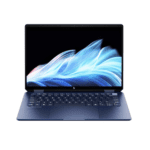
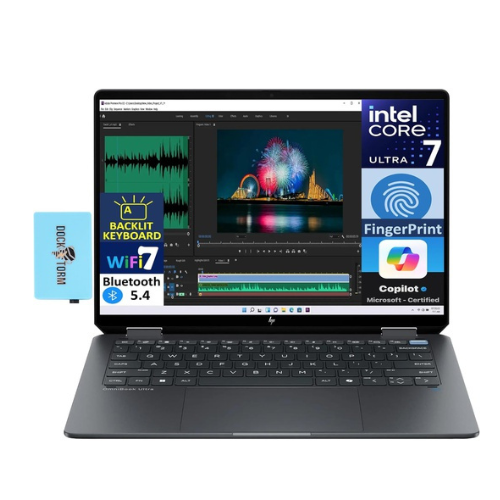
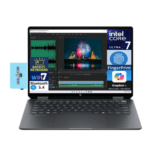
The HP OmniBook Ultra Flip 14-fh0013dx is an elite, AI-enabled 2-in-1 convertible laptop engineered for creators, executive professionals, and advanced multi-taskers. Combining the hybrid computing power of the Intel Core Ultra 7 processor with a stunning 3K OLED touchscreen, this premium device switches effortlessly between tablet, tent, and laptop formats. It offers a highly secure, energy-efficient mobile framework designed to accelerate local AI workflows, creative designs, and intensive productivity tasks.
Key Features and Specifications
This premium convertible laptop balances next-generation processing chips with extensive visual and security tools.
-
- Intel Core Ultra 7 Processor: Employs hybrid computing architectures and a dedicated NPU engine to handle complex AI tasks locally.
- 14-Inch 3K OLED Touchscreen: Displays rich contrast ratios, deep blacks, and crisp detail with versatile 360-degree rotation.
- 16GB High-Speed System Memory: Runs complex multi-application workflows and local creative tools simultaneously without stuttering.
- 1TB PCIe NVMe Storage Matrix: Offers extensive space and lightning-fast file read speeds for massive digital project files.
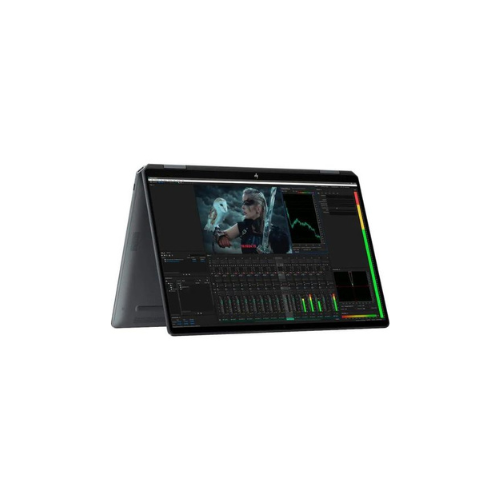
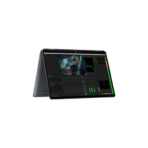
- 360-Degree Convertible Hinge: Folds back easily to transition from a standard laptop typing profile into an interactive drawing tablet.
- Poly Studio Audio Tuning: Integrates premium quad speakers to deliver clear, directional sound for media or business calls.
- Advanced Biometric Encryption: Houses high-grade infrared camera components to provide secure face-recognition logins.
AI-Driven Architecture and Thermal Efficiency
The OmniBook Ultra Flip 14 addresses the demand for untethered mobile computing power without sacrificing battery life. Traditional thin laptops often experience severe performance throttling or quick battery drain when running intensive background calculations.
This model features an integrated Intel Core Ultra Neural Processing Unit. The specialized NPU handles localized AI commands—such as background video blur filters, eye-contact tracking, and smart resource mapping—independently. This configuration shifts heavy background sorting away from the main processor cores, allowing the laptop to run remarkably cool and extend its battery life throughout long travel days.
Next-Generation Visual Workspace and Input Flexibility
The hardware configuration features an advanced sensory design to optimize your daily creative workflows.
-
- 3K OLED Cinematic Horizon Canvas: Delivers crisp pixel density alongside professional-grade color accuracy, making it an excellent platform for precise photo editing, video timeline mapping, or presentation styling.
- Interactive Haptic Trackpad: Uses digital haptic vibration actuators to give clean physical feedback across the entire touch pad area, ensuring smooth gesture tracking.
Initial System Initialization and Calibration Steps
Getting your 2-in-1 convertible system optimized for your daily routine takes only a few quick moments.
Windows Initialization and Biometric Syncing
-
- Connect the high-capacity USB-C power brick to a wall outlet and attach the cable firmly to your laptop frame.
- Open the display panel and tap the physical power button located along the edge array or keyboard frame.
- Follow the guided Windows 11 setup wizard to log into your account, link your local Wi-Fi connection, and verify your location parameters.
- Navigate to the Windows Hello Security pane when prompted to run the initial facial scanning calibration via the built-in infrared camera.
Tuning Performance Profiles
-
- Launch the pre-loaded HP Command Center application from your taskbar menu panel.
- Access the thermal management module to shift configuration matrices between Quiet, Smart, and Performance layouts depending on your immediate environment.
- Open the display properties menu to adjust advanced color tuning space modes, selecting from sRGB, Adobe RGB, or DCI-P3 color spaces depending on your editing needs.
Frequently Asked Questions
Does the HP OmniBook Ultra Flip 14-fh0013dx include an active digital stylus inside the box?
Retail packaging configurations can vary by store location and regional bundle listings. Most standard editions are fully configured to support advanced magnetic smart pens, but you should verify your precise retail box contents to confirm if the active stylus is packed inside or sold separately.
Can I upgrade the internal system memory (RAM) later if my workloads grow?
The ultra-slim convertible chassis utilizes high-efficiency, low-power system memory that is soldered directly to the motherboard layout to maintain a compact physical frame. Because the internal memory modules are fixed, selecting the 16GB model ensures ample long-term headroom for standard business and creative multi-tasking.
How does the 360-degree hinge handle diverse working conditions?
The heavy-duty mechanical dual-gear hinge is engineered to hold the display panel firmly at any angle you choose. You can rest the laptop in Laptop Mode for long typing sessions, flip it into Tent Mode on tray tables to watch videos, or fold it completely flat into Tablet Mode for sketching and note-taking.
What physical data ports are built into this ultra-thin laptop frame?
The sleek aluminum chassis houses high-speed Thunderbolt 4 or USB-C interfaces designed to manage




































Reviews
There are no reviews yet.