

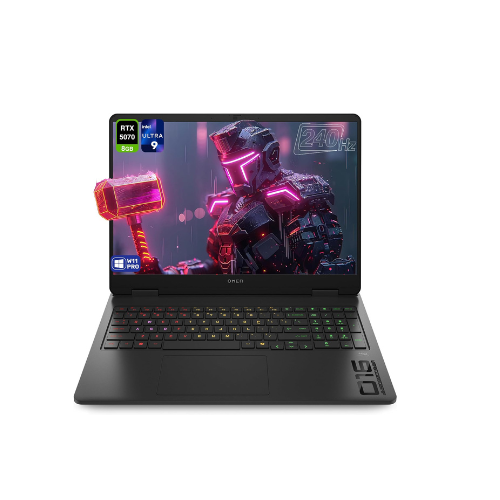
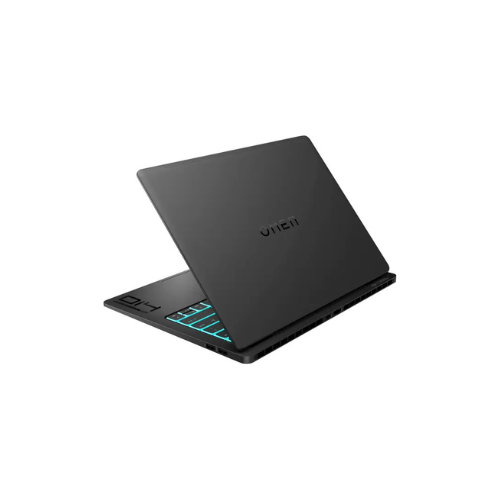
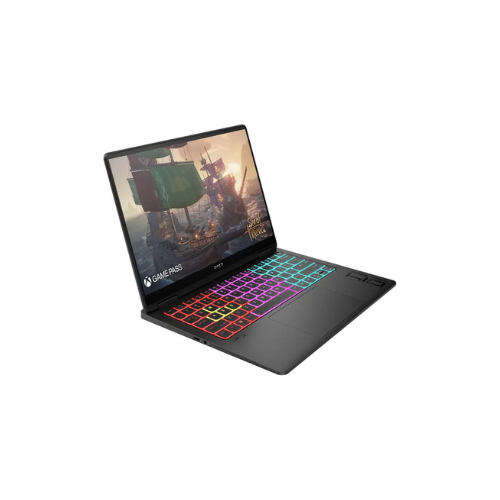
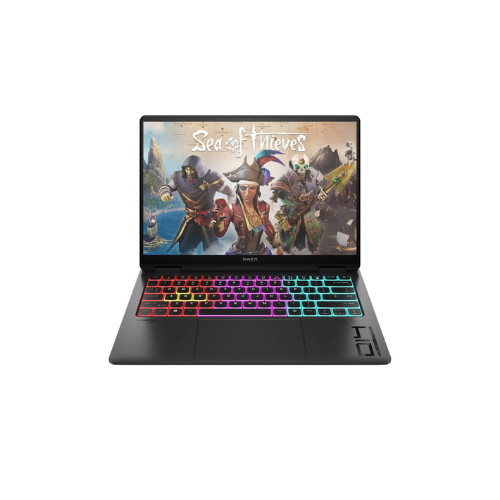
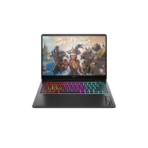
HP OMEN 16 Slim Gaming Laptop 16-an0075cl Intel Core Ultra 9 285H, 32GB , 1TB PCIe (with upgradeable slot), NVIDIA GeForce RTX 5070 8GB GDDR7 Graphics, Win 11 Home, 16″ 2K 144Hz
Key Features
Brand: HP
Display: 16-inch diagonal, 2K (1920 x 1200), 144 Hz, IPS, micro-edge, anti-glare, 300 nits, 62.5% sRGB, AMD FreeSync™
Processor: Intel® Core™ Ultra 9 285H (up to 5.4 GHz with Intel® Turbo Boost Technology, 24 MB L3 cache, 16 cores, 16 threads)
Memory: 32 GB DDR5-5600 MT/s (2 x 16 GB) Transfer rates up to 5600 MT/s. 2 x 16 GB
Storage: 1 TB PCIe® Gen4 NVMe™ M.2 SSD
Graphics (discrete): NVIDIA® GeForce RTX™ 5070 Laptop GPU (8 GB GDDR7 dedicated)
Operating system: Windows 11 Home
FAST DELIVERY
1 Year Warranty
Ultimate Guide to HP OMEN 16 Slim Gaming Laptop 16-an0075cl
The HP OMEN 16 Slim (16-an0075cl) is an elite, high-performance gaming laptop engineered for competitive players, digital creators, and power users. Combining the advanced AI processing architecture of the Intel Core Ultra 9 processor with the hyper-realistic rendering power of next-generation NVIDIA graphics, this thin-and-light powerhouse breaks through classic portable performance barriers. It provides a premium, low-latency framework designed to deliver massive frame rates on demanding games and accelerate intensive data workflows like 3D modeling, data compilation, and 4K editing.
Key Features and Specifications
This thin-chassis laptop balances advanced processing chips with cutting-edge visual and hardware expandability.
- Intel Core Ultra 9 285H Processor: Employs hybrid processing cores and an integrated NPU engine to optimize multi-threaded tasks and local AI generation.
- Next-Gen Graphics Architecture: Features the NVIDIA GeForce RTX 5070 with 8GB of ultra-fast GDDR7 video memory to handle advanced ray tracing.
- Massive 32GB System Memory: Runs complex multi-application workflows and heavy modern gaming titles simultaneously without memory stuttering.
- 1TB PCIe Storage Matrix: Offers high-speed file read speeds alongside an available expansion slot for quick secondary storage upgrades.
- 16-Inch 2K 144Hz Display: Blends a high-resolution canvas with a fluid refresh output to completely eliminate screen tearing.
- Premium Aluminum Aesthetic: Packs desktop-tier computing parts inside an ultra-slim, compact aluminum chassis for premium thermal distribution and portability.
- Windows 11 Home Native: Preloaded with the latest security architectures, local device encryption, and smart task management menus.
Next-Generation Computing and Architectural Efficiency
The OMEN 16 Slim solves the traditional problem of overheating and performance throttling inside thin gaming laptops. Classic portable rigs require bulky chassis layers to prevent chips from locking up under heavy loads.
This model utilizes specialized OMEN Tempest Cooling engineering. The hardware configuration couples dual high-airflow internal fans with extensive copper heat pipes to vent thermal energy rapidly out of the rear chassis gills.
AI-heavy operations are effortlessly managed via the built-in Intel Core Ultra NPU core, which handles background video formatting, stream tracking, and smart resource distribution without tapping your main processing lanes.
Advanced Fluid Visuals and Graphic Dominance
The hardware interface features a tailored high-fidelity layout to optimize modern display tracking.
- GDDR7 Video Subsystem: Harnesses advanced memory protocols to deliver wider data bandwidth channels, allowing complex ray-traced lighting models to render flawlessly.
- 2K Spatial Horizon Canvas: Features an expansive 16-inch 2K panel that increases visual workspace while providing a fast 144Hz frame pacing engine for zero ghosting during competitive matches.
Initial Windows Setup and Component Calibration
Getting your gaming hardware initialized and optimized for first-time use requires only a few minutes.
Initial OMEN System Synchronization
- Connect the high-capacity AC adapter bricks to a standard outlet and plug the barrel cable firmly into your laptop frame.
- Open the display panel and tap the physical power button centered on the top keyboard array.
- Follow the guided Windows 11 setup wizard to log into your Microsoft Account and verify your regional parameters.
- Let the operating system finish running background security patches before launching heavy application testing programs.
Graphic Parameter Optimization
- Launch the preloaded OMEN Gaming Hub control app from your start tray menu panel.
- Navigate to the performance tuner module to change your cooling configurations from Eco to Performance layout.
- Open the NVIDIA control panel to activate dynamic display switching, ensuring your system locks your screen refresh output precisely at 144Hz.
Frequently Asked Questions
Can I expand the storage capacity of the HP OMEN 16-an0075cl later?
Yes, the internal motherboard architecture is designed with long-term upgrades in mind. Alongside the pre-installed 1TB primary PCIe drive, the laptop frame contains a dedicated secondary M.2 PCIe slot, allowing you to easily screw in an extra high-speed solid-state drive yourself without using external hubs
What is the primary benefit of the GDDR7 memory inside the RTX 5070?
GDDR7 represents the latest evolutionary step in graphics card memory hardware. It operates at significantly higher clock rates and uses efficient signaling to double total memory bandwidth over older GDDR6 modules, ensuring your graphics card can stream massive environmental textures without hitching.
Does this model include a biometric login system?
The specific layout options feature high-grade visual security and standard secure PIN integration options within Windows Hello. Always check your precise retail kit configuration to confirm if your specific unit includes integrated fingerprint keypads or infrared camera arrays.
Is the laptop keyboard customizable with per-key RGB lighting?
Yes, the machine incorporates multi-zone or per-key RGB customization managed directly via the Light Studio engine inside the OMEN Gaming Hub app. This tool lets you map distinct color patterns, establish glowing hotkey layers for games, or dim the keyboard backlight completely for professional office settings.




































Reviews
There are no reviews yet.