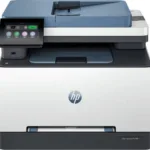
HP MFP 3303fdw Printer Color LaserJet Pro -499M8A
HP Color LaserJet Pro 3303fdw Printer MFP -499M8A Original price was: KShs 95,000.00.Current price is: KShs 83,990.00. Excl. Tax
Back to products
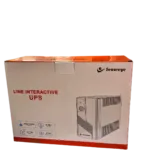
SECUREYE 650va UPS Line Interactive
SECUREYE 650va UPS Line Interactive Original price was: KShs 6,500.00.Current price is: KShs 5,400.00. Excl. Tax

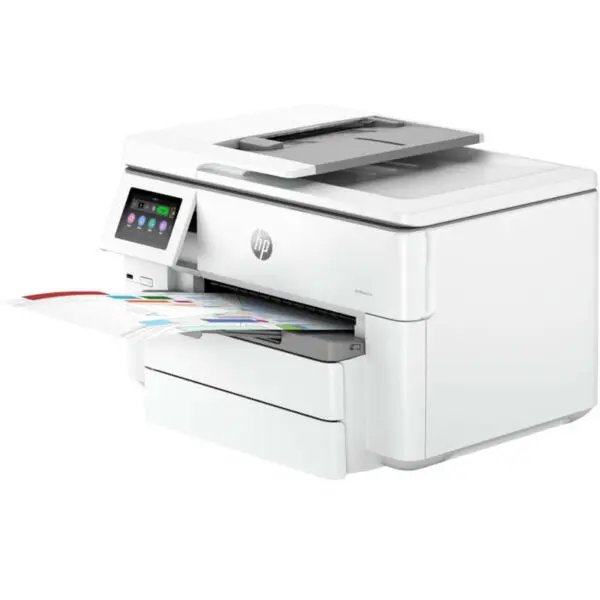
HP OfficeJet Pro 9730 Printer Wide Format All-in-One – 537P5C

HP OfficeJet Pro 9730 Printer Wide Format All-in-One – 537P5C

Key Specifications:
Printing Technology: Inkjet
Functions: Print, Copy, Scan, Fax
Print Speed: Up to 22 ppm (black), 18 ppm (color)
Max Print Size: A3/11×17″
Resolution: Up to 4800 x 1200 optimized dpi
Input Trays: Two 250-sheet input trays
Automatic Document Feeder: Single-pass, 2-sided ADF
Connectivity: Dual-Band Wi-Fi, USB 2.0, Ethernet, Bluetooth
Security: HP Wolf Pro Security, Secure Boot, Firmware Integrity
Display: 4.3″ color touchscreen

1 Year Warranty

Original price was: KShs 41,000.00.Current price is: KShs 36,990.00. Excl. Tax

Product Description

HP OfficeJet Pro 9730 Printer Wide Format All-in-One – 537P5C

Key Specifications:
Printing Technology: Inkjet
Functions: Print, Copy, Scan, Fax
Print Speed: Up to 22 ppm (black), 18 ppm (color)
Max Print Size: A3/11×17″
Resolution: Up to 4800 x 1200 optimized dpi
Input Trays: Two 250-sheet input trays
Automatic Document Feeder: Single-pass, 2-sided ADF
Connectivity: Dual-Band Wi-Fi, USB 2.0, Ethernet, Bluetooth
Security: HP Wolf Pro Security, Secure Boot, Firmware Integrity
Display: 4.3″ color touchscreen

1 Year Warranty

Ultimate Guide to HP OfficeJet Pro 9730 Wide Format All-in-One Printer

The HP OfficeJet Pro 9730 Wide Format All-in-One Printer is a sleek, premium everyday multifunction unit engineered to deliver crisp documents, smooth performance, and a modern aesthetic to any desk. Featuring a highly versatile 4-in-1 print, copy, scan, and fax wide-format capability, a fluid wireless network interface, and a robust space-conscious profile, this printer fits perfectly into home offices, architectural studios, and busy corporate environments. It offers a high-utility, hardware solution that balances heavy-duty everyday performance with exceptional visual and operational comfort.
Key Features and Specifications
This high-performance desktop display balances premium ink mechanics with modern print pacing and comfort tools. 
    • Versatile Wide-Format Canvas: Offers an optimized print bed size to cleanly output impact documents up to A3 (11 x 17 inches) size without crowding modern workspaces. 
    • Fluid Wireless Interactivity: Delivers ultra-smooth printing queues and responsive device pairing via self-healing dual-band Wi-Fi and Ethernet, completely eliminating physical cable restrictions.
    • Ultra-High Print Resolution: Renders clear text and sharp images via a crisp 4800 x 1200 optimized DPI pixel layout. 
    • Vivid Color Calibration: Powered by a 4-color pigment-based ink tank system to guarantee accurate, rich, smudge-free, and uniform color representation across marketing materials. 
    • Dual-Tray Expansion Frame: Uses a high-capacity dual 250-sheet paper drawer arrangement to maximize your layout capacity and support clean multi-size workspace setups.
    • Multi-Generation Interfaces: Includes built-in High-Speed USB 2.0 and network connections to service modern mobile hardware alongside legacy PC towers.
    • Integrated Cable Management: Features a tailored physical power structure with clean input routing paths to keep your workspace free from cord clutter.
    • Advanced Operational Comfort: Certified with strict environmental energy tools, incorporating a automatic single-pass duplex scanning engine to lower resource consumption without ruining true speed rendering.

Fluid Everyday Printing and A3 Workflow Optimization
The HP OfficeJet Pro 9730 addresses the problem of user fatigue and choppy document delivery common with older basic desktop office printers. Toggling between massive budget spreadsheets, marketing flyers, and large A3 architectural drafts on a standard letter-sized print screen can cause noticeable layout clipping and financial strain due to outsourcing big prints.
This model features an upgraded high-capacity print engine pushing through standard text drafts at rapid velocities up to 22 pages per minute (ppm) for black and 18 ppm for color. The increased processing pacing ensures that daily web printouts, presentation decks, and heavy multi-page business bundles render fluidly with a rapid first-page-out time. Production pipelines stay highly uniform from start to finish, making it an excellent platform for reviewing dense data sheets, building creative photo layouts, or handling batches of business copies.
Simplified Desktop Integration and Media Management
The physical hardware architecture focuses on maintaining a minimalist corporate space while supporting versatile media and scanning capabilitie
    • Integrated Document Feeder: The upper chassis houses a 35-sheet Automatic Document Feeder (ADF) supporting fast double-sided document processing to digitize complex physical records cleanly at a single glance.
    • Flexible Input Pairing: Separates your plain letter/A4 copy paper and heavy wide-format A3 media into independent active drawers concurrently, completely removing the need to constantly swap paper stock.
    • Smart HP Cloud Ecosystem: Features specialized direct-to-app pathways that let you parse, distribute, and protect printing streams straight from your choice of cloud platforms via the localized network feed.

Quick Physical Setup and Calibration Steps
Assembling and optimizing your desktop printer layout takes only a few quick moments using standard out-of-the-box paths.
Printer Placement and Cable Connection
    1. Place the sturdy wide-format printer upright on a flat, solid workspace close to a steady wall outlet.
    2. Open the front print-zone access doors to verify that the high-yield introductory setup ink cartridges are seated securely in their matching color channels.
    3. Plug your network RJ-45 feed or local device cord into the back frame and connect the opposite main line to your local power supply.
    4. Pull out the primary lower paper trays, load your chosen A4 or A3 media neatly against the internal structural guides, and slide the drawers tightly back into the device casing.

Initial Configuration Optimization
    1. Tap the physical power button located on the front control panel block.
    2. Follow the prompt commands on the built-in 4.3-inch color touchscreen display to customize your language, region, and security configurations.
    3. Download the HP Smart app on your smartphone or network computer to link your processing stream smoothly via self-healing Wi-Fi.
    4. Run a quick printhead alignment check from the settings pane to lock your system onto pristine print registration settings. 

Frequently Asked Questions
  • Does this printer support automatic double-sided printing and scanning?
    Yes, the HP OfficeJet Pro 9730 features full automatic duplex functionality for printing up to A3 width, as well as an automatic duplex scanning engine via the ADF. This automates processing for double-sided records without requiring you to manually rotate or reload media pages.
  • Can I link this printer to multiple mobile devices without an internet router?
    Yes. The wireless engine natively supports Wi-Fi Direct alongside Apple AirPrint and Mopria protocols. This permits you to link smartphones and tablet hardware directly to the printer frame concurrently without an intermediary office network.
  • What are the cartridge replacement options for this model?
    The system runs on high-quality HP 937 standard or HP 937XL high-yield pigment ink cartridges, giving you flexible printing capacities that are highly resistant to water, highlighters, and fading based on your monthly corporate volume needs.
  • How does the built-in touchscreen display affect my office work compared to standard blind printers?
    Its primary office benefit is minimized interface guesswork. Instead of deciphering flashing lights, the large 4.3-inch panel yields explicit setup status reports, quick copy quantity adjustments, and easy maintenance controls, lowering operational strain over long working hours

Customer Reviews

Reviews

There are no reviews yet.

Be the first to review “HP OfficeJet Pro 9730 Printer Wide Format All-in-One – 537P5C”

Your email address will not be published. Required fields are marked *

Additional information