
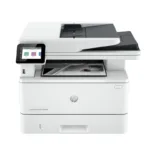

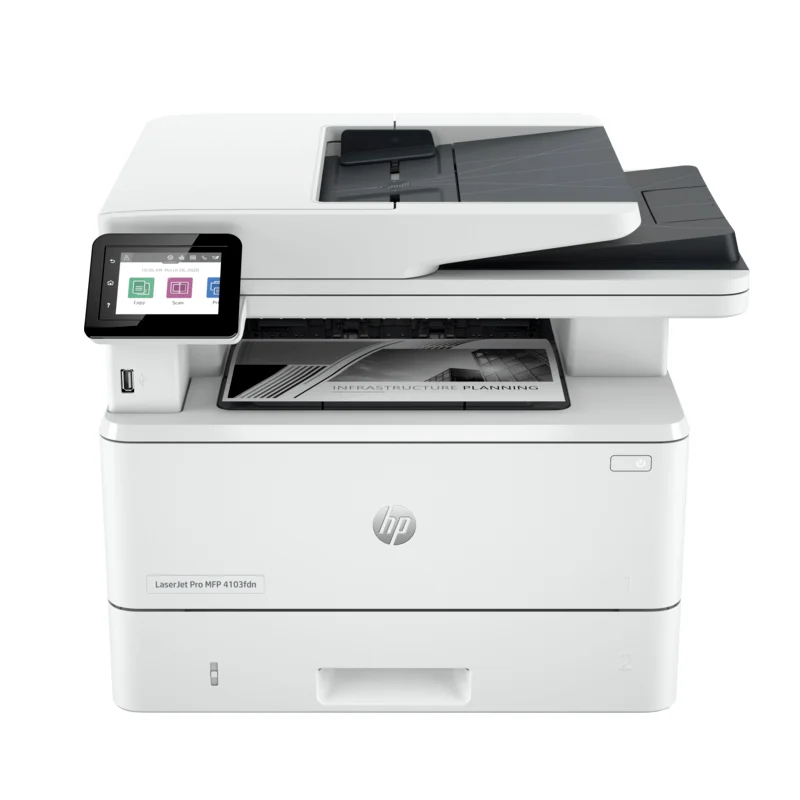
HP LaserJet Pro 4103fdw Printer MFP-2Z629A-Print, Copy, Scan and Fax
Key Features
Model: HP LaserJet Pro 4103fdw
Print technology: Laser
Functions: Print, copy, scan, fax
Print speed black (ISO, letter)Up to 42 ppm
Duplex printing: Automatic
Print quality black (best): Fine Lines (1200 x 1200 dpi)
Connectivity, standard:1 Hi-Speed USB 2.0; 1 rear host USB; 1 Front USB port; Gigabit Ethernet 10/100/1000BASE-T network; 802.3az(EEE)
1 Year Warranty
HP LaserJet Pro 4103fdw MFP 2Z629A Review and Complete Guide
The HP LaserJet Pro 4103fdw MFP 2Z629A is a fast black and white laser printer built for small teams. This multi-function device prints, scans, copies, and faxes to handle heavy daily workloads. This guide breaks down its core capabilities, technical specs, and software configuration steps.
Key Features of the LaserJet Pro 4103fdw
- Fast Printing Speeds: Delivers up to 42 pages per minute to keep office productivity high.
- Dual-Sided Scanning: Single-pass two-sided scanning saves time by capturing both sides of a page at once.
- Smart Wireless Connectivity: Self-healing dual-band Wi-Fi automatically detects and resolves connection issues.
- HP Wolf Pro Security: Built-in security protocols protect your business network and sensitive documents from cyber threats.
- Large Paper Capacity: Features a 250-sheet main tray and a 100-sheet multipurpose tray to minimize paper refills.
- HP Smart Admin Dashboard: Centralizes printer management for easy setup and monitoring across multiple office locations.
- Energy Efficient Technology: Uses auto-on auto-off technology to reduce power consumption during idle workplace periods.
- High Monthly Duty Cycle: Engineered to handle up to 80000 pages per month for robust commercial reliability.
- Sustainable Design: Incorporates recycled plastics and utilizes eco-smart black toner for crisper text at lower melting points.
- Seamless Cloud Printing: Integrates directly with Microsoft OneDrive, Google Drive, and Dropbox for instant document workflows.
Specifications and Performance
Print and Scan Metrics
- Print Resolution: FineLines 1200 by 1200 dpi for crisp text and sharp graphics
- Monthly Duty Cycle: Up to 80000 pages with a recommended volume of 750 to 4000 pages
- Scan Speed: Up to 31 pages per minute in monochrome and 21 pages per minute in color
Hardware and Connectivity
- Control Panel: 2.7-inch color touchscreen for easy navigation and job management
- Ports: Hi-Speed USB 2.0, Gigabit Ethernet, Wi-Fi 802.11b g n, and Walk-up USB port
- Automatic Document Feeder: 50-sheet ADF for hands-free copying and scanning
Step-by-Step Installation and Setup
1. Unboxing and Powering On
Remove all blue shipping tape and protective packing materials from the outside and inside of the printer. Place the printer on a flat surface near a wall outlet. Connect the power cord and press the power button to turn the machine on.
2. Ink Cartridge Verification
Open the front door to ensure the pre-installed toner cartridge is securely in place. Remove the protective plastic shield from the cartridge if present. Close the door firmly.
3. Language and Region Configuration
Use the color touchscreen to select your language, date, time, and country. Follow the on-screen prompts to confirm your localized preferences.
4. Network Connection
Select your preferred connection method on the screen. For wireless setups, select your Wi-Fi network name and enter the password. For wired setups, connect an Ethernet cable from your router to the back of the printer.
5. Driver and Software Installation
Go to the official software download page on your computer or mobile device. Download the HP Smart app or the full feature print driver pack. Run the installer and follow the instructions to link your device to the printer.
Frequently Asked Questions
What toner cartridge does the HP LaserJet Pro 4103fdw use?
This printer uses HP 151A standard black toner cartridges or HP 151X high-yield black toner cartridges for higher volume printing.
Does the 4103fdw model support color printing?
No this machine is a monochrome laser printer which means it only prints in black and white using black toner.
How do I use the scan to email feature?
Open the web management interface by typing the printer IP address into a browser. Navigate to the scan tab, select scan to email, and configure your outgoing SMTP email server settings.
Can I print directly from my smartphone?
Yes this printer supports mobile printing protocols including Apple AirPrint, Mopria, Wi-Fi Direct, and the HP Smart app.




































Reviews
There are no reviews yet.