

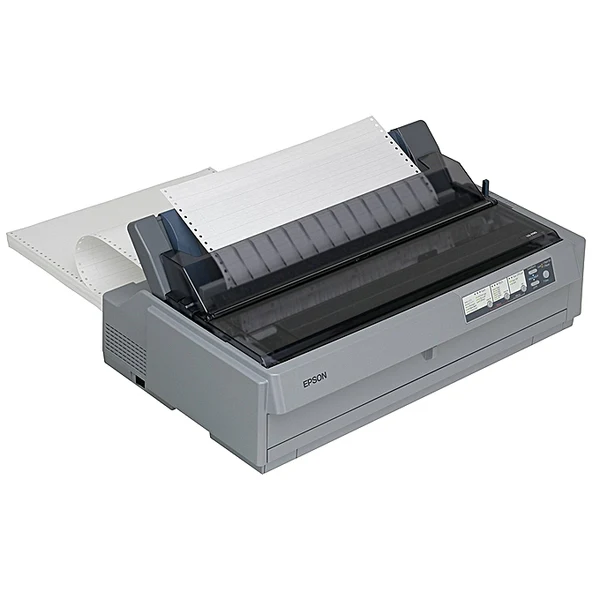
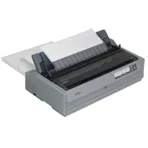
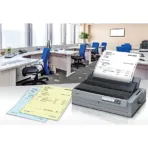
Epson LQ-2190 Dot Matrix Printer – C11CA92001
Key Features
Brand: Epson
The 106 column capacity with 24 pins means greater quality
Impressive print speed of 529 cps
Big memory buffer of 128 KBB
Built-in Print Speed Enhancer
Combined power of print head life and MTBF of 20,000 hours
Low power consumption
1 Year Warranty
Ultimate Guide to Epson LQ-2190 24-Pin Wide Format Dot Matrix Printer C11CA92001
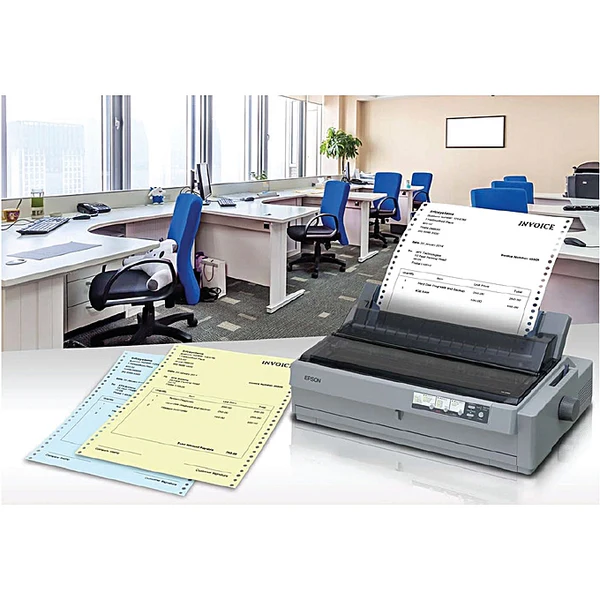
The Epson LQ-2190 (C11CA92001) is a heavy-duty, 24-pin wide-format impact printer engineered to deliver exceptional reliability and high-speed carbon-copy document management for industrial environments. Built to replace slower legacy data logging equipment, this robust dot matrix printer thrives in manufacturing plants, shipping warehouses, bank branches, and wholesale inventory hubs. It provides an incredibly durable, low-cost hardware framework capable of handling continuous multi-part invoice tracking, logging journals, and wide-format accounting sheets.
Key Features and Specifications
This industrial-grade impact printer combines long-lasting mechanical design with versatile physical paper routing paths.
-
- 24-Pin Impact Printhead: Uses precise wire matrices to deliver sharp text alignment and clear characters on wide invoices.
- Fast Data Output: Achieves processing speeds up to 576 characters per second at 12 characters per inch in High-Speed Draft mode.
- Wide-Format Printing: Features a wide 136-column carriage designed specifically for continuous ledger paper and spreadsheets.
- Multi-Part Form Capability: Prints a primary document alongside up to five identical carbon copies simultaneously (1 original plus 5 copies).
- High Operational Reliability: Boasts a Mean Time Between Failures rating of 20000 power-on hours to ensure continuous uptime.
- Long Printhead Lifespan: Rated to deliver up to 400 million strokes per wire before requiring hardware maintenance.
- Flexible Paper Feeding: Combines front, rear, and bottom paper entry paths with push or pull tractor mechanics.
- Dual Native Interfaces: Includes built-in USB and Parallel ports to integrate smoothly with modern PCs or legacy mainframe systems.
Heavy-Duty Industrial Reliability and Carbon-Copy Power
The LQ-2190 solves the problem of high-volume multi-part documentation that standard laser or ink tank printers cannot handle. Ink and laser equipment rely on surface deposition, meaning they can only print one layer of paper at a time.
This impact model uses physical 24-pin printhead strikes to force ink from a ribbon cartridge through up to six layers of carbon-copy paper simultaneously. This mechanical design delivers instant duplicates for warehouse delivery notes, freight bills, and custom multi-part financial receipts, ensuring all logistical copies match exactly with a permanent physical print track.
Flexible Paper Management and Carriage Versatility
The hardware frame includes an intelligent physical layout designed to handle diverse industrial media feeds.
-
- Versatile Tractors: Employs an adjustable pin-tractor feed system that can be switched between push and pull configurations to pull thick multi-part forms from the bottom or push standard tractor reels from the rear.
- 136-Column Width: Accommodates oversized continuous paper rolls, allowing shipping facilities to print comprehensive logistics logs across wide paper bands without truncating columns.
- Ribbon Longevity: Uses high-capacity fabric ink ribbon cartridges engineered to output approximately 15 million characters before requiring a replacement roll.
Step-by-Step Mechanical Initial Setup and Alignment
Setting up your wide-carriage impact hardware requires a few quick steps to align continuous paper reels.
Ribbon Cartridge and Tractor Deployment
-
- Ensure the printer is powered completely off and lift the top plastic smoke-colored cover shield.
- Slide the printhead carriage gently to the middle of the internal track frame by hand.
- Unpack the genuine Epson ribbon cartridge, wind the ribbon tension knob clockwise to tighten the fabric loop, and snap the plastic frame into the printhead track.
- Guide the thin ribbon mesh down into the small metal slot directly in front of the printhead nose, ensuring it sits flat without twisting.
- Open the rear or front tractor gates, lock the left pin sprocket in position, align your continuous paper perforations over the pins, and close the gates to lock the media feed.
Computer Software Connection
-
- Link the printer data ports to your server terminal or modern PC tray using either a standard USB cable or a legacy Parallel IEEE-1284 interface cord.
- Turn on the printer using the toggle switch located on the front left panel of the chassis frame.
- Download the official Epson LQ-2190 Advanced Printer Driver package from the official corporate platform onto your operating system.
- Run the installation wizard setup utility to identify the hardware port link and map your specialized layout boundaries or continuous page dimensions.
Frequently Asked Questions
Does the Epson LQ-2190 use standard laser toner or liquid ink bottles?
No, the printer operates purely as an impact dot matrix system. It does not use toner powder or liquid ink, relying instead on a long-lasting woven fabric ink ribbon cartridge that transfers ink directly onto paper via physical mechanical wire strikes.
Can I feed individual standard A4 paper sheets through this model?
Yes, the hardware includes a versatile paper path system. While it is built primarily for continuous tractor-fed paper reels, you can switch the paper release lever to the Sheet position, allowing you to feed individual A4 or Letter sheets manually through the top paper guide slot.
What should I do if characters start looking faint or uneven across the sheet?
Faint text generally indicates that the fabric ink ribbon loop is depleted and needs to be replaced with a fresh cartridge. If individual dots or parts of letters are missing consistently while printing, check for pins blocking or schedule a quick wire check with a service technician.
Is it possible to network this printer across an entire office team?
The printer comes equipped with built-in USB and Parallel ports out of the box. If your team needs to share the printer across a wider network subnet, you can connect an optional Epson network interface card module to the rear Type-B open slot expansion bay.




































Reviews
There are no reviews yet.