

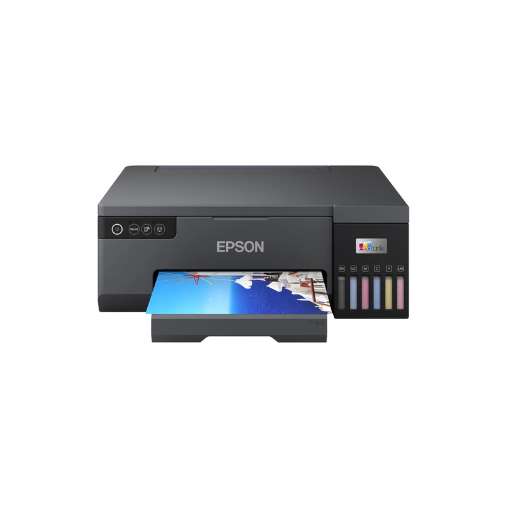
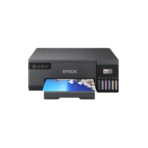
Epson EcoTank L8050 Printer INK TANK A4 -C11CK37405
Key Features
Brand: Epson
Quality & Speed: 6-color ink system | Up to 8.0 ipm (A4)
Heat-Free Tech: Efficient, no heat | Low power, fewer parts
User-Friendly: Epson Smart Panel app | Compact, spill-free refilling
High-Quality Ink: Genuine, sealed bottles | Long-lasting, low cost
Warranty Coverage: Up to 1 year or 50,000 prints
Printing Tech: High resolution | Variable-Sized Droplet
Paper Handling: 80 sheets (A4) | Various paper sizes
Connectivity: USB, Wi-Fi, Wi-Fi Direct
Mobile Solutions: Epson Connect, Smart Panel
Low Noise: Minimal sound levels
Consumables: High-yield ink bottles
Printer Type: Micropiezo Printhead | Bi-directional printing
Print Speed: Up to 22 ppm (Draft Text – Memo, A4)
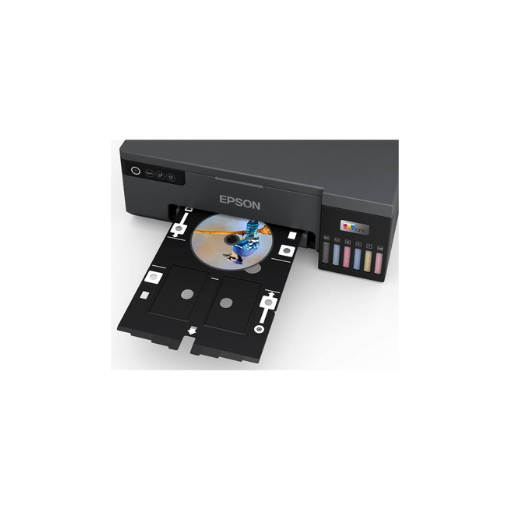
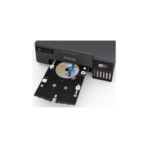
CD/DVD Printing: Supported
First Page Out: Approx. 14 sec
PVC/ID Card Printing: Supported
FAST DELIVERY
Ultimate Guide to Epson EcoTank L8050 Single-Function A4 Photo Printer
-
- 6-Color Dye-Based Ink System: Adds Light Cyan and Light Magenta to the standard CMYK palette for ultra-smooth gradients and lifelike skin tones.
- Ultra-Low-Cost Printing: Produces up to 2100 high-quality 10x15cm color photos from a single set of replacement ink bottles.
- Micro Piezo Heat-Free Technology: Delivers consistent high-speed printing with low energy usage and excellent precision.
- High-Speed Borderless Printing: Outputs a borderless 10x15cm photo in as little as 12 seconds.
- Flexible Media Support: Prints seamlessly on ID cards, CDs/DVDs, premium glossy photo sheets, and standard A4 envelopes.
- Integrated Wireless Connectivity: Features built-in Wi-Fi and Wi-Fi Direct to support mobile printing from smartphones and tablets.
- Front-Facing Ink Tanks: Allows quick, mess-free level tracking and effortless refills via specialized key-lock bottles.
-
- Direct Card Printing: Features an internal feed slot to print directly onto coated plastic ID cards for corporate badges or club passes.
- Disc Surface Customization: Includes a dedicated media tray to print vibrant, custom graphics onto printable CDs and DVDs.
- Key-Lock Ink Bottles: Utilizes color-coded, mechanically keyed bottle nozzles that fit only into their matching tank ports to prevent color mix-ups.
-
- Place the printer on a level workspace and plug the power cord into a standard wall outlet.
- Open the front ink tank cover and lift the cap of the specific ink tank you want to fill.
- Unpack the genuine Epson 108 ink bottle and insert it vertically onto the matching tank port.
- Let the ink flow automatically into the reservoir; it will stop filling on its own when it reaches the upper line limit.
- Close the tank caps and hold the physical ink button down for five minutes to charge the internal printhead tubes.
-
- Download the Epson Smart Panel application from the Apple App Store or Google Play Store.
- Turn on the printer and ensure your smartphone’s wireless network settings are active.
- Launch the application and follow the step-by-step visual prompts to connect the printer to your local Wi-Fi network.
- Load premium photo paper into the rear paper feed tray, adjust the plastic edge guides, and execute a print command.




































Reviews
There are no reviews yet.