
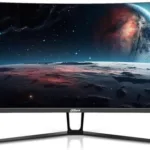

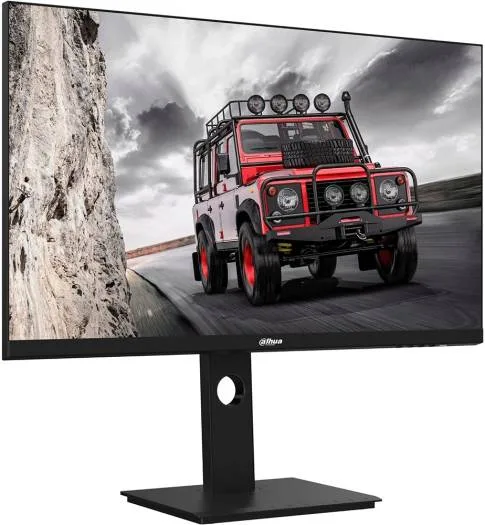
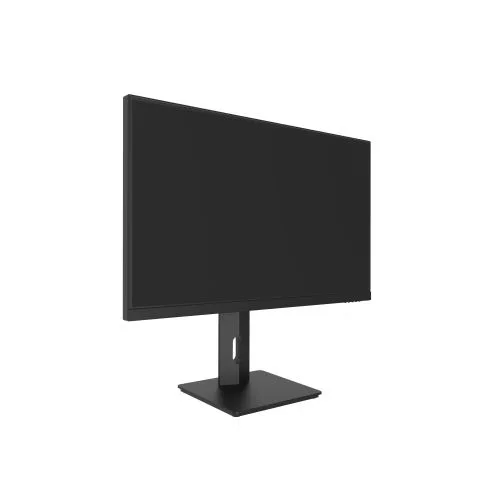
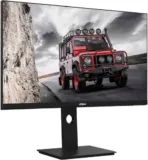
Dahua U401A UHD Monitor 27’’4K 3840*2160 Resolution
Key Features
IPS panel for wide viewing angles with 3-sided frameless design
Resolution: 3840 x 2160
Wide color gamut, 100% sRGB, 105% NTSC, 98% DCI-P3
Rich interfaces, including USB3.1 and type C. 65W.Type-C can support reverse charging
178°H/178°V extra-wide viewing angle for overall viewing performance
The height and angle can be adjusted to meet different needs
6ms fast response time with no image blurring or ghosting.
Interface – DP1.4×1,HDMI 2.1×1,USB3.1×1,Type C 65W×1, Audio out×1
1 Year Warranty
Ultimate Guide to Dahua U401A UHD Monitor 27’’ 4K 3840*2160 Resolution
The Dahua DHI-LM27-U401A is a sleek, premium everyday professional display engineered to deliver crisp visuals, smooth performance, and a modern aesthetic to any desk. Featuring a highly versatile 27-inch display size, a fluid 60Hz to 75Hz execution rate, and an ultra-slim 3-sided frameless profile, this monitor fits perfectly into home offices, student study spaces, and corporate content creation environments. It offers a high-utility, space-conscious hardware solution that balances everyday productivity with exceptional visual and operational comfort.
Key Features and Specifications
This compact desktop display balances premium panel mechanics with professional-tier color pacing and utility tools.
- Versatile 27-Inch Canvas: Offers an optimized high-density layout for ultra-clear computing without crowding small workspace desks.
- Fluid Screen Tracking: Delivers ultra-smooth image rendering and stable mouse tracking, completely eliminating typical low-resolution motion stuttering
- Full 4K Ultra HD Resolution: Renders clear text and sharp images via a crisp 3840 x 2160 native pixel layout.
- Vivid Color Calibration: Powered by a premium IPS panel displaying 1.07 billion colors while covering 100% sRGB and 98% DCI-P3 wide gamuts to guarantee accurate, rich, and uniform color representation
- Ultra-Slim Frameless Design: Uses an incredibly thin 3-sided bezel border to maximize your active screen area and support clean dual-monitor layouts.
- Multi-Generation Interfaces: Includes built-in HDMI 2.1, DisplayPort 1.4, and standard USB connections to service modern mobile hardware alongside legacy PC towers.
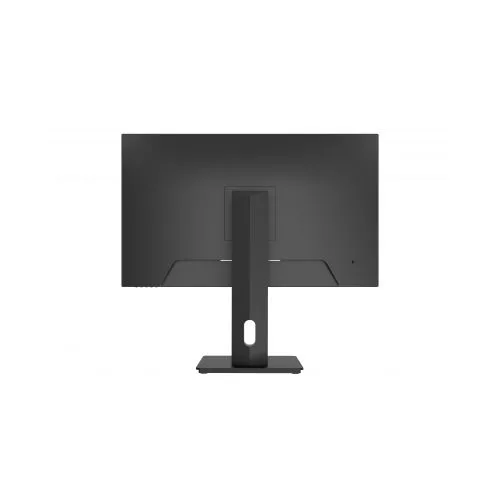
- Integrated Cable Management: Features a tailored physical stand architecture with clean internal routing paths to keep your desktop free from cord clutter
- Advanced Visual Comfort: Certified with hardware-level low blue light filters and flicker-free protection to reduce eye strain without distorting true color rendering.
Fluid Everyday Visuals and Panel Space Optimization
The Dahua U401A addresses the problem of eye fatigue and choppy scrolling common with older office monitors. Toggling between massive programming scripts, thick data documents, and media editing timelines on a standard 1080p screen can cause noticeable pixelation and visual strain during long work or study blocks.
This model features an upgraded high-density 4K engine packing four times the detail of a basic full HD display. The increased pixel density ensures that daily web browsing, document animations, and high-resolution video playback render fluidly with a rapid 5ms to 6ms gray-to-gray hardware response velocity. Colors and contrast ratios stay highly uniform from almost any angle up to 178° across the panel, making it an excellent platform for reviewing data sheets, building creative presentations, or streaming media.
Simplified Desktop Integration and Power Management
The physical hardware architecture focuses on maintaining a minimalist workspace while supporting versatile single-cable connectivity
- Single-Cable Docking Consolidation: The built-in, full-featured USB Type-C interface delivers up to 65W reverse Power Delivery, allowing you to stream 4K video, parse data, and fast-charge compatible laptops concurrently through one cord.
- Flexible Device Multitasking: Features integrated Picture-in-Picture (PIP) and Picture-by-Picture (PBP) processing engines, allowing you to link and display screens from two separate host computers simultaneously.
- Built-in Peripheral USB Hub: Houses integrated Type-A downstream ports alongside a Type-B upstream node, letting you plug mice, keyboards, or storage expansion keys directly into the display panel.
Quick Physical Setup and Calibration Steps
Assembling and optimizing your desktop monitor layout takes only a few quick moments using standard toolless mounting paths.
Stand Assembling and Cable Connection
- Lay the monitor panel face down on a flat, clean surface covered by a soft cloth or its factory foam padding.
- Click the quick-release vertical stand neck firmly into the mounting slot on the back of the casing until it snaps securely into place.
- Align the low-profile desktop base plate with the bottom of the stand neck and tighten the integrated wing-screw clockwise by hand.
- Lift the assembled monitor upright, adjust it to your ideal height or angle, and guide your Type-C and power cords neatly through the stand’s integrated routing points.
Initial Display Optimization
- Tap the physical power button located on the rear or lower edge of the display frame.
- Use the physical menu navigation buttons to open the on-screen display (OSD) console.
- Navigate to the Input Control menu to ensure your primary video parsing connection is locked onto the active Type-C, DP, or HDMI stream.
- Access the Color Management pane to activate the wide gamut profiles or toggle the low blue light protection variables depending on your immediate task lighting.
Frequently Asked Questions
- Does this monitor include built-in stereo speakers?
No, the Dahua U401A focuses entirely on professional high-resolution panel color depth and clarity. To process and play audio, you can plug external desktop speakers, a dedicated soundbar, or office headphones directly into the monitor’s built-in 3.5mm audio output jack. - Can I mount the Dahua U401A onto a third-party desk arm or wall mount?
Yes. The rear chassis features a standard VESA 100 x 100 mm mounting layout hidden behind the quick-release stand bracket, making it fully compatible with most aftermarket articulating monitor arms or space-saving wall brackets. - Is this display panel glossy or matte?
The monitor features an advanced, pro-grade matte anti-glare screen surface treatment with a 3H hardness rating and a 25% haze layer. This treatment effectively diffuses incoming overhead room lighting and harsh window reflections, allowing you to edit photos or parse code comfortably without blinding reflections. - What ergonomic adjustments are built into the included desktop stand?
The heavy-duty factory stand delivers full multi-axis flexibility. It supports smooth height travel up to 120mm, front-to-back tilt from -5° to +20°, side-to-side swivel up to 45°, and complete 90° pivot rotation to turn the screen into a portrait layout for writing code or long text documents




































Reviews
There are no reviews yet.