

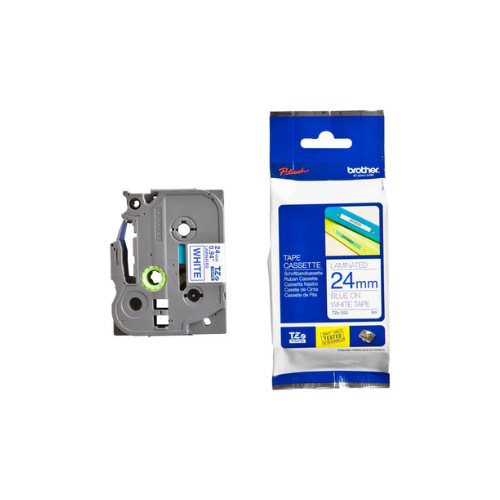
Brother TZ2-551 24mm x 8m Black on Blue Label Tape
Key Features
Brand-Brother
24mm x 8m blue tape for wide directives
Black ink on polyester for bold contrast
Laminated for vibration and UV resistance
Industrial adhesive for heavy bonds
Fits Brother TZe-series printers
1 Year Warranty
Brother 24mm x 8m Black on Blue Label Tape Review and Setup Guide
The Brother 24mm x 8m Black on Blue Label Tape is an extra-wide, commercial-grade thermal labeling solution designed for industrial warehouse management, corporate asset tagging, safety compliance, and highly visible workspace color-coding. Printing bold black text on a deep blue background, this wide 24mm media provides maximum visual presence and extensive horizontal layout space for large fonts, multi-line safety templates, and heavy-duty barcodes. This comprehensive guide covers key product features, technical hardware specifications, and machine installation instructions.
The Brother 24mm x 8m Black on Blue Label Tape is a standard laminated thermal tape engineered for high-visibility commercial asset tracking, industrial warning tags, and large-scale facility indexing. Operating on Brother P-touch printing mechanics, this cartridge feeds robust polyester film media to output smear-proof, chemical-resistant text markings that remain legible from a distance. It features an integrated carbon ink roll and a split-back liner to streamline high-volume labeling workflows on flat, textured, or curved surfaces. For a comprehensive overview, technical performance specifications, and troubleshooting steps, review the full guide below.
Premium Design and Key Features
Maximum Visibility Visual Palette
The tape cartridge creates prominent tracking and classification tabs by executing bold black lettering onto a deep blue canvas. This configuration maximizes legibility from across a room, making it an excellent choice for large storage shelves, electrical panels, industrial routing pipes, and visual warehouse color-coding systems.
Laminated Multi-Layer Industrial Film
Constructed from high-grade polyester materials, the structural label film features specialized self-laminating properties. This protective layout shields your text from everyday physical friction, heavy industrial solvent exposures, grease, moisture absorption, abrasion, and direct fading.
Heavy-Duty All-Weather Adhesive Backing
The label media incorporates a strong permanent acrylic adhesive layer that bonds securely to smooth, textured, or rough industrial surfaces. It maintains reliable structural adhesion when applied to metal warehouse racks, hard plastic tool bins, glass dividers, power equipment, and corporate assets.
Split-Back Easy-Peel Backing Liner
The non-adhesive backing sheet includes a physical split down the center axis. This engineering modification lets users peel away the protective layer quickly without damaging corners, bending the wider label tape material, or leaving sticky adhesive oil on fingertips.
Cartridge Loading and Inspection
- Open the rear plastic access door or flip the upper housing lid of your compatible Brother P-touch label printer.
- Examine the internal print mechanism bay to clear out loose label fragments, paper slivers, or dust.
- Remove the new 24mm black on blue cartridge from its protective shipping film wrap.
- Verify that the plastic ribbon guide path is taut, turning the internal plastic gear wheel clockwise to collect any slack ribbon if necessary.
- Align the plastic structural notches on the cartridge body with the alignment guides inside the printer bay.
- Lower the cartridge straight down until it clicks firmly into its home position.
- Thread the loose label tape tail through the integrated cutter exit slot on the side panel.
- Securely close the printer access lid and press the physical feed button to confirm clean alignment.




































Reviews
There are no reviews yet.