
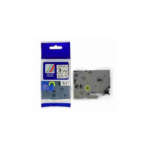
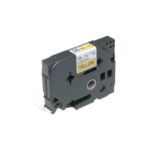

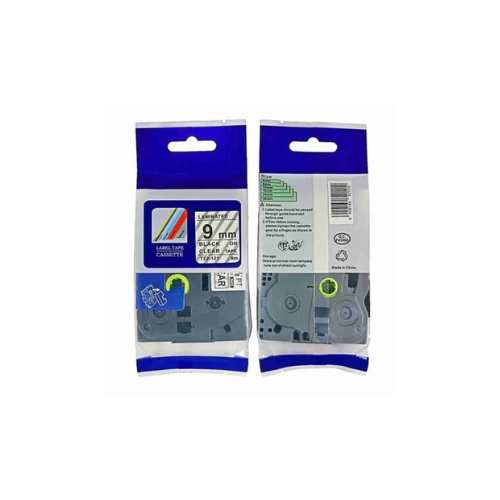
Brother TZ2-121 9mm x 8m black on clear label, Compatible
Key Features
Brand-
9mm x 8m clear tape for subtle marking
Black ink on polyester for transparency
Laminated for solvent and UV protection
Flexible adhesive for curved surfaces
Fits TZe-series Brother printers
1 Year Warranty
Brother TZ2-121 Compatible 9mm Black on Clear Label Tape Review and Setup Guide
The Brother TZ2-121 Compatible 9mm x 8m Black on Clear Label Tape is a reliable thermal labeling solution designed to deliver clean, crisp text outputs for home offices, warehouse organization, file archiving, and asset tracking. Printing sharp black text on a completely transparent background, this 9mm width media provides excellent legibility without blocking the underlying surface color, making it perfect for slim areas like index tabs, asset tags, and storage racks. This comprehensive guide covers key product features, technical hardware specifications, and machine installation instructions.
Premium Design and Key Features
Clean Transparent Visual Palette
The tape cartridge creates highly professional classification tabs by executing bold black lettering onto a completely clear canvas. This design ensures that text blends seamlessly into glass counters, metal electronics, office files, and clear plastic bins without drawing attention to the label borders.
Standard Strength All-Surface Adhesive
The label media incorporates a durable permanent acrylic adhesive layer that bonds securely to many flat, smooth surfaces. It maintains reliable structural adhesion when applied to flat plastics, polished woods, steel cabinets, paper files, and clean copper or aluminum plates.
Laminated Multi-Layer Industrial Film
Constructed from high-grade polyester materials, the structural label film features specialized self-laminating properties. This protective layout shields the underlying ink from everyday physical friction, household cleaner exposures, moisture absorption, abrasion, and sunlight fading.
Split-Back Easy-Peel Backing Liner
The non-adhesive backing sheet includes a physical split down the center axis. This engineering modification lets users peel away the protective layer quickly without damaging corners, bending label materials, or leaving sticky adhesive oil on fingertips.
Technical Specifications
Model Reference: TZ2-121 Compatible with TZe-121 and TZ-121
Tape Width: 9 Millimeters Standard Size
Roll Length: 8 Meters of Total Printable Media
Visual Palette: Sharp Black Text on Transparent Clear Background
Chassis Composition: Impact Resistant Polyethylene and Acrylonitrile Butadiene Styrene Casing
Durability Profile: Anti-Corrosion, Waterproof, Oilproof, Scratch Resistant, UV Fade Protected
Adhesive Matrix: Permanent All-Surface Structural Bond
Tape Width: 9 Millimeters Standard Size
Roll Length: 8 Meters of Total Printable Media
Visual Palette: Sharp Black Text on Transparent Clear Background
Chassis Composition: Impact Resistant Polyethylene and Acrylonitrile Butadiene Styrene Casing
Durability Profile: Anti-Corrosion, Waterproof, Oilproof, Scratch Resistant, UV Fade Protected
Adhesive Matrix: Permanent All-Surface Structural Bond
Step-by-Step Installation Guide
Cartridge Loading and Inspection
- Open the rear plastic access door or flip the upper housing lid of your compatible Brother P-touch label printer.
- Examine the internal print mechanism bay to clear out loose label fragments, paper slivers, or dust.
- Remove the new TZ2-121 compatible cartridge from its protective shipping film wrap.
- Verify that the plastic ribbon guide path is taut, turning the internal plastic gear wheel clockwise to collect any slack ribbon if necessary.
- Align the plastic structural notches on the cartridge body with the alignment guides inside the printer bay.
- Lower the cartridge straight down until it clicks firmly into its home position.
- Thread the loose label tape tail through the integrated cutter exit slot on the side panel.
- Securely close the printer access lid and press the physical feed button to confirm clean alignment.




































Reviews
There are no reviews yet.