

Ultimate Guide to TP-Link Archer TX1U Nano AX300 Wi-Fi 6 Wireless USB Adapter
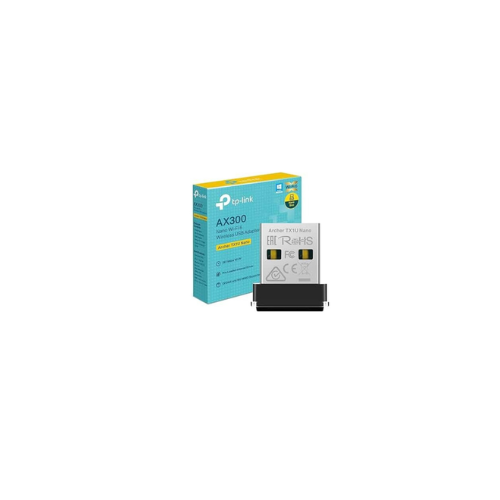
The TP-Link Archer TX1U Nano is an ultra-compact wireless network card designed to instantly upgrade laptops and desktops to modern Wi-Fi 6 performance. Operating on the efficient AX300 hardware standard, this plug-and-stay USB adapter eliminates network congestion and reduces packet latency. It offers a low-profile, cost-effective solution for remote work, smooth web browsing, and lag-free communication without bulky external hardware.
Key Features and Specifications
This micro-sized adapter packs advanced wireless protocols into a highly portable frame.
- Wi-Fi 6 Engineering: Employs the latest network standards to boost data efficiency and overall capacity.
- AX300 Wireless Speeds: Delivers stable transmission data rates up to 287Mbps.
- Ultra-Compact Design: Features a low-profile nano housing that sits flush against your computer casing.
- Advanced WPA3 Security: Provides the newest wireless encryption protocols to defend against network attacks.
- MU-MIMO Architecture: Establishes simultaneous data streams to improve throughput when paired with compatible routers.
- OFDMA Technology: Divides wireless channels into smaller allocations to significantly minimize device latency.
- Soft AP Functionality: Transforms your wired computer into a temporary wireless hotspot for surrounding clients.
Seamless Hardware Design and Portability
The primary benefit of the Archer TX1U Nano is its physical form factor. Measuring just a fraction of an inch, the adapter is ideal for active mobile users and travelers who move laptops frequently.
Traditional wireless USB sticks stick out far from the laptop frame, making them prone to snapping or blocking adjacent USB ports. The nano footprint allows you to leave the hardware plugged in permanently, even while sliding your computer into a tight travel sleeve or backpack.
Enhanced Network Efficiency and Data Security
Despite its small internal antenna, the adapter utilizes Wi-Fi 6 optimizations to outpace legacy hardware. Through OFDMA, the network card organizes information packets intelligently, preventing data slowdowns in heavy wireless traffic zones such as apartment complexes or busy offices.
Security is managed via native WPA3 encryption protocols. This software update builds a stronger shield around your wireless password and prevents hackers from eavesdropping on your localized network data.
Driver Installation and Deployment Steps
Getting your machine connected to the internet takes only a few quick moments.
Automatic Windows Setup
- Insert the adapter into any available USB type A port on your computer.
- Open file explorer and click on the newly listed virtual CD drive partition labeled TP-Link.
- Execute the setup file by double-clicking the installation program icon.
- Follow the prompts on your display and restart your operating system if prompted.
- Select your Wi-Fi name from the standard system network menu and type your security key.
Frequently Asked Questions
Does the TP-Link Archer TX1U Nano support 5GHz wireless bands?
No, this specific ultra-compact model functions solely on the far-reaching 2.4GHz frequency band. It uses Wi-Fi 6 technology on this band to achieve maximum efficiency and stable data coverage.
Can I use this adapter on an older Wi-Fi 4 or Wi-Fi 5 router?
Yes, the hardware is fully backward compatible. It works seamlessly with legacy wireless routers, though it will operate at the older router standard speeds instead of full Wi-Fi 6 performance.
Which operating systems are compatible with this network card?
The device officially supports modern Windows operating systems, including Windows 10 and Windows 11. It also features support for various Linux kernel distributions version 3.10 and later.
Why is a nano adapter better than a built-in legacy laptop card?
Many older laptops contain failing internal network cards or outdated Wi-Fi adapters that lack modern security patches. This device provides a cheap, non-invasive upgrade that introduces WPA3 security and lower latency without opening the computer frame.




































Reviews
There are no reviews yet.