

Generic Portable Label Printer PT-160C
Key Features
Brand-
Thermal color printing technology
180 dpi resolution for clarity
USB connectivity for editing
900-label memory storage
Lightweight 0.2 kg design
1 Year Warranty
Generic Portable Label Printer PT-160C Review and Setup Guide
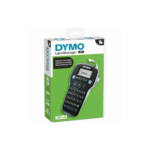
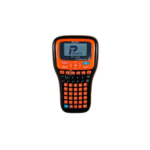
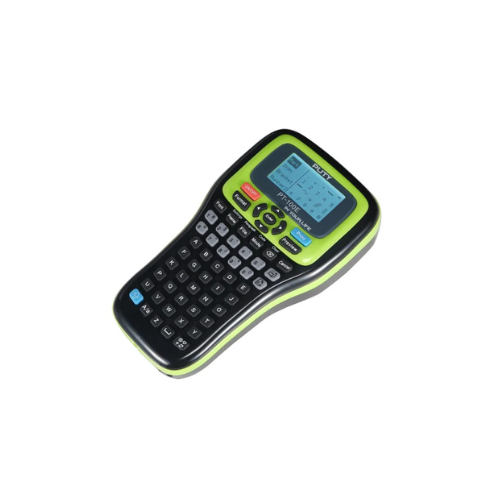
The Generic Portable Label Printer PT-160C is a compact, handheld thermal printing device engineered for efficient organization in home offices, retail environments, warehouses, and laboratory settings. Featuring a standard standalone layout, quick formatting shortcut keys, and a clear visual interface, this portable tool delivers durable adhesive labels on demand. This comprehensive guide covers key product features, hardware specifications, and operating instructions.
Premium Design and Key Features
Desktop Style Keyboard Layout
The device incorporates an easy-to-use physical character layout designed for swift text entry. This layout minimizes typing errors and speeds up asset tracking, allowing users to enter text strings, stock numbers, and storage descriptions without navigating complex menu systems.
Direct Thermal Printing Technology
Operating with advanced direct thermal mechanics, the printer eliminates the need for expensive ink cartridges, toner replacements, or ribbon refills. The system applies heat directly to sensitive label tape media, producing crisp, fade-resistant text that withstands everyday handling and surface exposure.
Smart Formatting Shortcut Buttons
Dedicated physical shortcut keys sit directly below the display panel to provide instant layout adjustments. Users can shift text sizes, toggle bold or italic styling, and add protective border boxes with a single button press. This streamlined control setup optimizes workflow efficiency during high-volume cataloging tasks.
Real Time Design Preview Screen
The digital liquid crystal display screen provides a visual preview of your layout configuration prior to printing. It displays exact text alignments, active framing styles, and special characters, helping users verify spacing to avoid printing errors and save tape media.
Technical Specifications
Keyboard Configuration: Standalone Alphanumeric Keys Layout
Printing Method: Direct Thermal Line Execution
Tape Width Compatibility: 6mm, 9mm, and 12mm Standard Label Cassettes
Power Source: AAA Alkaline Batteries or Direct Current Power Adapter
Display Panel: Graphical Liquid Crystal Screen Interface
Cutting Method: Integrated Manual Side Push Lever Cutter
Internal Software: Built In Fonts, Text Sizes, Border Frameworks
Printing Method: Direct Thermal Line Execution
Tape Width Compatibility: 6mm, 9mm, and 12mm Standard Label Cassettes
Power Source: AAA Alkaline Batteries or Direct Current Power Adapter
Display Panel: Graphical Liquid Crystal Screen Interface
Cutting Method: Integrated Manual Side Push Lever Cutter
Internal Software: Built In Fonts, Text Sizes, Border Frameworks
Step-by-Step Installation Guide
Hardware Loading and Initialization
- Press the plastic release clip on the underside of the chassis to remove the rear compartment door.
- Place fresh AAA alkaline batteries into the open terminal slots following the polarity markings.
- Unwrap your compatible thermal label cassette and check that the leading tape edge sits straight in the cartridge guides.
- Lower the cassette firmly into the central print bay until the internal gear locks engage.
- Guide the loose label tail through the side exit slot opening of the printer frame.
- Snap the rear compartment door back into position on the casing until it locks securely.




































Reviews
There are no reviews yet.