

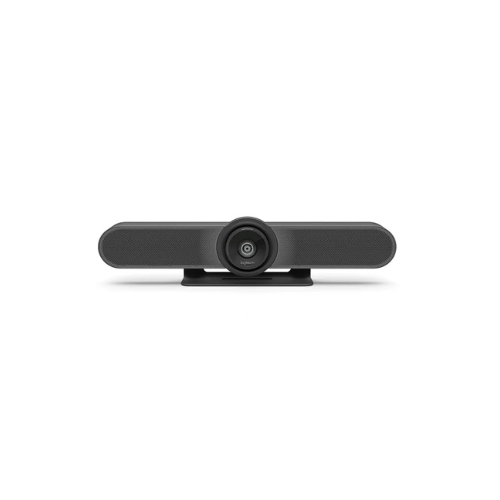
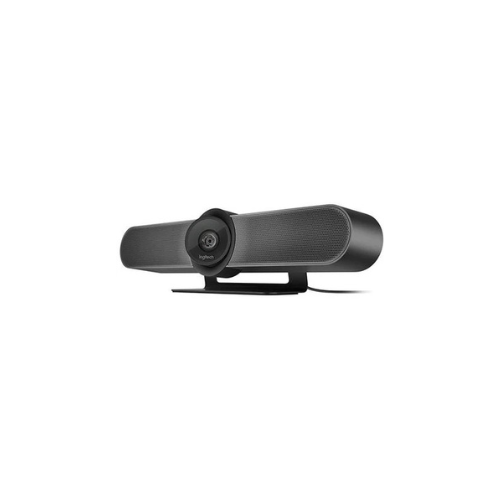
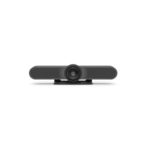
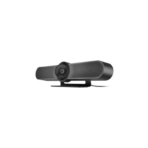
Logitech MeetUp Video Conference Camera (960-001102)
Key Features
Brand:Logitech
Custom Logitech lens with 5x HD zoom and motorized pan (+/- 25°) and tilt (+/- 15°)
Field of View: Diagonal: 120°, Horizontal: 113°, Vertical: 80.7°
4K Ultra HD video calling (up to 3840 x 2160 pixels @ 30 fps with customer-supplied USB 3.0 cable)
Microphone frequency response: 90Hz-16KHz for full voice reproduction and high intelligibility without noise
Speaker Volume adjustable to 95 dB SPL at 1/2 meter peak
Bluetooth wireless technology
RF remote control
Integrated table/wall mount; optional TV mount available
Kensington security slot
FAST DELIVERY
1 Year Warranty
Logitech MeetUp Video Conference Camera: Ultimate High-Speed Professional Guide
The Logitech MeetUp Video Conference Camera is a powerhouse in the professional huddle room, corporate meeting, and remote collaboration market. This high-performance conference system eliminates wide-angle distortion while delivering crisp, clean video for executive boards, virtual training rooms, and corporate communication needs. It serves as a reliable, heavy-duty solution designed to streamline visual data transmission, multi-person video capturing, and unified collaboration systems for businesses of all sizes. By utilizing advanced engineering, this flexible machine helps companies boost daily productivity, reduce administrative downtime, and maintain a highly organized workspace. Modern workplaces rely on this hardware to eliminate manual sorting bottlenecks and automate repetitive meeting space categorization tasks. Its robust build quality ensures it handles high-volume communication cycles without overheating or experiencing performance drops. Businesses looking to scale their digital workstation infrastructure find this device to be an indispensable asset for daily multimedia production.
This comprehensive guide covers everything you need to optimize this device for your business workflow.
Key Technical Specifications
Understanding the hardware capabilities helps you maximize your investment. The device balances speed with diverse connectivity options.
- Optics System: Ultra HD 4K image sensor with a super-wide 120-degree field of view
- Audio Engineering: Three built-in beamforming microphones with an integrated custom-tuned speaker
- Motorized Movement: Pan and tilt mechanics with 5x high-definition lossless optical zoom
- Connection Interface: True plug-and-play USB connection with backward compatibility
- Wireless Protocol: Integrated Bluetooth transceiver for independent smartphone audio pairing
- Form Factor: Compact all-in-one chassis with an integrated wall and tabletop mount system
Top Features and Business Benefits
Super-Wide Huddle Room Optics
The advanced 120-degree lens technology means you never experience awkward camera crowding or cropped participants during daily navigation. It renders spatial rooms and digital whiteboard text at lightning speeds, keeping your training or corporate pipeline moving without delays.
RightSense Automated Intelligence
The built-in intelligent machine configurations allow you to frame meeting participants directly from the camera firmware. You can maximize your daily work hours comfortably without being tethered to physical remote control sticks or constantly adjusting the layout manually.
All-In-One Audio Soundbar Layout
Integrate the machine seamlessly into any office environment. Multiple team members can share the audio field via the premium beamforming microphones and low-distortion acoustic speaker system. Multi-device toggling is fully supported through the accessible button layout.
Universal Software Compatibility
Using specific certified drivers, the system hooks directly into enterprise communication suites. This is ideal for highlighting critical information across seamless cloud calling arrays, panoramic tracking setups, or space-constrained modern desk configurations.
Simple Step-by-Step Setup Guide
Follow these steps to get your professional conference camera running quickly.
Step 1: Unpack and Choose Mounting
Remove all protective tapes and lens protective shields from the product shipping box. Align the multi-purpose mounting bracket with your tabletop surface, wall studs, or television screen attachment plates.
Step 2: Connect the Interface Cable
Lay the device down on a stable workspace surface. Connect the included high-speed USB interface cord into the rear chassis receiver slot and route the opposite end to your room compute hub or laptop.
Step 3: Establish a Power Connection
Connect the included external power adapter brick to the back port slot and plug it into an electrical outlet. The internal diagnostic indicator lights will activate to show active operational power.
Step 4: Configure Operating System Settings
Turn on your laptop and open your computer operating system settings menu. Select the camera hardware as your default input source and adjust the microphone capture sensitivity to complete the device recognition process.




































Reviews
There are no reviews yet.