

TP-Link TL-WR941HP High Power Wireless Router Review and Setup Guide
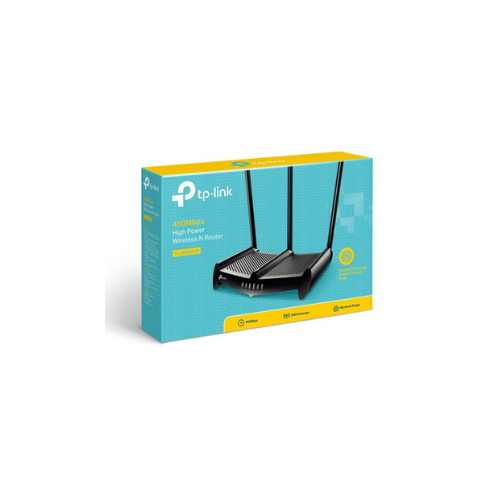
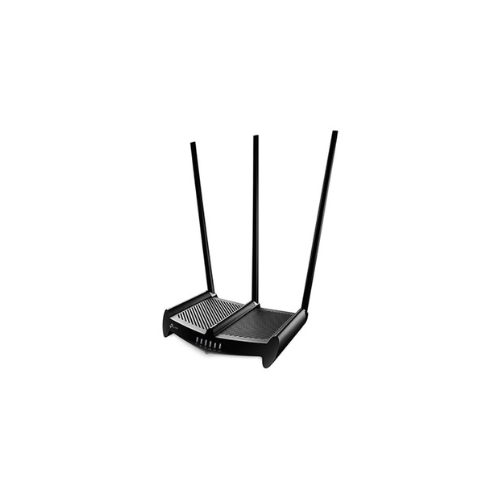
The TP-Link TL-WR941HP 450Mbps High Power Wireless N Router is engineered specifically to eliminate Wi-Fi dead zones in large environments. It uses a combination of high-power hardware amplifiers and ultra-high-gain antennas to deliver a strong wireless signal that covers expansive areas. This comprehensive guide covers the key features, performance metrics, hardware capabilities, and step-by-step installation instructions for this high-power networking device.
Key Features of the TP-Link TL-WR941HP
The router stands out due to its customized hardware architecture, which prioritizes maximum signal penetration, long-range broadcast stability, and flexible deployment options.
Superior Range with High-Gain Antennas
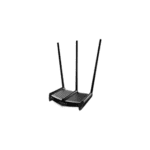
The device features three detachable 9dBi high-gain antennas. These massive physical antennas amplify the wireless reception and transmission capabilities of the router. They drastically extend the overall wireless coverage area and maintain stable connections even when devices move far away from the broadcast source.
Enhanced Wall Penetration and Signal Power
Standard wireless routers often struggle to send signals through thick concrete walls, brick structures, or multiple floors. The TL-WR941HP utilizes independent, dedicated high-power amplifiers to significantly boost output power up to 1000mW. This hardware modification increases signal strength to penetrate physical obstacles easily, ensuring clean data transmission and reducing dead spots throughout the building.
3-in-1 Functionality for Network Flexibility
This router offers three distinct operational modes to fit various networking architectures and changing user needs:
-
- Router Mode: Connects directly to your internet modem to create an independent, secure private wireless network.
- Range Extender Mode: Receives an existing weak wireless signal from another source and rebroadcasts it to expand coverage.
- Access Point Mode: Accepts a wired Ethernet connection from an existing network and transforms it into a wireless hotspot.
450Mbps Wireless N Speed
Operating on the widely compatible 2.4GHz frequency band, the router provides wireless speeds up to 450Mbps. This bandwidth is ideal for everyday high-demand online activities. It smoothly handles high-definition video streaming, online multiplayer gaming, voice calls, and large file downloads without network stuttering.
Advanced Heat Dissipation and Durable Design
The physical chassis of the router includes extensive ventilation grills designed for optimal thermal management. High-power amplifiers generate more heat than standard networking hardware during continuous operation. This advanced heat dissipation system prevents internal components from overheating, ensuring consistent performance, network stability, and a longer device lifespan.
Technical Specifications
Understanding the technical details helps determine if this router fits your network demands.
-
- Wireless Standards: IEEE 802.11b, IEEE 802.11g, IEEE 802.11n
- Frequency: 2.4 to 2.4835 GHz
- Signal Rate: Up to 450Mbps
- Antennas: Three 9dBi detachable omnidirectional antennas
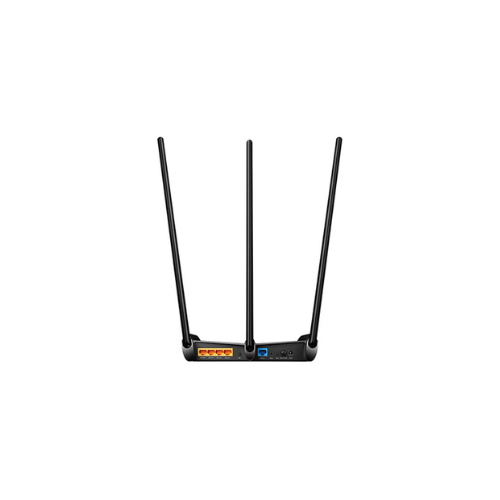
- Interface: Four 10/100Mbps LAN ports and one 10/100Mbps WAN port
- Power Output: Enhanced transmission power for extended range
Step-by-Step Setup Guide
Setting up the TL-WR941HP is straightforward using either a web browser or the official mobile application.
Method 1: Using a Web Browser
-
- Connect an Ethernet cable from your modem to the WAN port of the router.
- Connect your computer to one of the LAN ports or connect to the default Wi-Fi network listed on the product label.
- Open a web browser and enter the default management address tplinkwifi.net into the address bar.
- Create a secure administrator password to log in.
- Follow the Quick Setup wizard to select your internet connection type and configure your Wi-Fi name and password.
Method 2: Using the TP-Link Tether App
-
- Download the TP-Link Tether app from your mobile app store.
- Connect your smartphone to the default Wi-Fi network of the router.
- Open the Tether app and select the TL-WR941HP from the device list.
- Follow the on-screen instructions to complete the network configuration.
Frequently Asked Questions
What is the coverage range of the TP-Link TL-WR941HP?
The router covers up to 10,000 square feet under ideal conditions. Actual coverage varies based on building materials, physical obstacles, and environmental wireless interference.
Can this router handle 4K streaming and online gaming?
Yes, the 450Mbps speed on the 2.4GHz band supports high-definition streaming and online gaming. However, it does not support the 5GHz band, which means it may experience interference in crowded wireless environments.
How do I reset the router to factory default settings?
Locate the physical WPS Reset button on the back panel of the device. While the router is powered on, press and hold this button until the power LED flashes rapidly. Release the button and wait for the router to reboot.
Does the TL-WR941HP support parental controls?
Yes, the management interface includes built-in parental controls. Administrators can restrict internet access times and block specific URLs for connected devices to ensure safe browsing.
Why is my internet speed slower than 450Mbps?
The 450Mbps rating is the maximum theoretical wireless link speed. Real-world internet speeds depend on your service provider package, the 10/100Mbps physical port limitations, and environmental interference.




































Reviews
There are no reviews yet.