
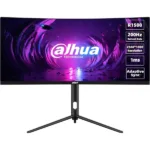
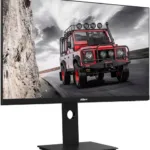

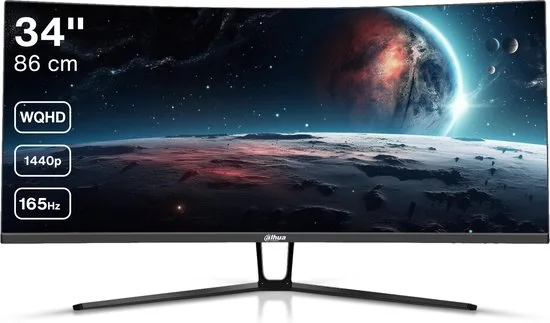
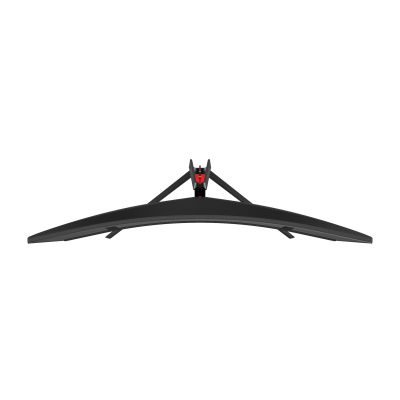


Dahua LM34-E330C Gaming Monitor Curved Ultrawide WQHD 34 inch 165hz
Key Features
The 3440*1440 resolution produces clearer and more vivid pictures;
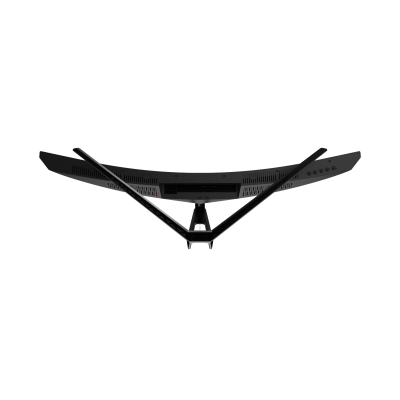
Comfortable 1500R exquisite curvature, close to the natural look and feel of the human eye, bringing immersive visual enjoyment
Wide color gamut, 120% sRGB, 85% NTSC, 85% DCI-P3, 85% Adobe RGB. It meets the designer’s demand of image texture;
178°H/178°V extra-wide viewing angle for all-round viewing performance;
Adaptive sync can effectively solve picture lagging and tearing problems;
Fast response time with no image blurring or ghosting;
1 Year Warranty
Ultimate Guide to Dahua EW410CA 49″ DQHD Curved Gaming Monitor-DHI-LM49-EW410CA
is an elite-tier, flagship panoramic display engineered to deliver crisp visuals, smooth performance, and a modern aesthetic to any desk. Featuring a highly versatile 49-inch display size, a fluid 120Hz refresh rate, and an ultra-slim 1800R curved profile, this monitor fits perfectly into home offices, student study spaces, and competitive corporate environments. It offers a high-utility, space-conscious hardware solution that balances everyday performance with exceptional visual comfort.
Key Features and Specifications
This premium desktop display balances premium panel mechanics with modern visual pacing and comfort tools.
- Versatile 49-Inch Canvas: Offers a massive, seamless 32:9 super-ultrawide workspace layout equivalent to two 27-inch displays placed side-by-side
- Fluid 120Hz Refresh Rate: Delivers ultra-smooth screen scrolling and responsive tracking, completely eliminating typical motion stuttering
- Full Dual QHD Resolution: Renders clear text and sharp images via a crisp 5120 x 1440 native pixel layout.
- Vivid Color Calibration: Powered by a premium VA panel covering 99% sRGB and 85% NTSC with color accuracy of ΔE < 2 to guarantee accurate, rich, and uniform colors.
- Ultra-Slim 1800R Curved Frame: Uses an immersive 1800R curved border to maximize your active screen area and match your natural field of view.
- Multi-Generation Interfaces: Includes built-in DisplayPort 1.4, an HDMI 2.1 port, and a full-featured Type-C interface supporting 65W Power Delivery.
- Integrated Cable Management: Features a tailored physical stand architecture with an internal pathway to keep your desktop free from cord clutter
- Advanced Visual Comfort: Incorporates built-in low blue light hardware modes and flicker-free tools to protect your eyes without distorting true color rendering
Fluid Everyday Visuals and Curved Space Optimization
The Dahua EW410CA addresses the problem of eye fatigue and choppy scrolling common with older office monitors. Toggling between multiple browser tabs and thick data documents on a standard 60Hz screen can cause noticeable stutter and visual strain during long work or study blocks.
This model features an upgraded 120Hz refresh rate engine combined with a rapid 1ms response time. The increased frame pacing ensures that daily web browsing, document animations, and video playback render fluidly without ghosting or pixel trailing. Colors stay highly uniform across wide 178° viewing angles, making it a great platform for reviewing detailed financial sheets, building creative presentations, tracking market charts, or streaming media.
Simplified Desktop Integration and Cable Management
The physical hardware architecture focuses on maintaining a minimalist workspace while supporting versatile connectivity.
- Integrated Cord Consolidation: The sleek desktop stand houses an internal routing path to channel your power, display, and connection wires cleanly away from sight.
- Flexible Input Pairing: Houses an HDMI 2.1 port and a DP 1.4 connection alongside native Picture-by-Picture (PBP) support, allowing you to process and display two active video feeds simultaneously.
- Built-in Workflow Hub: Features a network-ready RJ-45 Ethernet port for seamless laptop docking and an integrated USB hub (USB-B upstream, dual USB-A downstream) next to its 65W Type-C port.
Quick Physical Setup and Calibration Steps
Assembling and optimizing your desktop monitor layout takes only a few quick moments using toolless mounting paths.
Stand Assembling and Cable Connection
- Lay the massive monitor panel face down on a flat, clean surface covered by a soft cloth or its factory foam padding.
- Click the structural vertical stand neck firmly into the mounting slot on the back of the casing until it snaps securely into place.
- Align the low-profile desktop base plate with the bottom of the stand neck and tighten the integrated screw clockwise by hand.
- Lift the assembled monitor upright, position it on your desk, and guide your display, Ethernet, and power cords neatly through the stand’s internal cable management clip.
Initial Display Optimization
- Tap the physical power button located on the bottom frame or control block of the display.
- Use the physical menu navigation buttons to open the on-screen display (OSD) console.
- Navigate to the Input Source control menu to ensure your screen is locked onto the primary Type-C, DP, or HDMI stream.
- Access the Adaptive Sync menu to activate smooth frame-rate matching, and turn on the blue light filter to reduce eye strain depending on your workspace lighting.
Frequently Asked Questions
- Does this monitor include built-in stereo speakers?
Yes, the Dahua EW410CA features an integratedbuilt directly into the chassis. For private listening or higher audio fidelity, you can plug external desktop speakers or headphones directly into the monitor’s 3.5mm audio output jack. - Can I mount the Dahua EW410CA onto a third-party desk arm or wall mount?
Yes, the rear chassis is built with a standard 75 x 75 mm VESA mounting layout, making it fully compatible with heavy-duty monitor arms and wall brackets capable of supporting its ultrawide profile. - Is this display panel glossy or matte?
The monitor features an advanced, pro-grade matte anti-glare coating with a 3H hardness rating. This matte treatment effectively diffuses incoming overhead room lights and harsh window reflections, allowing you to work or game comfortably without blinding reflections. - How does the 120Hz refresh rate affect my office work compared to a 60Hz screen?
While a 120Hz refresh rate is tailored for immersive gaming, its primary benefit in an office setting is reduced visual fatigue. Sweeping your mouse cursor across the massive layout, resizing split windows, and scrolling through dense data documents feels noticeably smoother and more natural, which significantly lessens eye strain over long working hours




































Reviews
There are no reviews yet.