

Ultimate Guide to TP-Link Archer T2E AC600 PCIe Wi-Fi Card for Desktop PC
The TP-Link Archer T2E is an internal PCI Express wireless adapter designed to upgrade desktop computers with stable, high-speed dual-band Wi-Fi. Operating on the Wi-Fi 5 standard, this card brings high-performance network connectivity directly to your motherboard, bypassing the bottleneck of external USB ports. It offers a reliable, long-term solution for desktop PCs located far from an internet router or Ethernet wall jack.
Key Features and Specifications
This internal hardware card blends robust electrical engineering with versatile signal reception tools.
- High-Speed Dual-Band Wi-Fi: Delivers data rates up to 433Mbps on the 5GHz band and 200Mbps on the 2.4GHz band.
- PCI Express Interface: Utilizes a high-bandwidth PCIe slot connection for optimal data transfer and zero port latency.
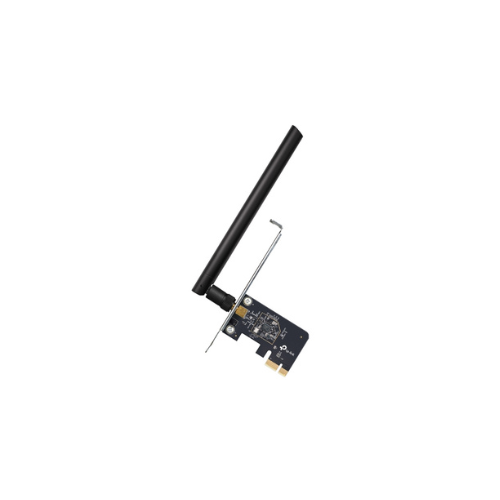
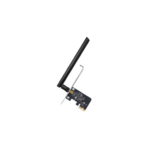
- Detachable High-Gain Antenna: Features a powerful external antenna that can be rotated to maximize signal reception.
- MU-MIMO Support: Communicates with multiple network clients simultaneously to improve overall data throughput
- Advanced WPA3 Security: Deploys the latest encryption standard to safeguard your computer from external network threats.
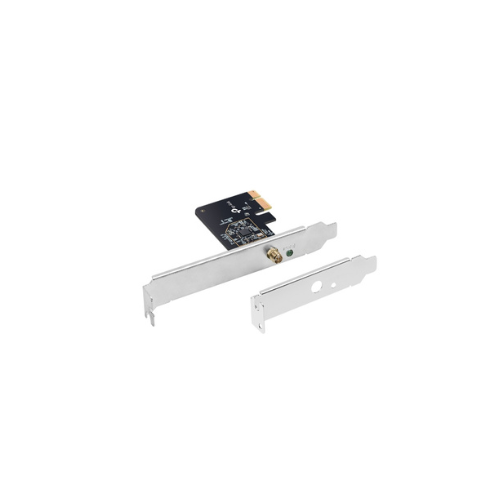
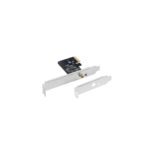
- Low-Profile and Full-Height Brackets: Includes two distinct mounting brackets to fit comfortably inside compact small-form-factor or standard desktop casings.
- Roamable Wireless Beamforming: Concentrates wireless signals directly toward your home router for a stronger connection over long distances.
Internal Motherboard Advantage and Stability
The primary benefit of the Archer T2E over standard USB dongles is its internal hardware architecture. USB network sticks often suffer from overheating, physical damage, and data throttling caused by power limits.
By plugging directly into a PCI Express slot, this card taps into the computer power supply and cooling system. This direct interface guarantees consistent, low-latency performance during data-heavy operations like online gaming or downloading large software files.
Dual-Band Flexibility and Signal Tracking
The card eliminates common network drops by utilizing concurrent dual-band operations. Users can shift high-bandwidth tasks like high-definition video streaming to the clearer 5GHz band. For long-range connection needs through multiple walls, the 2.4GHz band provides steady coverage.
The external high-gain antenna can be adjusted manually to find the sweet spot in your room, ensuring a solid link to your wireless router.
Hardware Installation and Driver Deployment
Installing an internal PCIe card requires a quick physical setup inside your desktop tower.
Physical Installation Steps
- Power down your desktop computer and completely unplug the main power cable.
- Remove the side panel casing to expose the motherboard components.
- Locate an available PCIe slot and unscrew the corresponding metal slot cover on the back of the case.
- Insert the Archer T2E card firmly into the slot until it clicks, then secure the bracket with a screw.
- Replace the side panel, attach the external antenna to the rear bracket port, and power your system back on.
Driver Setup Process
- Download the latest device drivers from the official TP-Link support website using an existing internet link or the packaged disc.
- Run the installation wizard program as an administrator on your operating system.
- Follow the quick onscreen prompts to activate the wireless network adapter chipset.
- Click the network icon in your taskbar, choose your home Wi-Fi name, and input your security password.
Frequently Asked Questions
Can the TP-Link Archer T2E fit inside a slim or small-form-factor desktop case?
Yes, the retail package contains two separate mounting brackets. The card comes with a pre-installed full-height bracket for standard computer towers, but you can swap it with the included low-profile bracket to fit slim office desktops.
Does this internal card include built-in Bluetooth capabilities?
No, this specific model is engineered purely for high-speed Wi-Fi connectivity. If your desktop workstation requires Bluetooth peripheral integration as well, you should consider a combo card model.
Is the Archer T2E compatible with modern Windows 11 systems?
Yes, the hardware features official driver support for various major operating systems, including Windows 10 and Windows 11. It also provides legacy support for Windows 8.1, 8, and 7 platforms.
What should I do if my wireless signal drops frequently after installation?
Ensure that the rear external antenna is screwed tight into the gold threading on the back panel of the card. You can also rotate the antenna angle or adjust your desktop tower positioning to clear metal structural obstructions




































Reviews
There are no reviews yet.