

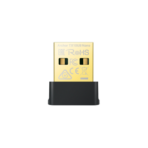
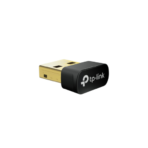
Ultimate Guide to TP-Link TL-Archer TX10UB Nano AX900 Wireless Wi-Fi 6 Adapter
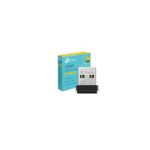
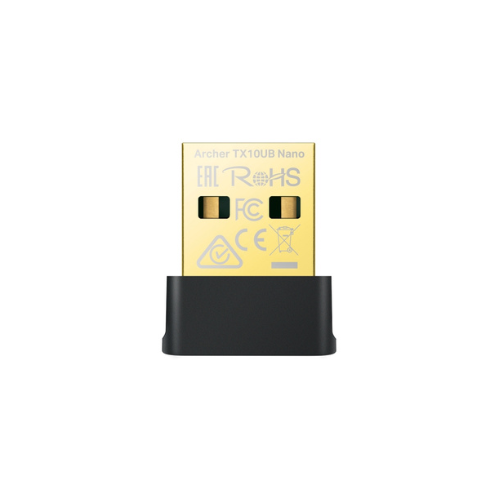
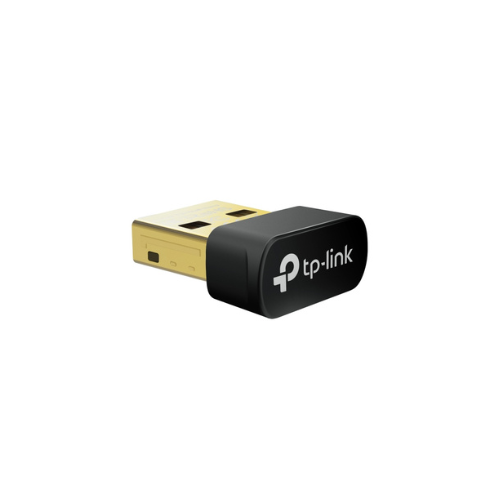
The TP-Link TL-Archer TX10UB Nano is a 2-in-1 ultra-compact USB networking adapter designed to upgrade laptops and desktop computers with high-speed Wi-Fi 6 performance and Bluetooth 5.3 capabilities. Operating on the AX900 hardware standard, this plug-and-forget device delivers low-latency dual-band wireless data while simultaneously managing peripheral connections. It provides a seamless, space-saving remedy for outdated internal network cards, dropping signals, or a complete lack of Bluetooth integration on stationary PCs.
Key Features and Specifications
This micro-sized dongle integrates core wireless network enhancements with upgraded peripheral coordination protocols inside a sleek form factor.
- Wi-Fi 6 Performance: Harnesses advanced 802.11ax technology to optimize throughput and overall data processing efficiency.
- AX900 Dual-Band Speeds: Achieves combined speeds up to 900Mbps with 600Mbps on the 5GHz band and 287Mbps on the 2.4GHz band.
- Bluetooth 5.3 Connectivity: Offers an enhanced wireless transmission standard for improved reliability, broader coverage, and stronger device pairing.
- Ultra-Small Nano Frame: Features an unobtrusive physical layout measuring roughly 18 by 15 by 7 millimeters to ensure it stays clear of adjacent slots.
- Advanced WPA3 Security: Deploys the latest encryption standards to shield your local connection against unauthorized interception or brute-force tracking.
- Efficiency Optimization Protocols: Utilizes MU-MIMO and OFDMA architectures to handle multiple simultaneous communication streams without network queuing.
- Pre-Loaded Installation Architecture: Eliminates the need for physical optical media by offering embedded internal setup drivers on the hardware itself.
Concurrent Dual-Band Networking and Peripheral Reliability
The TL-Archer TX10UB Nano addresses the dual challenge of internet congestion and accessory clutter through distinct internal components. By dividing wireless traffic into two separate bands, users can use the cleaner 5GHz band for activities like video conferencing and HD media streaming. The broader reaching 2.4GHz band handles standard webpage browsing, background file downloads, and email management.
The inclusion of Bluetooth 5.3 upgrades legacy computer motherboards with a robust hardware link. This standard ensures that controllers, keyboards, wireless headphones, and mice remain connected across extended distances with minimal battery drain and maximum security defenses.
Intelligent Network Traffic Handling
By transitioning to Wi-Fi 6 optimizations, the adapter handles dense residential and commercial wireless environments smoothly. Tools like OFDMA partition the active channel space into smaller chunks, allowing your computer to transmit packets faster without waiting for other devices to finish their cycles. Combined with MU-MIMO, it allows compatible routers to communicate with the adapter simultaneously, sustaining reliable download streams even when the household router is busy.
Step-by-Step Installation and Initialization Guide
Bringing your target machine online takes less than a few minutes thanks to the integrated storage system.
Driver Activation Process
- Insert the nano adapter directly into an available USB slot on your computer tower or laptop frame.
- Wait for the system auto-run prompt to appear on screen identifying the connected TP-Link storage partition.
- Launch the internal installation file to begin deploying both the Wi-Fi and Bluetooth execution drivers.
- Follow the quick onscreen wizard prompts to finalize software setup and authorize the required device permissions.
- Verify the integrated status light indicator displays a solid illumination confirming active operational status.
Connecting to Wireless Networks
- Click on the network icon within your Windows system taskbar to pull up the available Wi-Fi names.
- Select your local router network identifier and input the corresponding password credentials to authenticate your connection.
- Access the Bluetooth settings pane to pair peripheral accessories like wireless headsets or controllers with your updated computer hardware.
Frequently Asked Questions
Does the TP-Link TL-Archer TX10UB Nano work on macOS or Linux operating systems?
The hardware officially provides dedicated internal driver support for Windows 10 and Windows 11 environments. While some legacy models feature varying support levels, full dual-band Wi-Fi 6 and Bluetooth functionality is guaranteed primarily on modern Windows platforms.
Will this adapter work if my computer already has a built-in Bluetooth card?
Yes, but you should manually disable your computer’s built-in legacy Bluetooth adapter via the Device Manager interface first. Disabling the outdated motherboard component prevents hardware address conflicts and ensures Windows assigns the new Bluetooth 5.3 protocol as the primary system controller.
What is the advantage of the Nano frame over standard external USB sticks?
Standard high-gain USB network cards feature long external antennas that stick out significantly from your laptop body, creating an accidental breakage hazard. The Nano layout sits almost entirely flat against your laptop frame, allowing you to pack, travel, and move your machine without ever removing the USB dongle.
Is a USB 3.0 port required for the Archer TX10UB Nano to hit maximum speeds?
The adapter utilizes an optimized internal configuration that functions reliably across standard USB slots. For maximum data transfer efficiency and to limit hardware latency, connecting the unit directly to a high-speed USB port is recommended.




































Reviews
There are no reviews yet.