

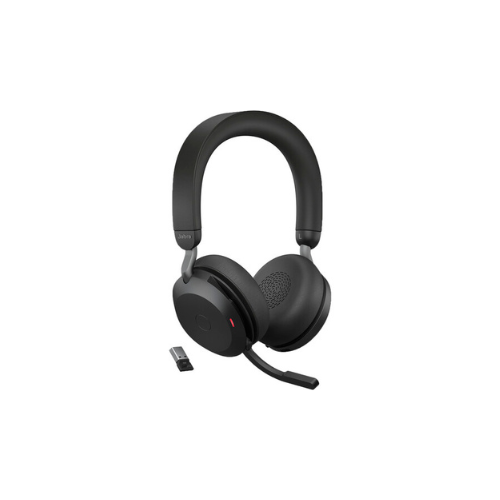
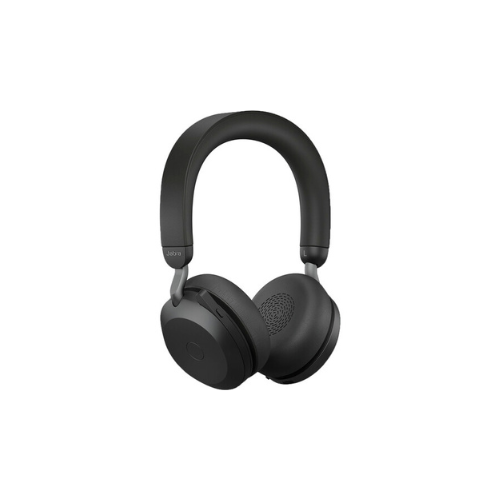
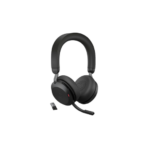
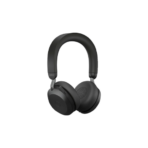
Jabra Evolve2 75 UC Noise-Canceling Wireless Headset
Key Features
Brand: Jabra
•8-mic technology for crystal-clear calls.
•Discreet hide-away boom arm.
•Up to 36 hours battery life with fast charging.
•Advanced Active Noise Cancellation.
•Improved comfort with dual-foam technology.
•Works with all leading UC platforms.
•Speaker size: 40 mm.
•Microphones: 4 analog MEMS and 4 digital MEMS.
•Wireless connectivity: Bluetooth 5.2.
•Operating range: 30 meters/100 feet.
•BT profiles: A2DP, AVRCP, HFP, HSP, PBAP, SPP.
FAST DELIVERY
Jabra Evolve2 75 UC Wireless Headset Product Guide
Overview
The Jabra Evolve2 75 UC Wireless Headset delivers professional-grade audio performance for open office workspaces and remote business communication. This premium dual-connectivity Bluetooth headset features advanced active noise cancellation to eliminate background workplace distractions. It is specifically optimized for Unified Communications platforms including Zoom, Google Meet, and Cisco Webex. The ergonomic design handles extended daily deployment cycles to provide unmatched voice clarity and comfort for enterprise professionals. [
Advanced Jabra Advanced Active Noise Cancellation
The advanced acoustic design integrates an adjustable eight-microphone active noise cancellation layout. Digital internal processors continuously sample ambient workplace sounds like chatter, keyboard typing, and air conditioning hums. The internal audio core instantly counteracts these frequencies by generating opposing sound waves. This technology creates a protective concentration zone for the wearer in noisy open floor plans. Users can customize the noise cancellation levels using a mobile configuration application.
Dual Bluetooth Connectivity and Roaming Range
The wireless communications module provides concurrent dual connection architecture via advanced Bluetooth technology. Users can link the headset simultaneously to a primary smartphone and a computer workstation using the included Link 380 USB adapter. This configuration allows a seamless transition between a phone call and a desktop video meeting. The high-performance antenna setup supports an extended physical roaming range up to thirty meters away from the connected device.
Unified Communications Platform Optimization
The UC designation guarantees immediate plug-and-play operational matching with leading communication infrastructure. The hardware architecture features built-in firmware controls that handle answering, ending, and muting virtual meetings directly from the headset interface. This integration eliminates the need for separate software driver configurations or manual audio channel selection on computer control panels.
Key Technical Specifications
Audio and Microphone Performance
- Speaker Output: High-definition forty-millimeter dynamic voice drivers.
- Microphone Type: Discrete hide-away boom arm featuring an array of eight digital microphones.
- Frequency Range: High-fidelity wideband audio suitable for both clear speech and media playback.
- HearThrough Feature: Onboard ambient microphone activation to hear surrounding conversations without removing the headset
Battery and Charging Power
- Talk Time Capacity: Up to twenty-four hours of continuous wireless call usage.
- Music Play Time: Up to thirty-six hours with active noise cancellation disengaged.
- Charging Interface: Modern USB-C port connection supporting fast charging during active use.
- Fast Charge Timeline: Fifteen minutes of connection provides up to four hours of active battery life.
Physical Architecture
- Form Factor: On-ear cushion layout featuring an adjustable steel headband structure.
- Ear Cushion Material: Premium dual-foam ergonomic leatherette wrapping over plush memory foam cores.
- Integrated Busylight: Improved 360-degree red indicator lights that illuminate automatically during active calls.
- Microphone Discretion: Boom arm slides cleanly into the ear cup slot when using the device for casual media playback.
Core Features and Benefits
Three Hundred and Sixty Degree Busylight Deterrent
The headset incorporates bright red indicator lights directly into the front and back of the ear cup housings. These visual cues light up automatically whenever the user enters a voice call or virtual meeting. Wearers can also activate the lights manually to signal to coworkers that they are focusing and should not be interrupted. This proactive approach significantly reduces office walk-up disruptions from any angle.
Dual Foam Wearing Comfort Technology
The lightweight headband core uses an injection-molded steel strip covered in a soft, non-slip silicone padding layer. The angled leatherette ear cushions distribute physical clamping forces evenly across the ears by combining firm foam for isolation and soft foam for comfort. This ergonomic distribution ensures that call center workers and remote executives remain comfortable during marathon call sessions.
Precision Hide Away Boom Arm Microphone Muting
The discrete microphone boom arm swings vertically across a wide positional angle. When an operator needs to speak with a colleague locally, they can raise the boom arm upright against the ear cup to mute the audio transmission line instantly. Lowering the arm down back toward the mouth reactivates the live microphone channel seamlessly. Tucking the arm into the ear cup switches the device into a casual lifestyle design.
High Fidelity Media Streaming Balance
The forty-millimeter speakers handle complex audio configurations beyond standard voice communication frequencies. The internal software architecture balances treble responses and deep bass tones during media streaming sessions. This dual capability allows business professionals to transition from conference calls to focus music playlists without sacrificing sound quality.
Installation and Setup Guide
Desktop Hardware Link Setup
Insert the included Link 380 USB wireless adapter directly into an open port on your computer workstation. Push the physical power switch on the headset casing forward into the Bluetooth position and hold it to enter pairing mode. The wireless adapter and headset will establish an automated, encrypted link without requiring manual security key entries. Open your preferred desktop software and confirm that the Jabra hardware is selected as your primary default audio device.




































Reviews
There are no reviews yet.