

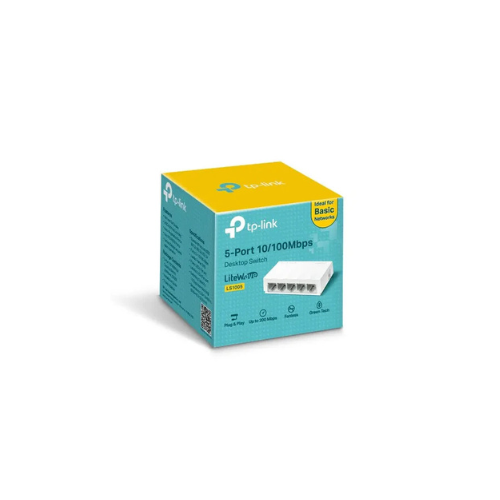
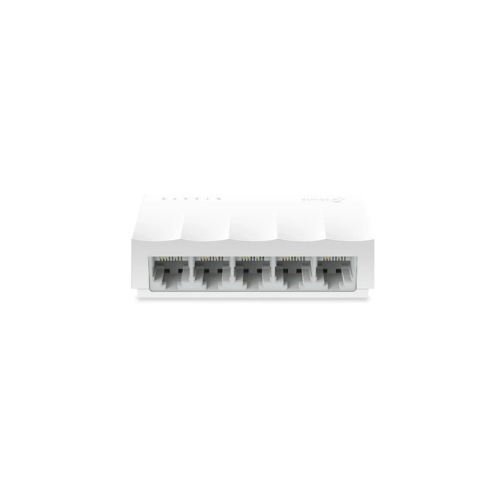
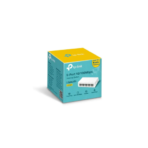
TP-Link LS1005 5-Port 10/100Mbps Desktop Network Switch
The TP-Link LS1005 (5-Port 10/100Mbps Desktop Network Switch) is a compact, high-efficiency networking component engineered to expand wired connectivity instantly across homes, small offices, and student dormitories. This hardware simplifies local infrastructure upgrades by transforming a single internet gateway port into multiple dedicated physical connections. Users looking to eliminate wireless signal interference on stationary equipment can deploy this device to sustain stable, packet-loss-free links for multiple desktop clients simultaneously.
Search Details
- Primary Keyword Phrase: TP-Link LS1005
- Page Title: TP-Link LS1005 5-Port 10/100Mbps Desktop Switch Specs
- Snippet Text Summary: Review the TP-Link LS1005 5-port desktop network switch. Discover its plug-and-play installation, compact fanless design, and green technology features
Plug-and-Play Configuration and Smart Negotiation
Setting up local data networks is made simple by internal automated chipsets that remove the need for software installation, drivers, or technical adjustments:
- Instant Plug-and-Play: Runs immediately upon connection to a power source and a router, requiring zero manual configuration or software tools.
- Auto-MDIX Technology: Automatically detects and adjusts for straight-through or crossover cables on all ports, eliminating the need for specialized crossover cabling.
- Auto-Negotiation Support: Evaluates the maximum operational speed of connected client hardware dynamically to establish the most stable transmission links.
Green Technology and Port Layout
The interface panel features unmanaged multi-port connectivity optimized to conserve electrical power while maintaining data integrity:
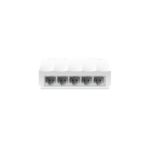
- 5 Fast Ethernet Ports: Provides five physical 10/100Mbps RJ45 ports to attach wire-only clients like smart TVs, desktop computers, or network printers.
- Innovative Green Tech: Features energy-saving mechanisms that automatically analyze the connection status and length of attached network cables.
- Power Draw Adjustments: Lowers electrical usage by reducing power to inactive ports, helping to decrease your overall carbon footprint and energy bills.
Frequently Asked Questions
Does this network switch support power over Ethernet
No, the device does not distribute electrical power over network cables and must be paired with the included external power adapter to function.
Can I connect this device directly to a modem
No, the switch lacks routing capabilities and must be connected downstream from an active internet router or gateway to distribute IP addresses.
What network cable category is recommended for this switch
The internal fast ethernet ports function perfectly over standard Category 5 or Category 5e copper cables to achieve maximum transmission speeds.




































Reviews
There are no reviews yet.