

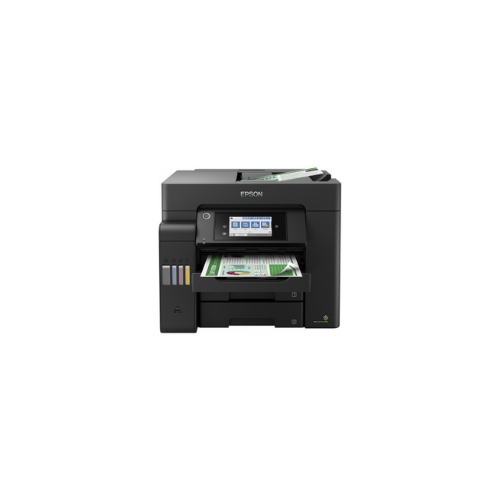
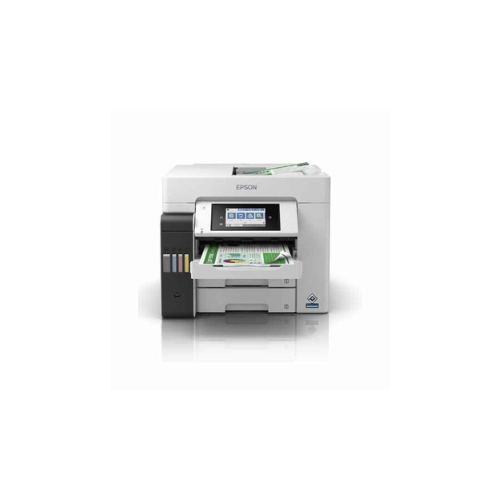
Epson EcoTank L6550 A4 Ink tank Printer-C11CJ30403SA
Key Features
Brand Epson
Epson Heat-Free Technology
Consistent High Speed Printing
Low Power Consumption
Superb Savings & Page Yield
Less Maintenance with Decreased Downtime
DURABrite ET Ink
Space-saving Design, Spill-free Refilling
Network Connectivity and Standalone Capability
FAST DELIVERY
Ultimate Guide to Epson EcoTank L6550 4-in-1 A4 Wi-Fi Ink Tank Printer
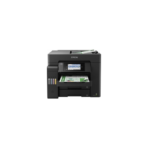
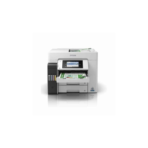
The Epson EcoTank L6550 is a commercial-grade, multi-function business printer engineered to deliver heavy-duty performance and low operating costs for busy corporate teams and home offices. Moving away from traditional standard cartridges, this specialized A4 printer features an integrated, front-facing bulk ink reservoir system that slashes document maintenance expenses. It provides a complete, low-maintenance hardware setup for high-speed monochrome and color document workflows.
Key Features and Specifications
This enterprise-focused business printer combines premium physical durability with advanced data parsing interfaces.
- 4-in-1 Corporate Multi-Functionality: Handles high-resolution printing, rapid scanning, clear copying, and standalone business faxing.
- Ultra-Low Cost Per Page: Redefines workplace economy by saving up to 90 percent on ongoing monochrome and color ink expenses.
- PrecisionCore Heat-Free Technology: Uses advanced mechanical pressure instead of heat to maximize printhead longevity and reduce energy use.
- Fast Duplex Processing: Automatically prints, copies, and scans two-sided documents to save time and lower paper consumption.
- Double 250-Sheet Paper Trays: Features a massive 500-sheet front paper capacity split across two separate input cassette trays.
- 50-Sheet Automatic Document Feeder: Streamlines high-volume multi-page indexing via a built-in duplex ADF.
- Vivid DURAbrite ET Pigment Inks: Utilizes quick-drying pigment inks across all colors to produce water-resistant and smudge-proof text.
- Full Corporate Connectivity: Includes high-speed Ethernet ports, built-in Wi-Fi, Wi-Fi Direct, and secure mobile printing pathways.
High-Performance Business Engineering and Output Ruggedness
The EcoTank L6550 overcomes the slowdowns and high costs of standard laser equipment through its advanced PrecisionCore Heat-Free printhead. Traditional color laser systems require significant power to heat internal fusing elements, causing slow first-page-out times from sleep modes.
This model requires zero heat to eject ink drops, delivering rapid print cycles from the moment you hit start. Document longevity is fully managed via DURAbrite ET pigment inks. These specialized micro-particles bond with paper fibers instantly, ensuring your legal briefings, financial sheets, and invoices resist smudging from moisture or text highlighters.
Streamlined Document Workflows and Media Versatility
The hardware configuration features an intuitive layout to optimize daily office productivity.
- Single-Pass Duplex Scanning: The 50-sheet ADF uses two internal scanning sensors to read the front and back of a sheet of paper at the same time, doubling your digitizing speeds.
- Key-Lock Refill Ports: Features color-coded, mechanically keyed bottle slots that accept only their corresponding color bottle to prevent color mix-ups during refills.
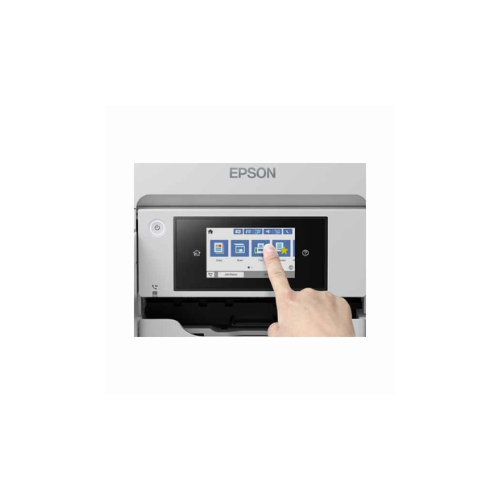
- 6.1cm Color Touchscreen: Allows workers to coordinate copy volumes, adjust scan paths, and verify internal ink levels without using a computer.
Step-by-Step Initial Configuration and Network Link
Setting up your business multi-function workspace takes only a few quick moments using standard utilities.
Initial Ink Filling and Head Charging
- Place the printer on a stable, level desk near a standard electrical wall outlet.
- Open the main front ink tank cover and lift the plastic cap of the specific ink color chamber you want to fill.
- Invert the matching genuine Epson 112 ink bottle and rest it vertically over the open tank port.
- Let the ink drain automatically into the reservoir until the fluid reaches the maximum fill line guide indicator.
- Close the tank caps, turn on the unit, and follow the screen wizard prompts to run the automated 15-minute printhead charging cycle.
Connecting to the Corporate Infrastructure
- Plug a standard network cable from your office switch into the rear Ethernet port, or toggle the wireless settings on the touchscreen console.
- Select your local Wi-Fi name and input your security password using the digital keyboard console.
- Download the Advanced Epson Printer Driver bundle from the official support platform onto your office computers.
- Run the setup installation software to auto-discover the printer on the local subnet and assign user access permissions.
Frequently Asked Questions
Which specific ink bottle models are compatible with the L6550?
The printer is engineered to function exclusively with the Epson 112 series pigment ink bottle line. This premium series includes individual Black, Cyan, Magenta, and Yellow high-yield bottles designed for sharp text output.
How many pages can this printer output from a single bottle refill?
A single full set of replacement Epson 112 ink bottles delivers an exceptional yield capacity, printing up to 7500 crisp monochrome pages and 6000 rich color documents based on standard business testing metrics.
Can I feed thick envelopes or glossy media through this machine?
Yes, alongside the dual 250-sheet front cassettes meant for standard copy paper, the printer features a dedicated rear slot designed for specialty media. This rear path handles premium glossy photo sheets, envelopes, and heavy index cards easily without bending.




































Reviews
There are no reviews yet.