

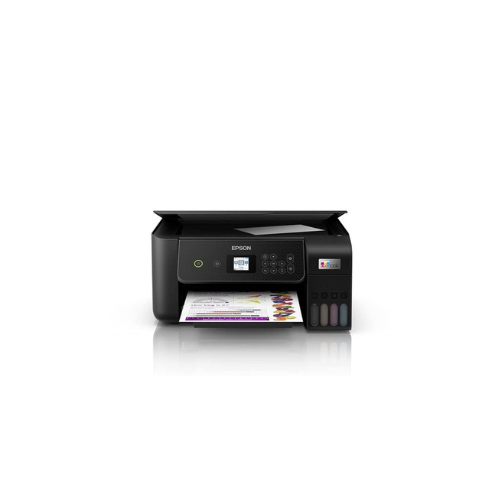
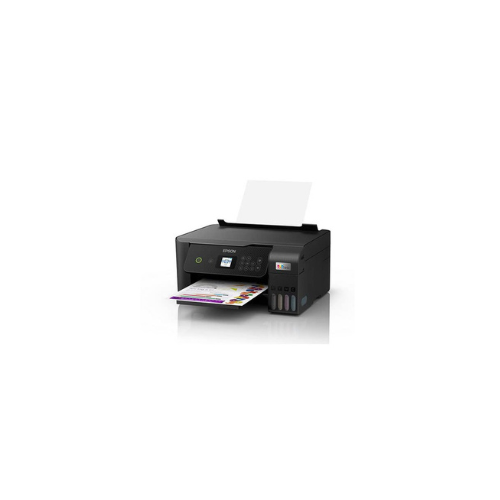
Epson EcoTank L3260 A4 Ink tank Printer-C11CJ6640
Key Features
Brand Epson
Cost per print 7 Paise (black)* and 18 Paise (colour)*
Print, scan, copy
Compact integrated tank design
High yield ink bottles
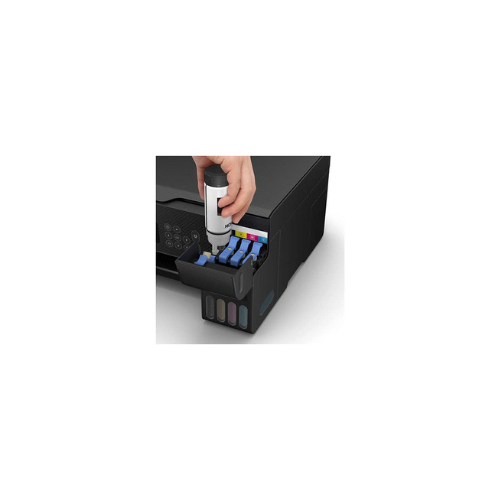
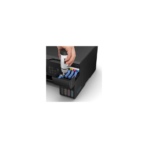
Spill-free, error-free refilling
Wi-Fi & Wi-Fi Direct
Seamless setup via Epson Smart Panel
Borderless printing up to 4R
Powered by Epson Heat-Free Technology
FAST DELIVERY
Ultimate Guide to Epson EcoTank L3260 A4 Wi-Fi Ink Tank Printer
The Epson EcoTank L3260 (C11CJ6640) is an all-in-one multi-function color printer designed to deliver ultra-low-cost document management for home offices and busy student households. Replacing traditional standard ink cartridges with a high-capacity, front-facing integrated ink tank system, this sleek A4 printer effortlessly handles printing, copying, and scanning tasks. It offers a highly reliable, wireless document framework that removes the ongoing financial burden of expensive cartridge replacements.
Key Features and Specifications
This multi-function system balances premium printing efficiency with modern smart home connectivity options.
-
- 3-in-1 Multi-Functionality: Combines high-resolution color printing, clear scanning, and rapid document copying into a single footprint.
- Ultra-Low-Cost Printing: Saves up to 90 percent on ongoing ink expenses by utilizing massive bulk ink reservoirs.
- High Page Yield Capacity: Includes enough ink in the box to print up to 4500 monochrome pages and 7500 rich color pages.
- Micro Piezo Heat-Free Technology: Uses advanced mechanical pressure instead of heat to eject ink, maximizing hardware lifespan.
- Integrated LCD Display Panel: Features a 3.7cm color screen for effortless menu navigation and standalone copying tasks.
- Smart Wireless Connectivity: Built-in Wi-Fi and Wi-Fi Direct protocols support untethered network coordination.
- Epson Smart Panel Mobile Support: Enables complete setup, printing, scanning, and diagnostics management straight from your mobile phone.
Heat-Free Performance and Ink Tank Economics
The EcoTank L3260 solves the problem of high printing costs through its smart front-facing ink reservoir system. Traditional inkjet hardware forces users to buy low-capacity cartridges that run dry quickly, resulting in frequent and expensive replacement interventions.
This model uses high-capacity ink tanks filled via eco-friendly bulk bottles. The internal engine relies entirely on Epson Micro Piezo Heat-Free Technology. Because the printhead does not warm up before executing a job, it consumes significantly less electrical power and experiences less thermal wear over time, delivering consistent text sharpness across large print runs.
Specialized Media Handling and Refill Integrity
The hardware features an intelligent physical layout designed to simplify routine user maintenance.
-
- Key-Lock Bottle Alignment: Uses uniquely keyed bottle nozzles that fit only into their corresponding color slots to prevent accidental contamination.
- Flexible Media Tray: Supports glossy photo paper, legal sheets, envelopes, and standard office paper up to 300 grams per square meter.
- Borderless Photo Printing: Easily outputs borderless 10x15cm snapshots to create vivid, laboratory-quality physical photos at home.
Step-by-Step Initialization and Wi-Fi Configuration
Setting up your multi-function workspace takes only a few minutes using standard smart device applications.
Initial Ink Filling and Charging
-
- Place the printer on a stable workspace and plug the power cord into a standard electrical wall outlet.
- Open the main front tank cover and lift the plastic cap of the specific ink color chamber you want to fill.
- Invert the matching genuine Epson 103 ink bottle and rest it vertically over the open tank port.
- Let the ink drain automatically into the reservoir until the fluid reaches the maximum fill line guide indicator.
- Close the tank cap, turn on the unit, and hold the physical status button down for five minutes to charge the printing lines.
Mobile Application Synchronization
-
- Download the official Epson Smart Panel application from the Apple App Store or Google Play Store onto your device.
- Launch the application and allow it to scan your immediate environment via Bluetooth or local wireless tracking.
- Follow the step-by-step visual prompts on your phone screen to link the printer to your home 2.4GHz Wi-Fi network.
- Load standard paper sheets into the rear input tray, adjust the edge boundaries, and run a diagnostic alignment print.
Frequently Asked Questions
Which specific ink bottle models are compatible with the L3260?
The printer is engineered to function exclusively with the Epson 103 series ink bottle line. This series features individual Black, Cyan, Magenta, and Yellow spill-free bottles configured with custom mechanical keys.
Can I operate the copier functions without connecting a computer?
Yes, the integrated 3.7cm color LCD screen and physical navigation buttons allow you to execute standalone copying tasks. You can adjust print quantity, toggle between color and monochrome, and alter document scale directly from the console.
What should I do if the printer output starts showing gaps or faint lines?
Access the system maintenance menu using either the built-in LCD control panel or your connected computer utility. Run a standard nozzle check print, and if gaps appear in the test pattern, initiate a printhead cleaning cycle to clear the internal jets.
Is this ink tank model compatible with Apple AirPrint protocols?
Yes, the internal network firmware supports Apple AirPrint alongside Mopria Alliance standards. This allows you to print photos, web pages, emails, and PDFs instantly from your iPhone, iPad, or Mac without installing external drivers




































Reviews
There are no reviews yet.